


{{ secondMenu.name }}






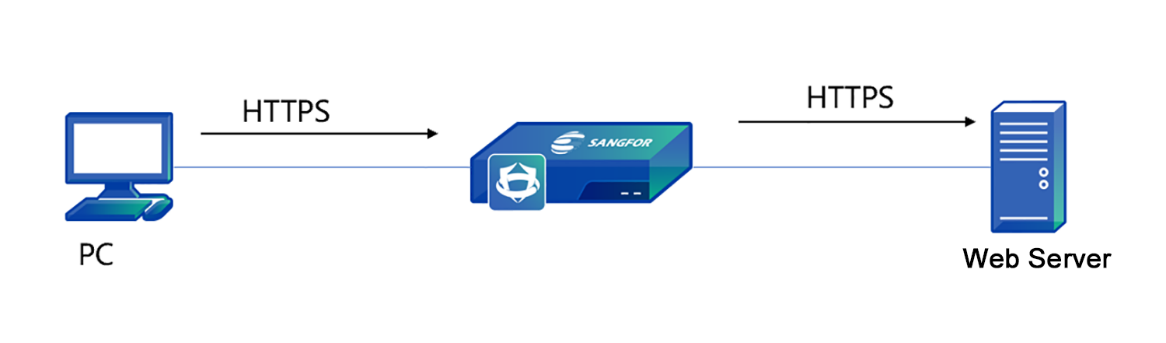
The service released by the decryption intranet server applies to the encryption server in LAN. The NGAF device detects the server's traffic by decrypting the traffic accessing the server to protect the server from attacks. See the figure below.

A web application server is released on the intranet of an enterprise to provide internal and external services. The web application server is transmitted via HTTPS protocols. To prevent the webserver from being attacked, HTTPS traffic must be detected to ensure the security of the server.
Step 1.Import the HTTPS server certificate. Click Server Certificate. Then, the Server Certificate dialog box appears. Click Add to create a server certificate, as shown in the following figure.
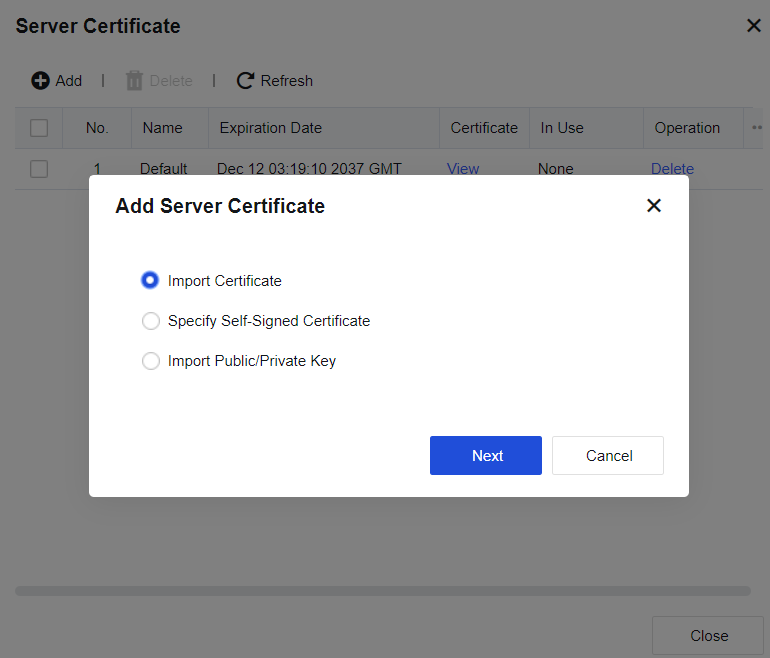
| Form of certificate |
Note |
| Import Certificate |
Imports a certificate file suffixed with .pfx or .p12. The file contains the public key, private key, and password. Enter the password to decrypt the file. |
| Specify Self-Signed Certificate |
Indicates the custom certificate. You need to manually enter the name, country, issue, key length, and validity period. The rest parameters are optional. A self-signed certificate can be generated after the preceding parameters are set. |
| Import Public/Private Key |
Imports a public or private key certificate. The public key certificate supports a file suffixed with .pem or .der, and the private key certificate supports a file suffixed with .pem, .der, or .pvk. Click Save after the certificate is imported. |
Table 15:Description of Actions
Step 2.Click Add to create a decryption policy and enter the corresponding information, as shown in the following figure.
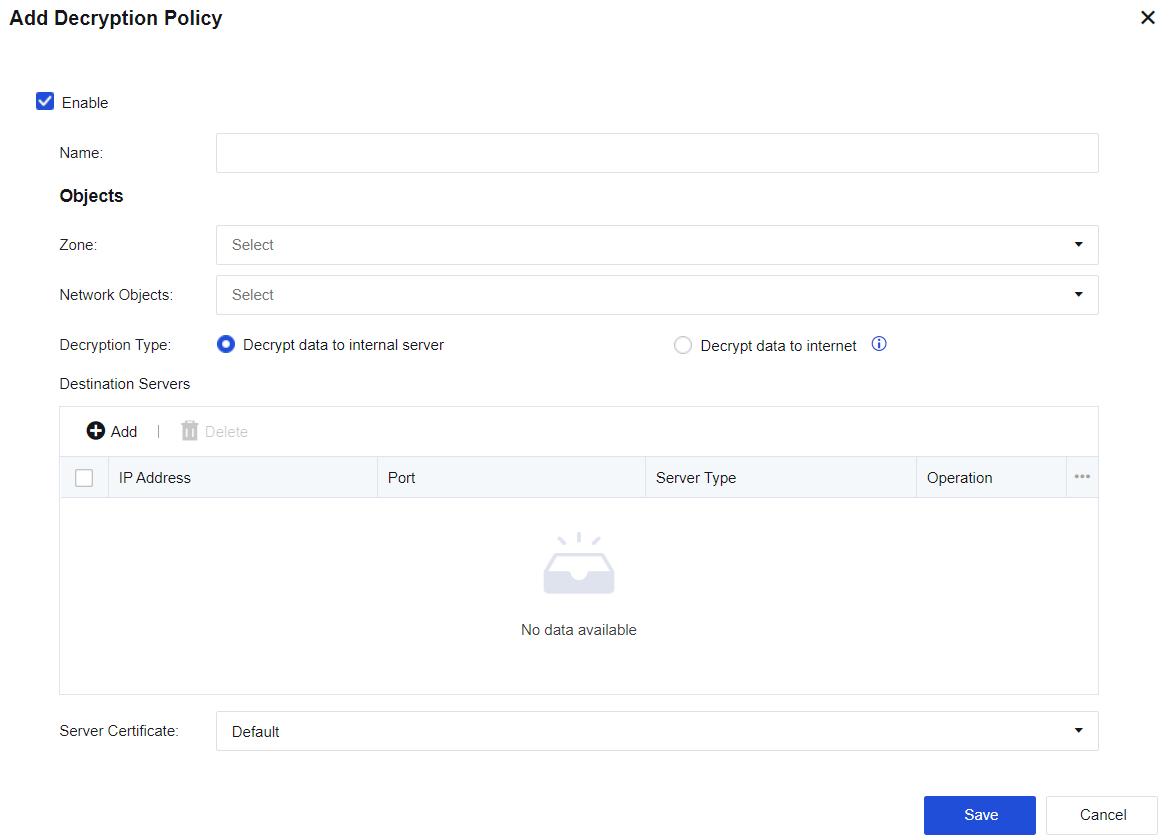
Name: Enter a policy name easy to identify.
Zone: Select the source zone for accessing the server.
Network object: Enter the network objects that will access the server.
Decryption Type: If you select Decrypt data to internal server, the encryption server is deployed in the LAN zone of NGAF. The Decrypt data to internet option applies to the decryption of emails and HTTPS data when LAN users access the internet.
Destination Servers: Add the IP address and port of the server to be decrypted. Web server, mail server, FTP server, and other servers are available.
Server Certificate: Select the certificate of the encryption server. You need to import the server certificate on the Server Certificate page.
Step 3.Click Save. Then, the policy is added.


 {{ $t('index.defaultHeader.chromeBrowserTip') }}