


{{ secondMenu.name }}






Risk analytics analyzes the risk of the target server by scanning, finding the existing problems according to the scanning results, analyzing the access relationship in combination with the security policy of NGAF, and visually displaying the user server's risk details. See the figure below.
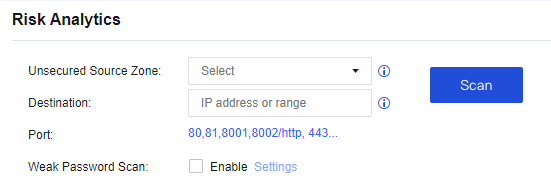
Unsecured Source Zone: Select the accessed zone of the target IP address.
Destination: Select the IP address to be scanned.
Port: Select the port to be scanned.
Weak Password Scan: If you select this option, weak password scanning will be performed. If there are limits in the configuration of weak passwords, proceed with caution to prevent the account from being locked.
A user needs to find out whether the server problems and NGAF configuration policies are correct and needs to analyze the server risk.
Step 1.Configure the scanning for risk analysis, as shown in the following figure
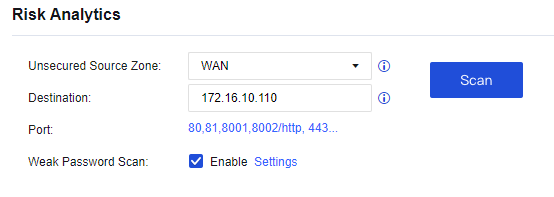
Step 2.View the risk analysis, as shown in the following figure.
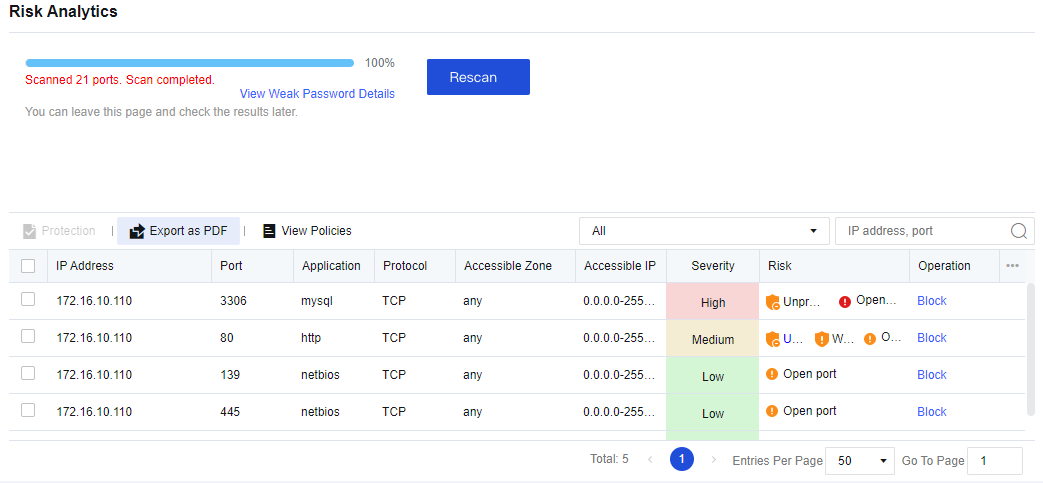
Step 3.Click Block in the Operation column to generate a policy for which the Action parameter is set to Deny, as shown in the following figure.
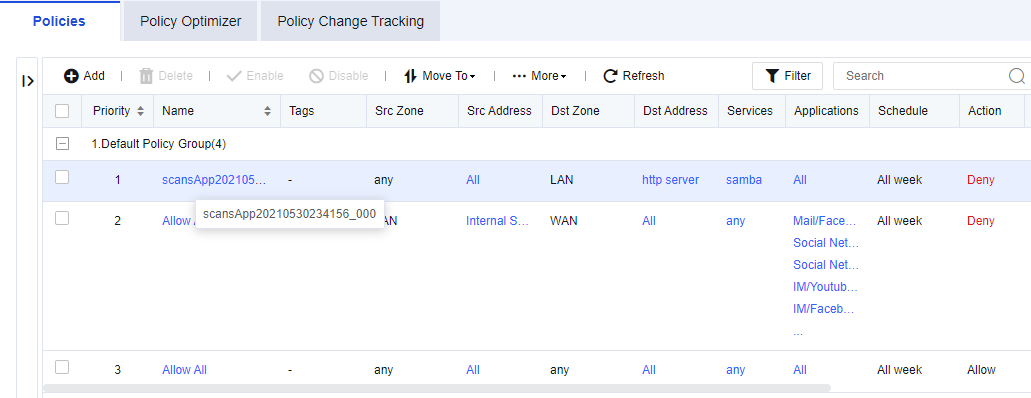
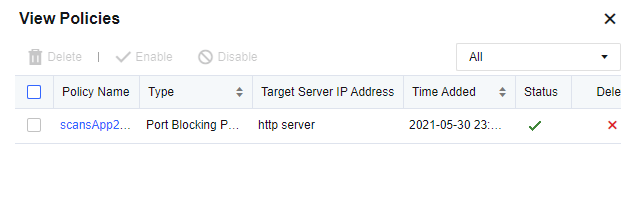
Step 4.Click View Polices to view the policy, as shown in the following figure.


 {{ $t('index.defaultHeader.chromeBrowserTip') }}