


{{ secondMenu.name }}






Service misjudgment caused by non-standard writing of service codes and conflicting security detection functions in web applications affects the stable operation of services. NGAF uses the big data intelligent analysis engine to analyze service traffic and establishes a user service signature model to solve the misjudgment problems caused by the irregular writing of service codes in web applications.
Signature model learning uses AI semi-automatic learning algorithms (some of which require human work) to solve the service misjudgment triggered by unstandardized web service code. It can enable the defense mode of the web app security policy to ensure the secure and stable running of the service system.
AI semi-automatic learning algorithms analyze and learn the traffic of web service access and learn the signatures of web service systems. Then, the detection methods based on attack signatures and service signatures are fused to solve the misjudgment triggered by unstandardized web service code. For signatures that the AI learning algorithm cannot automatically identify, they will be identified and marked manually. This learning method requires that the access traffic of the service system continuously studying the signatures for some time, and then the defense mode of the web app protection policy corresponding to the service can be enabled until all signatures of the service system are learned.
Click Add and select Enable training monitor to enable the signature model learning function, as shown in the following figure.
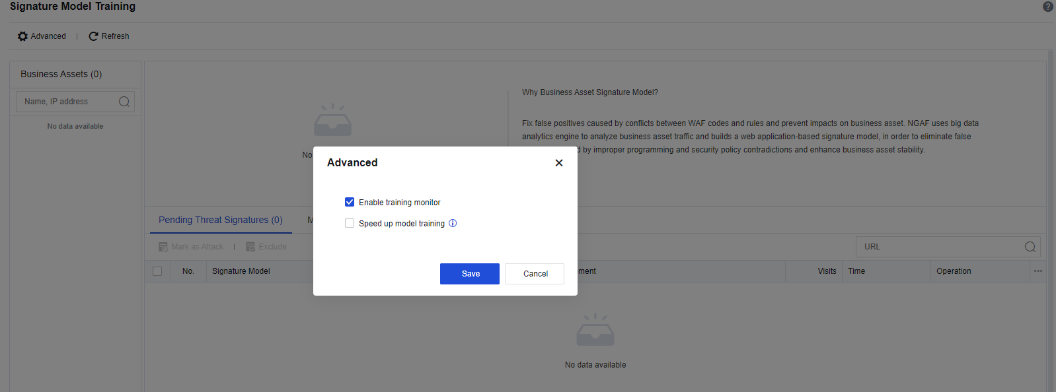
Enable training monitor: Enables the signature model learning function
Speed up model training: Speedups signature learning when the signatures of a specific URL change constantly. If you select this option, the risk of false negatives may occur. Proceed with caution.
An NGAF device is launched in the network of an enterprise to protect application servers. However, after launching, due to the non-standard service code and other problems, there are many false positives, failing to enable the blocking function.
Step 1.Select Enable training monitor to learn the non-standard service code, as shown in the following figure.
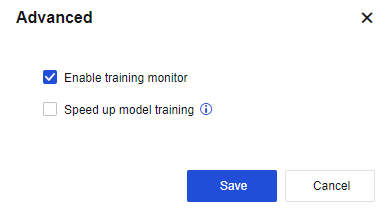
Step 2.View the content of the raw data packet (the highlighted parts are the signatures) corresponding to the service signature, identify whether the signature is a normal service access signature or an attack signature, and click Mark in the Operation column.
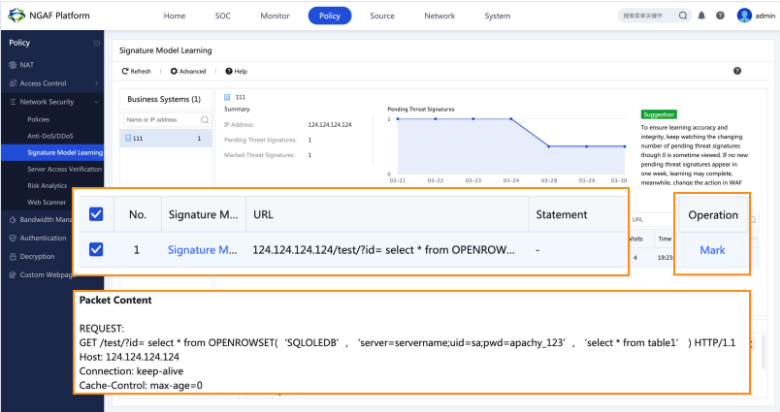
Step 3.When the trend of service signatures to be confirmed tends to be 0, and no new signatures to be confirmed are generated within two consecutive weeks, it indicates that all the service signatures of the service system have been learned. At this time, we recommend that you set the Action parameter of the web app protection policy of the service system to Deny.
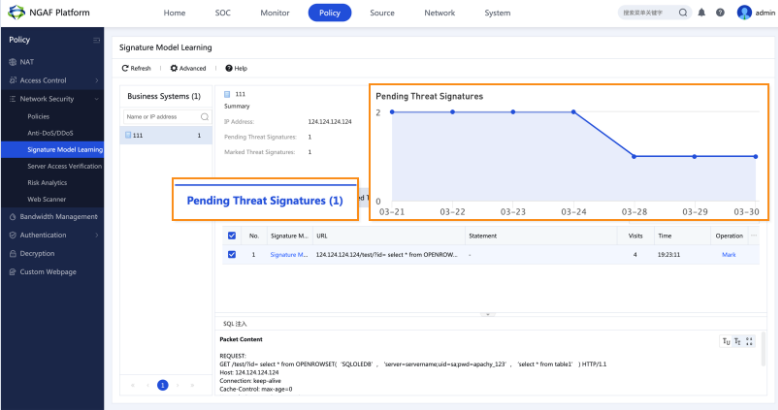
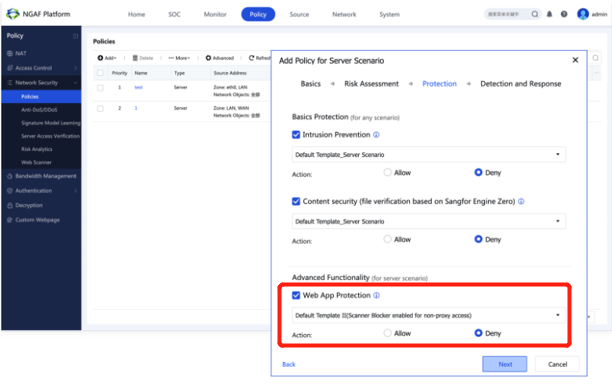
Step 4.Go to Policies > Network Security > Policies, and find the policy of the corresponding policy. Then, click Next in the Add Policy for Server Scenario dialog box to go to the Protection step, select Web App Protection, and select Deny for the Action parameter.


 {{ $t('index.defaultHeader.chromeBrowserTip') }}