


{{ secondMenu.name }}






System logs mainly record the logs generated when device administrators perform operations on devices, the local security logs generated when devices are under attack, and the local access control logs. These logs can be exported and provided to relevant personnel for analysis, as shown in the following figure.
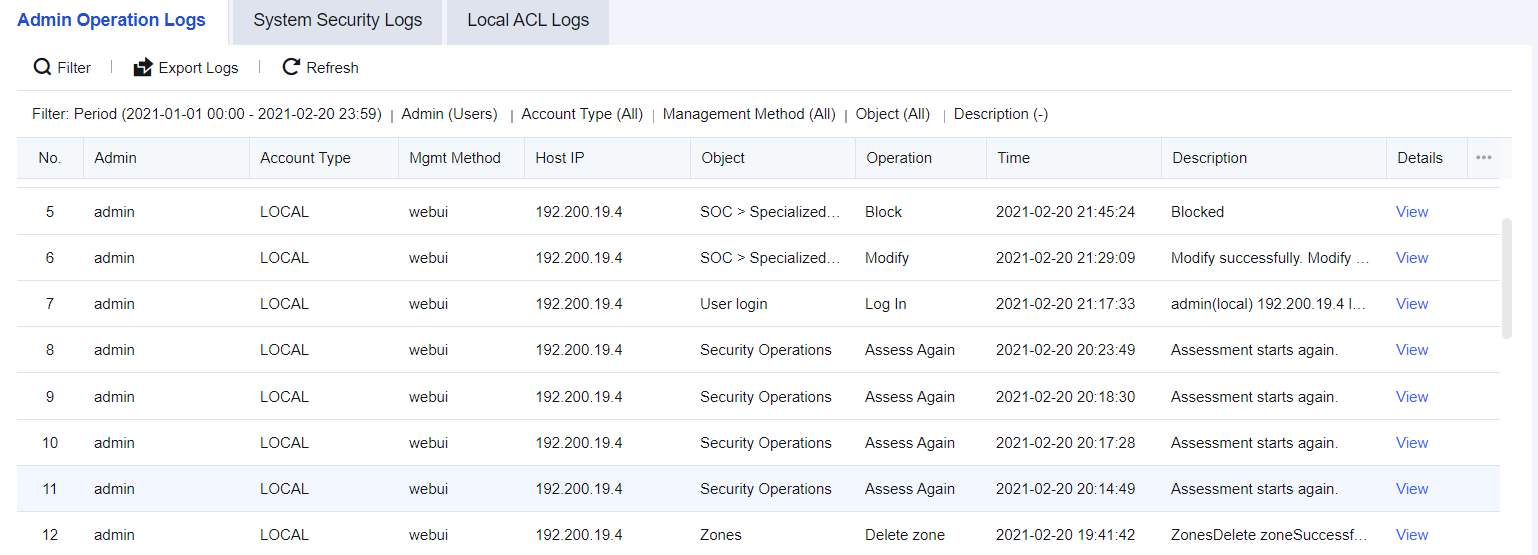
To query the login and logout logs of users logging into the control panel and the logs of all operations executed. For example, you can query the operations executed by the account Admin after logging in to the console on a particular day. The Admin Operation Logs page is shown below
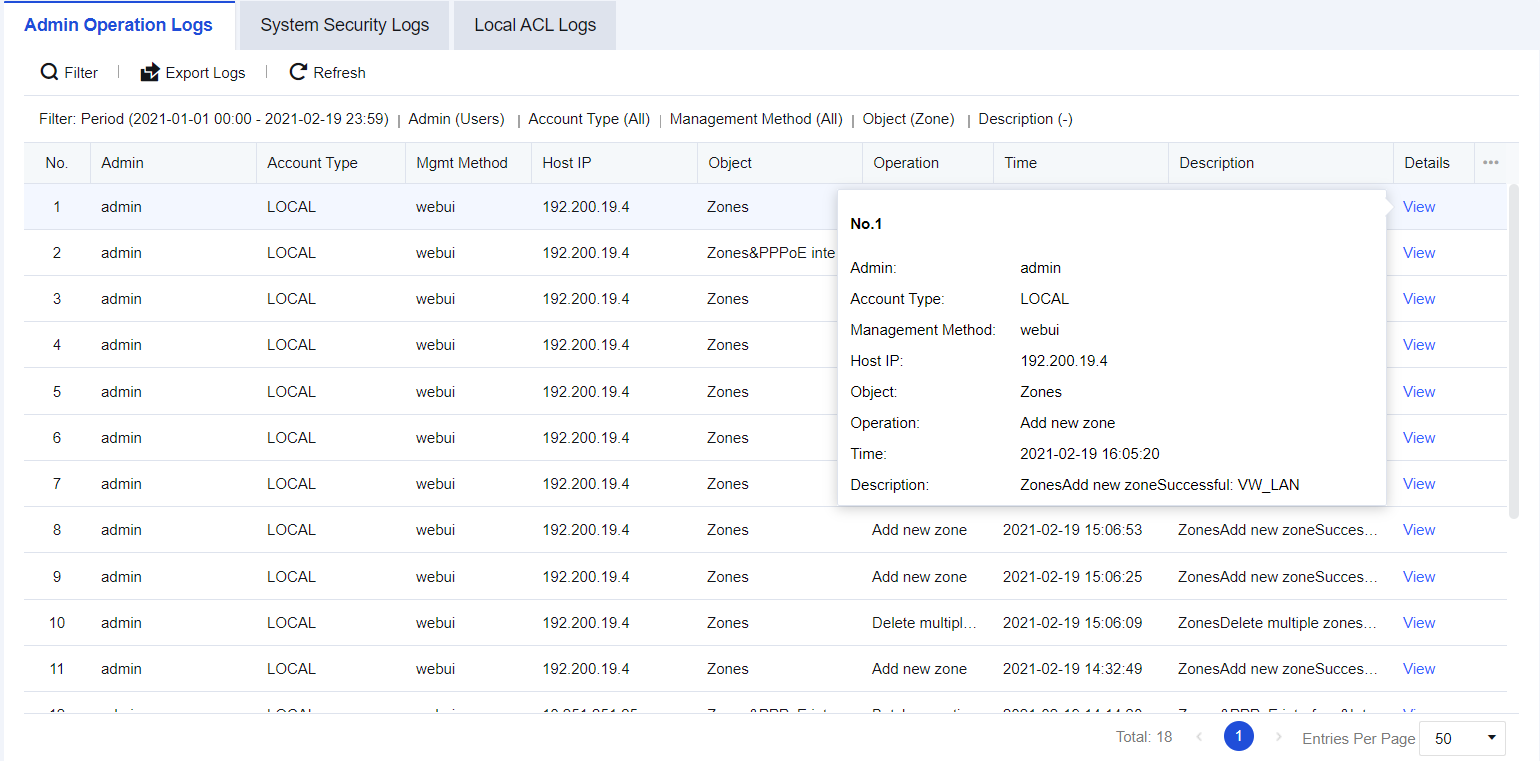
It is necessary to retrieve which administrator accounts have been recently used to configure Zones for the network of a particular enterprise.
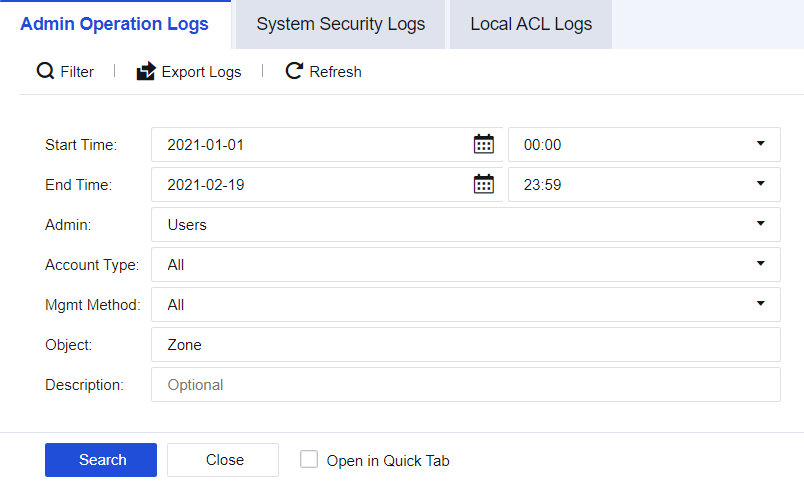
Step 1.Click Filter to retrieve the configuration details of Zones, as shown in the following figure.
Step 2.View the results that list the Admin accounts used, operation time, hosts, and other information for Zone configuration.
NGAF devices have the function of resisting penetration attacks. When a device suffers a malicious attack, you can view the system security logs and perform analysis. System security logs record detailed information about attacks suffered by NGAF devices. The interface is shown below.
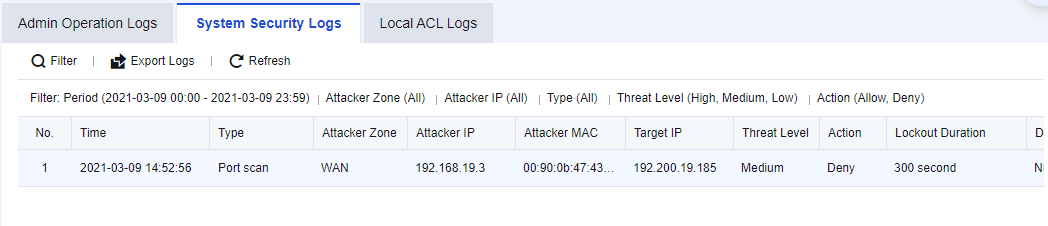
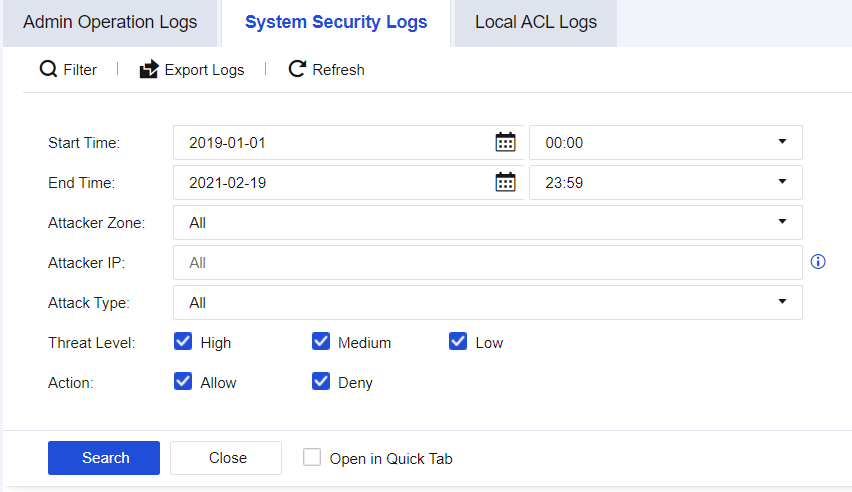
An enterprise needs to perform local device security protection to periodically check whether the devices are attacked. Therefore, administrators need to check all the system security logs to determine whether there are abnormalities in devices.
Step 1.Click Filter to perform log filtering according to needs, as shown in the figure below.
Step 2.View details of specific attacks, as shown in the figure below.
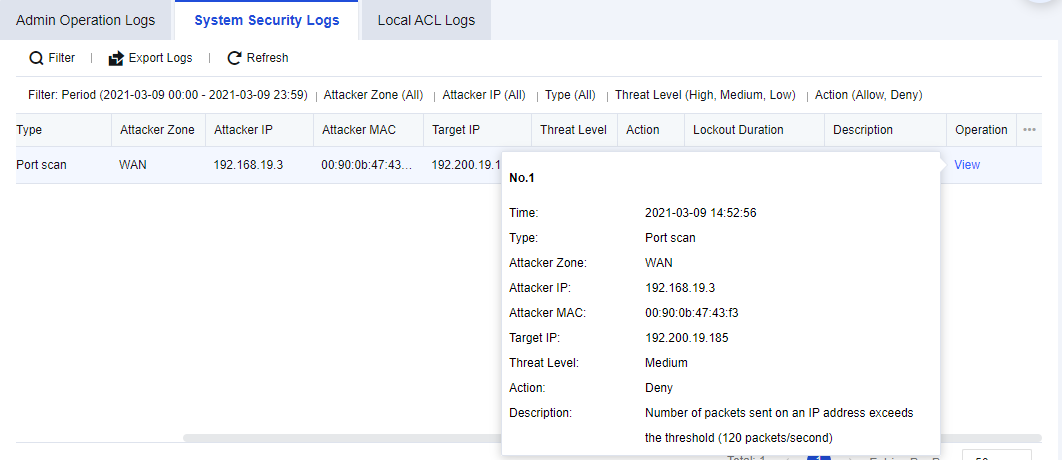
Step 3.The attack types that can be queried include port scanning, ICMP flood attack, UDP flood attack, SYN flood attack, DNS flood attack, and IP messages in the blacklist.

How to enable System Security logging:
1. Navigate to Policies > Security Policy > DoS/DDoS Protection, select This Device, and check Enable.
2. Select the scan and attack types, DoS/DDoS protection, and check Log events and other functions.
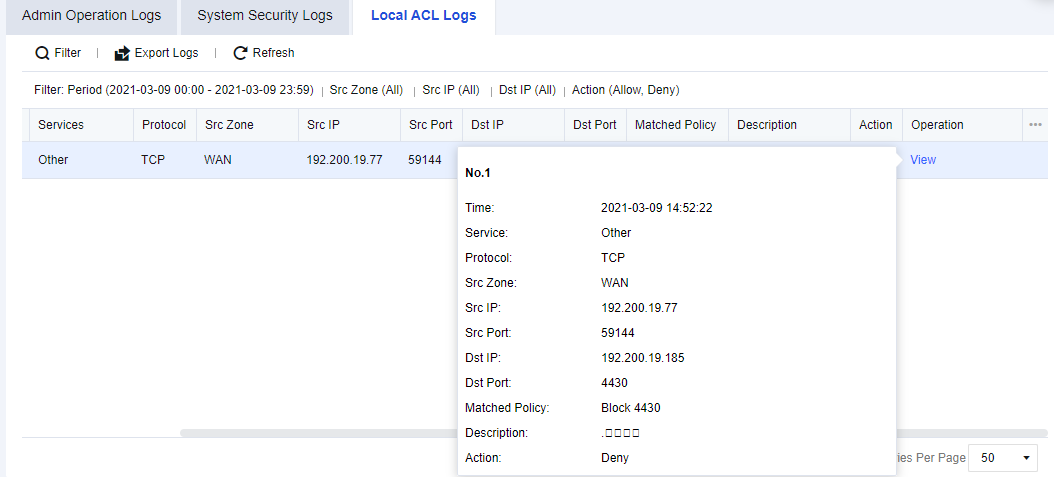
The NGAF device possesses its access control policy. It is a policy designed for endpoints accessing the NGAF. You can check which policies have been matched when endpoints access NGAF according to logs. The interface is shown below.
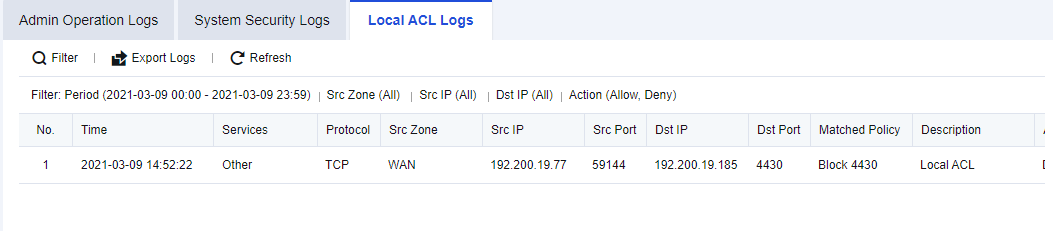
An enterprise needs to check which endpoints have accessed the NGAF device and determine whether the access was normal.
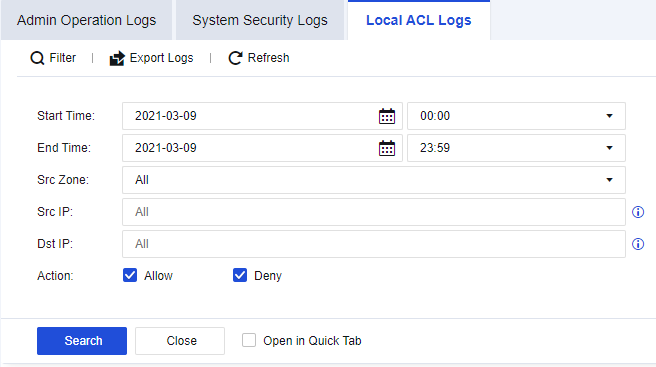
Step 1.Click Filter to perform log filtering according to needs, as shown in the figure below.
Step 2.You can check the source and destination IP addresses and other information about specific access from the results. Click View to view the details, as shown in the following figure.
How to enable Local ACL logging:
1. Navigate to Monitor > Settings > Logging Options > Logging and Archiving, enable the Local ACL Logs and check Local. You can choose other storage methods if there are external devices.
2. Navigate to Policies > Access Control > Local ACL, check the Log events for corresponding policies as needed.


 {{ $t('index.defaultHeader.chromeBrowserTip') }}