


{{ secondMenu.name }}






Access logs mainly record the processing results of the user/IP traffic after it being received by the NGAF device, and application control logs record the ACL information that can be matched. Access logs include application control logs, user login/logout logs, and SSL VPN logs.
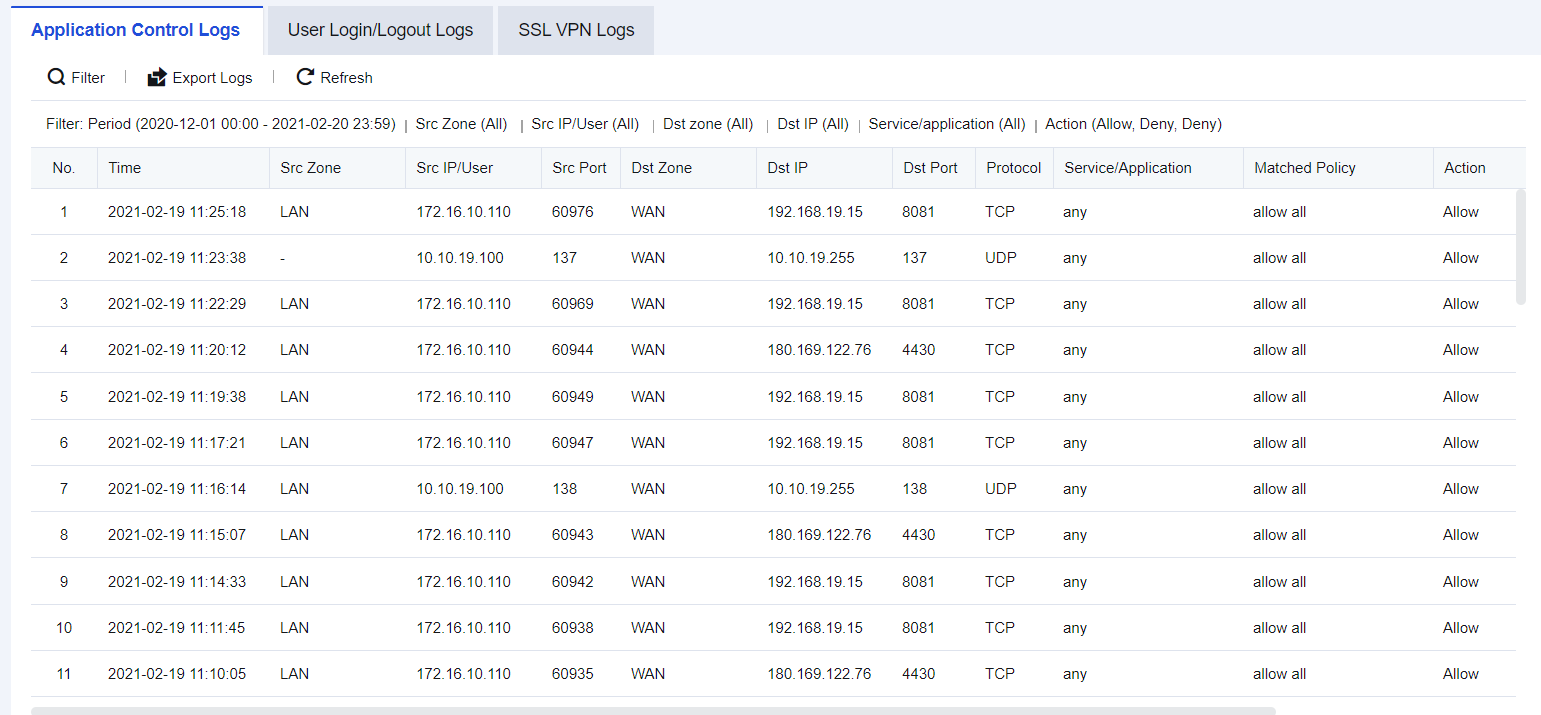
Application control logs are generally used to check which application control policy the traffic matches to facilitate troubleshooting. See the figure below.
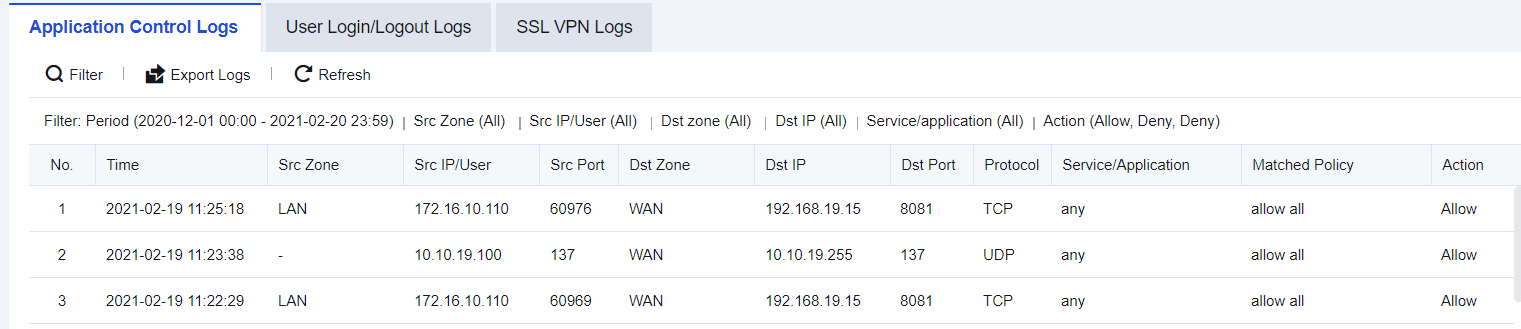
In an enterprise's network, it is required to specify a policy, with certain access ports determined. Therefore, after enabling Log events in the firewall Application Control Policy, search logs in the Application Control Policy.
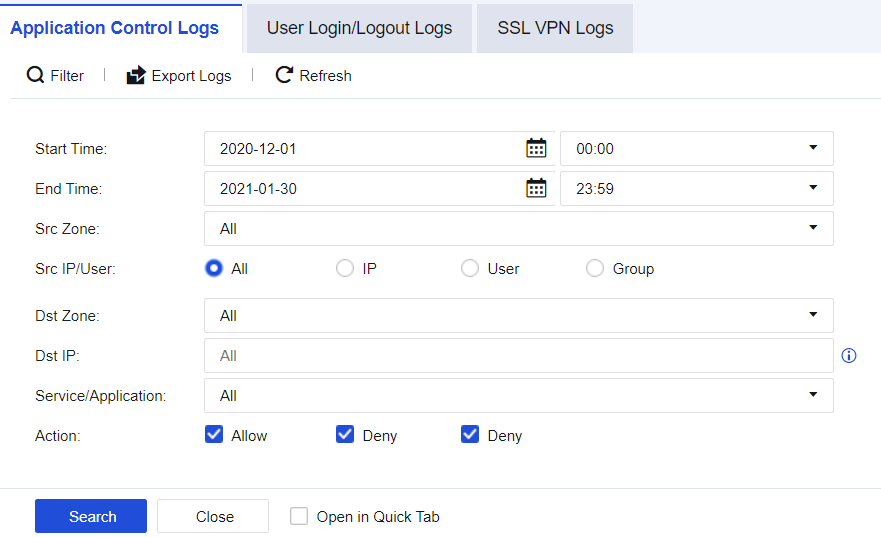
Step 1.Click Filter to perform Src/Dst IPs filtering according to needs, as shown in the figure below.
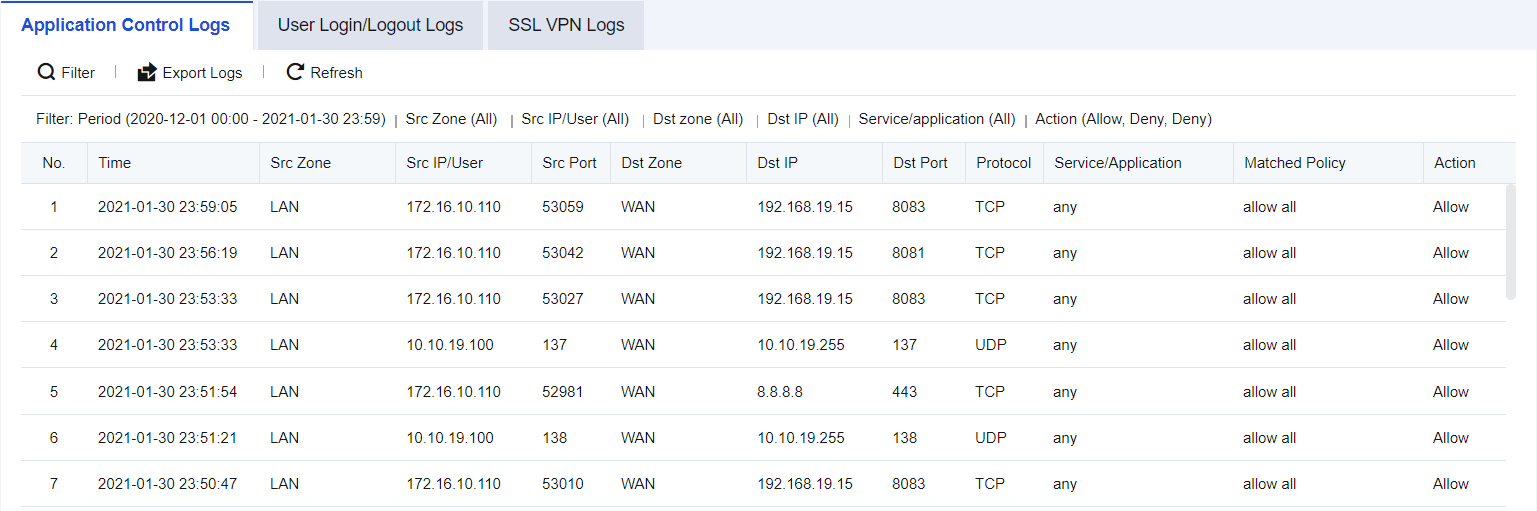
Step 2.Determine whether the port and service are normal according to the results, as shown in the figure below.

How to enable Application Control Policy:
1. Navigate to Monitor > Settings > Logging Options > Logging and Archiving, enable the Application Control Policy, and check Local. You can choose other storage methods if there are external devices.
2. Navigate to Policies/Access Control Policy/Application Control Policy, select the corresponding application control policies and enable the Log events function.
User Login/Logout Logs are mainly used to query the recorded details about a user's login and logout through the NGAF authentication module after the module is enabled. You can export logs for performing analysis, as shown in the following figure.
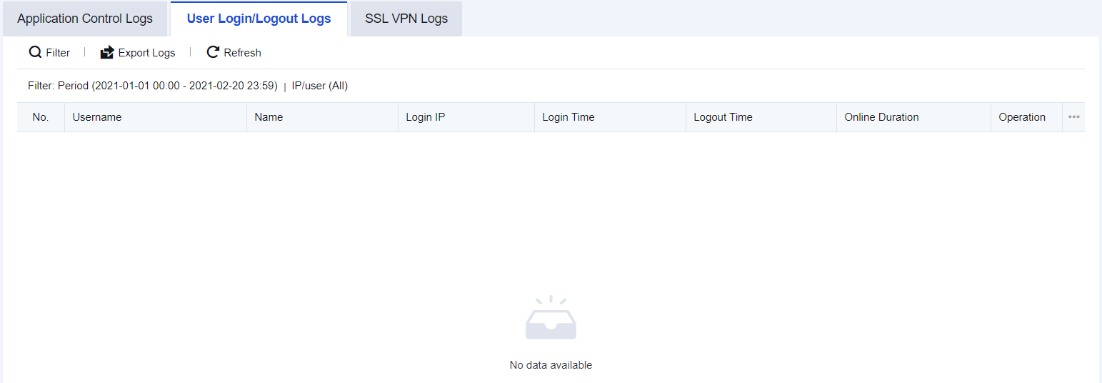
An enterprise authenticates the networking behavior of the PCs on its office LAN, and only the authenticated endpoints can access the Internet. You have to look up the latest authentication status of the Sangfor user first.
Step 1.Click Filter to perform log filtering according to needs, as shown in the figure below.
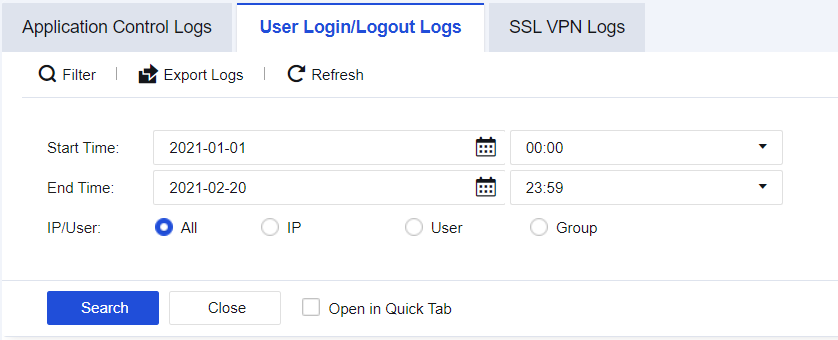
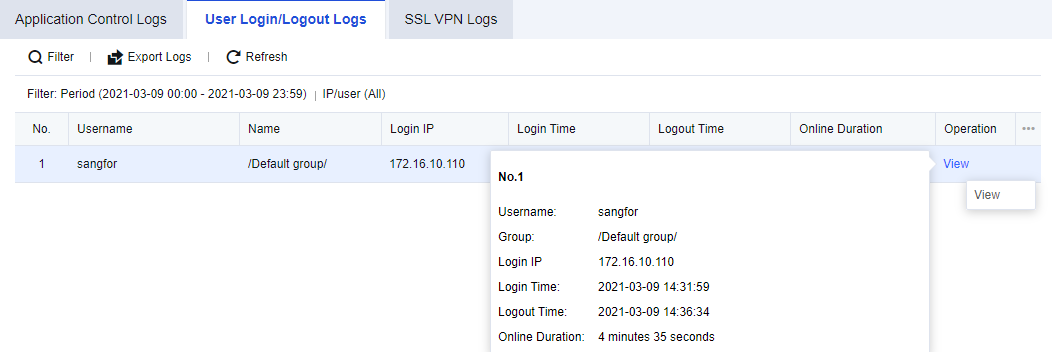
Step 2.The result records information such as the device's Login Time, Logout Time, and Online Duration, as shown in the figure below.
SSL VPN logs record information such as login, logout, and terminal PC version of SSL users to facilitate administrators' troubleshooting of abnormal user behavior. You can export SSL VPN logs for performing analysis, as shown in the following figure.
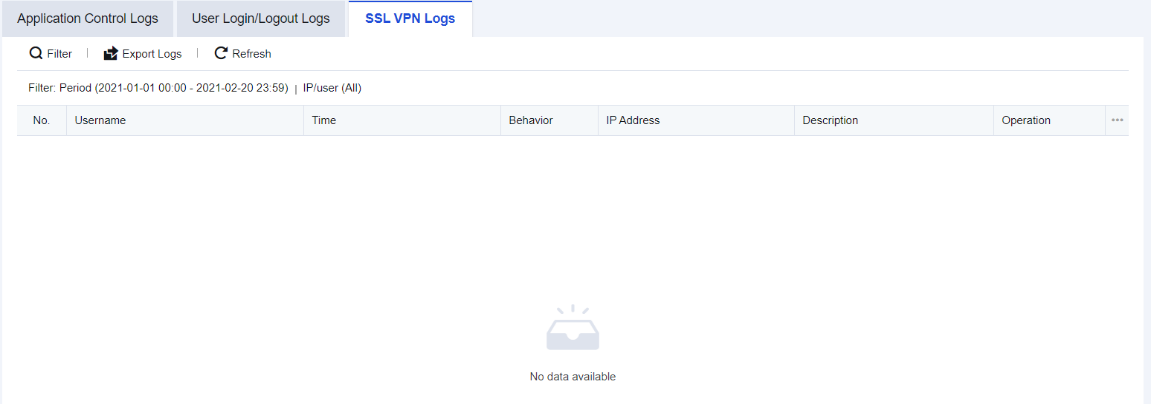
An enterprise administrator finds a Sangfor user abnormal and needs to retrieve its recent logins.
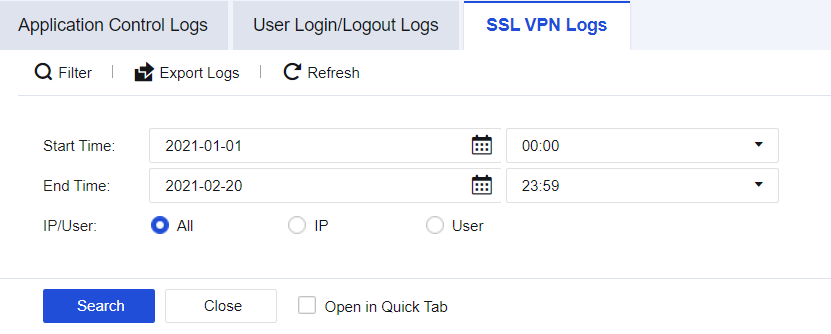
Step 1.Click Filter to look up the recent logins of the Sangfor user, as shown in the figure below.
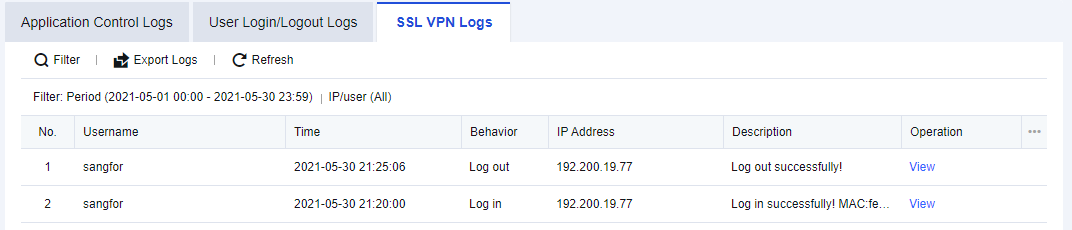
Step 2.The results display the endpoint MAC, hostname, operating system, and other information, as shown in the figure below.


 {{ $t('index.defaultHeader.chromeBrowserTip') }}