


{{ secondMenu.name }}






Dynamic Host Configuration Protocol (DHCP) is a technique used to dynamically manage and configure IP addresses for users in a centralized manner. Even for smaller networks, DHCP makes subsequent addition of network devices easier and faster.
DHCP supports two mechanisms for IP address allocation, and network administrators can choose different allocation policies for different hosts according to network requirements.
• Dynamic allocation: DHCP assigns an IP address to a client for a limited time (which is usually called a lease).
• This allocation mechanism applies to scenarios where a host needs to be granted temporary access to a network or where the number of free addresses is less than the total number of network hosts and the hosts do not need to be permanently connected to the network.
• Static allocation: a network administrator assigns a permanent IP address to the specified host using DHCP.
• Compared with the manual static configuration of IP addresses, the static allocation using DHCP avoids errors generated during manual configuration and facilitates unified maintenance and management by administrators.
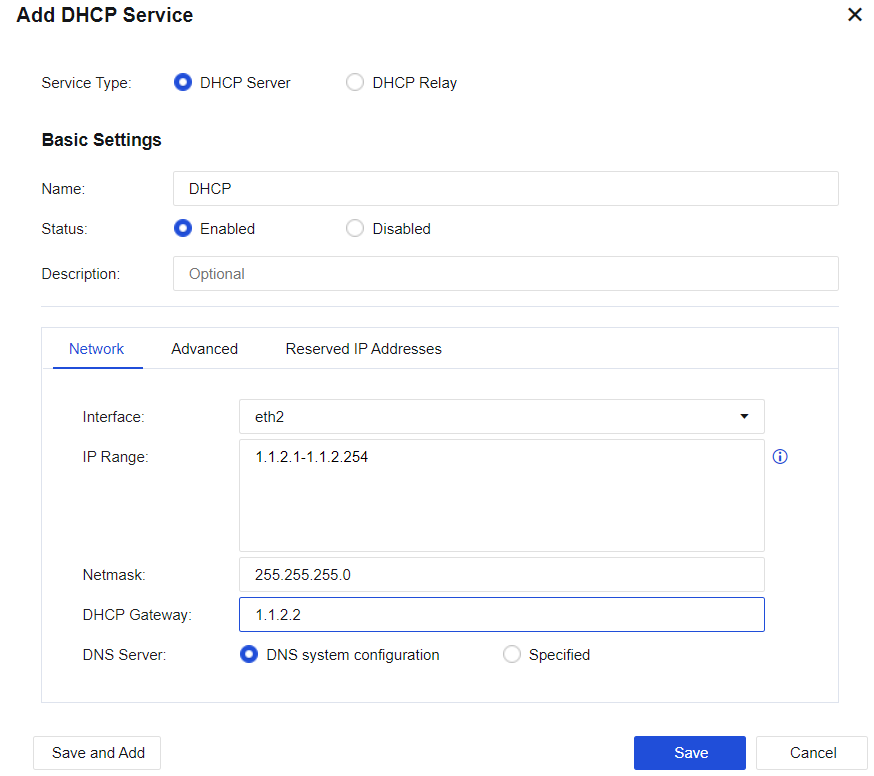
The NGAF device serves as a DHCP server and provides a client with an IP address. Click Add and select Service Type, as shown in the following figure.
Network
Configure network details of DHCP.
Interface: Shows all route interfaces, sub-interfaces, and VLAN interfaces on the device. You can set IP addresses allocated through these interfaces separately.
IP Range: Select the range of the assigned IP addresses. If no data is filled in, the IP addresses assigned for the interface will be used by default.
Netmask: The netmask of the assigned IP address.
DHCP Gateway: Enter the DHCP gateway address. If no data is filled in, the interface address will be used as the gateway.
DNS Server: Set the DNS address assigned to the client.
Advanced
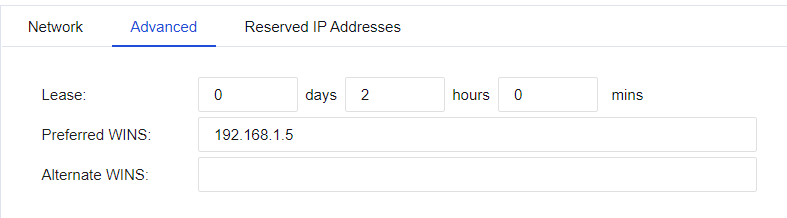
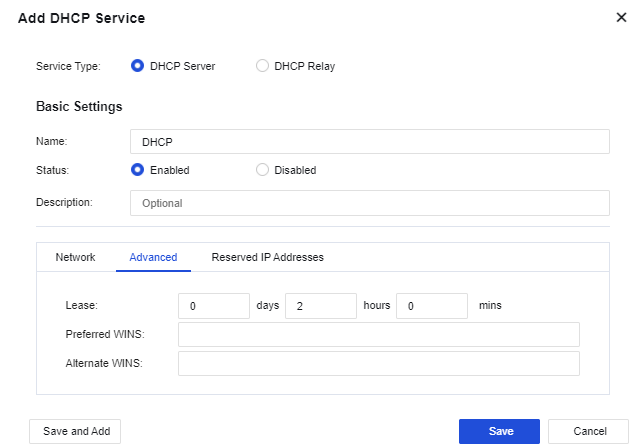
Lease: Set the lease for the IP address assigned by the DHCP server.
Preferred WINS: Configure the preferred WINS server address.
Alternate WINS: Configure the alternate WINS server address.
Reserved IP Addresses
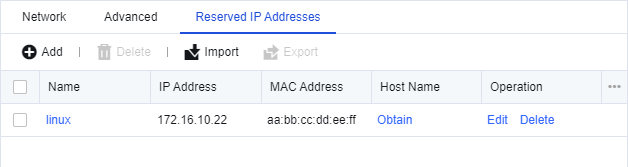
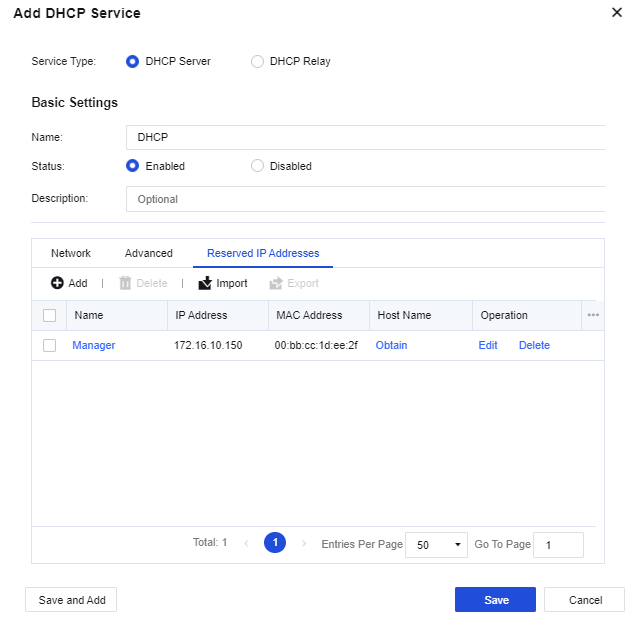
Set the IP addresses that need to be reserved. Click Add to create an IP address to be reserved.
Configuration Case
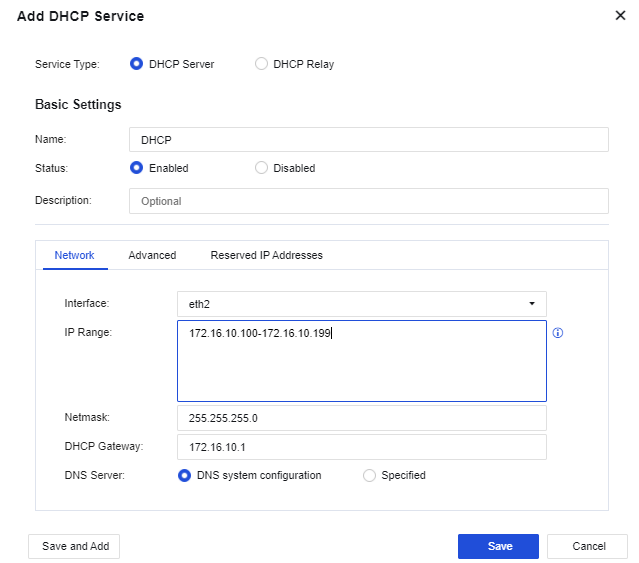
The LAN interface eth2 on a user's NGAF device is connected to a LAN segment. The user requests that the NGAF device automatically assign the IP address range of 172.16.10.100-172.16.10.199 to users in a conference room for accessing the Internet, and the manager's computer is permanently assigned with the IP address 172.16.10.150.
Step 1.Add a new DHCP server. Select the interface eth1 from the interface list for DHCP configuration. Configure the IP range and DNS network parameters, as shown in the following figure.
Step 2. (Optional) Set the Lease, i.e., the lease issued by the DHCP server, as shown in the following figure.
Step 3.Set Reserved IP Addresses. Click Add to set a reserved IP address, i.e., assign a permanent IP address to the corresponding computer according to its MAC address.
Step 4.View the DHCP operation status and the DHCP assignment status.



 {{ $t('index.defaultHeader.chromeBrowserTip') }}