


{{ secondMenu.name }}






DDNS (Dynamic Domain Name Server) maps the user's dynamic IP address to a fixed domain name resolution service.
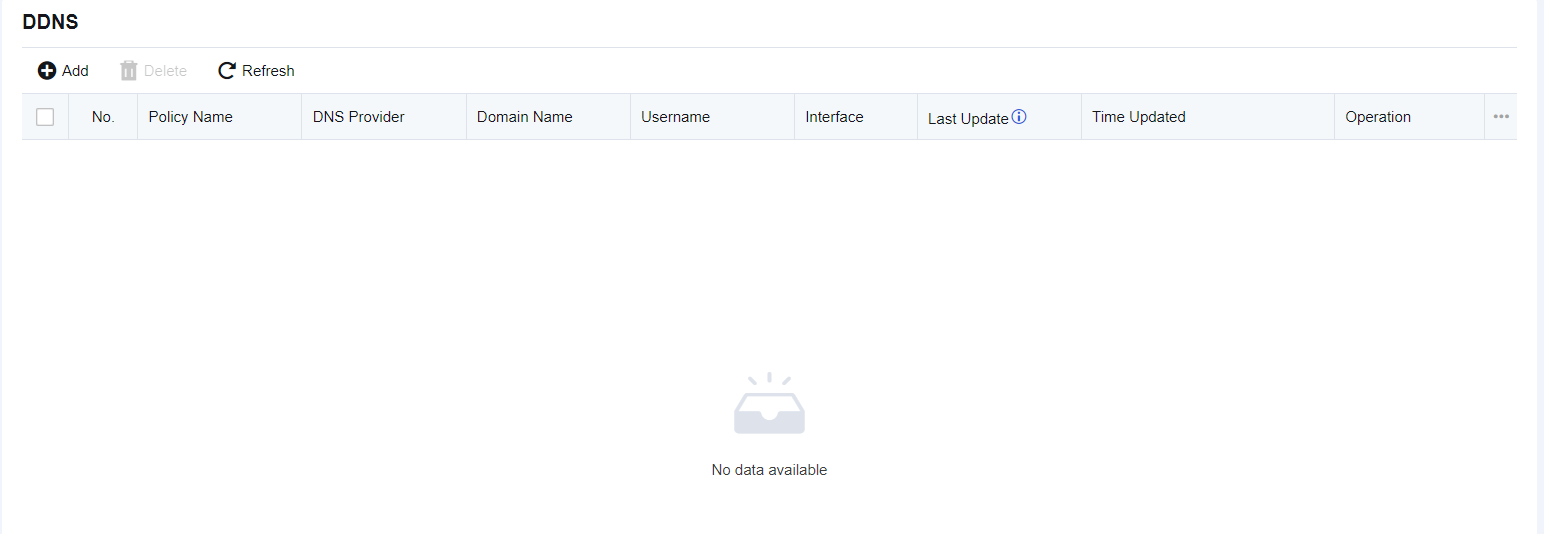
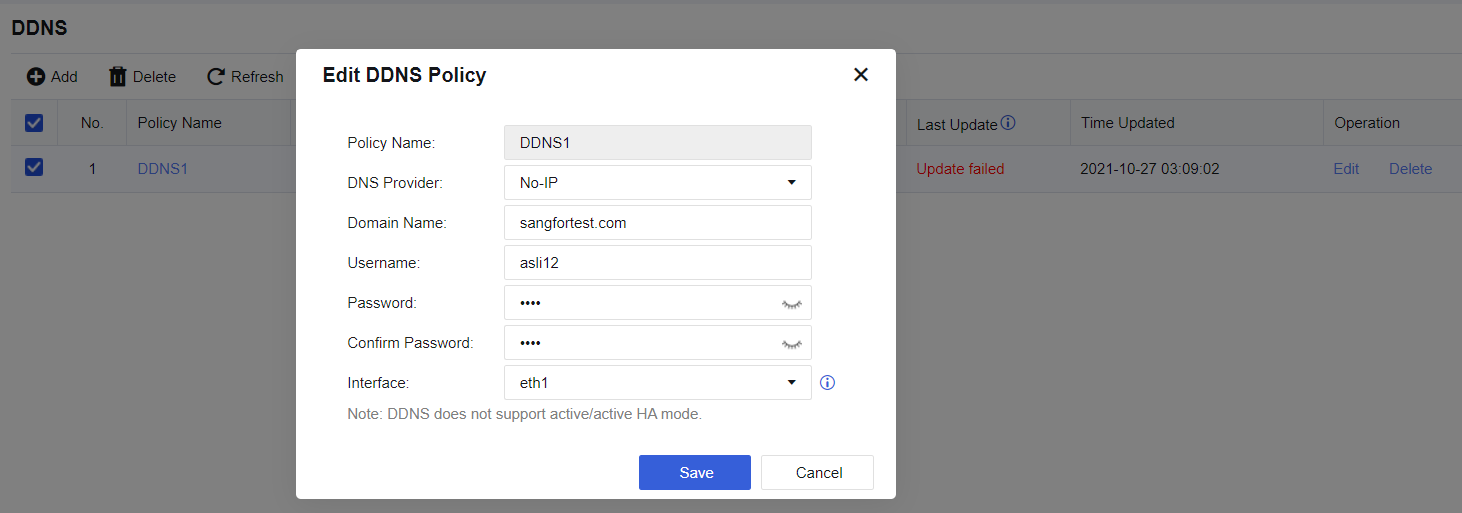
Click on the Add button, fill the the information as figure below:
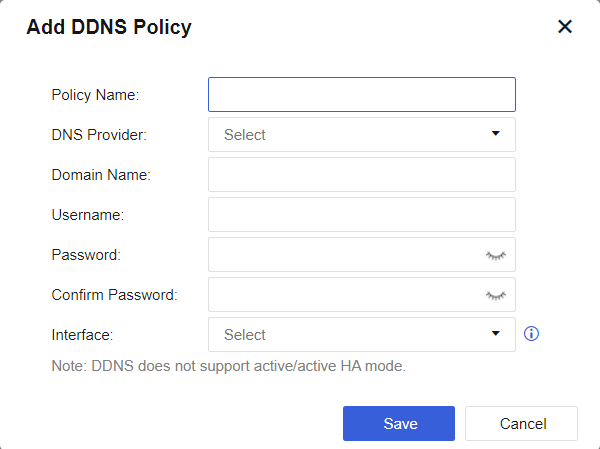

Policy names and domain names must be unique. You will see an error message if the name you are specifying already exists.
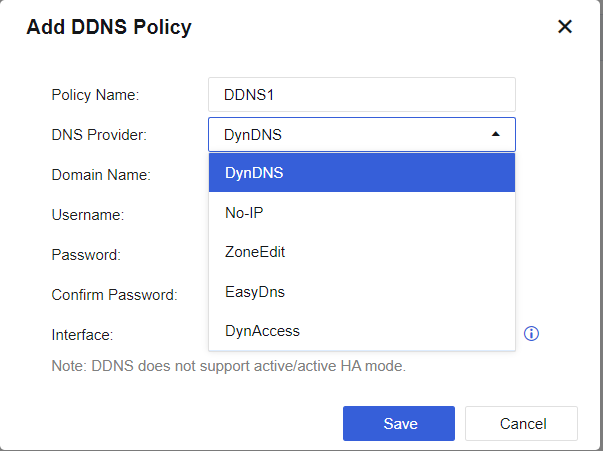
Select a DNS provider from the available options. Currently only support common ISP show in the list, the DNS provide not support to change.
DDNS is not supported when the NGAF device is deployed in active/active mode or the HA configuration is only configure the Basic Setting which is consider incomplete configuration.
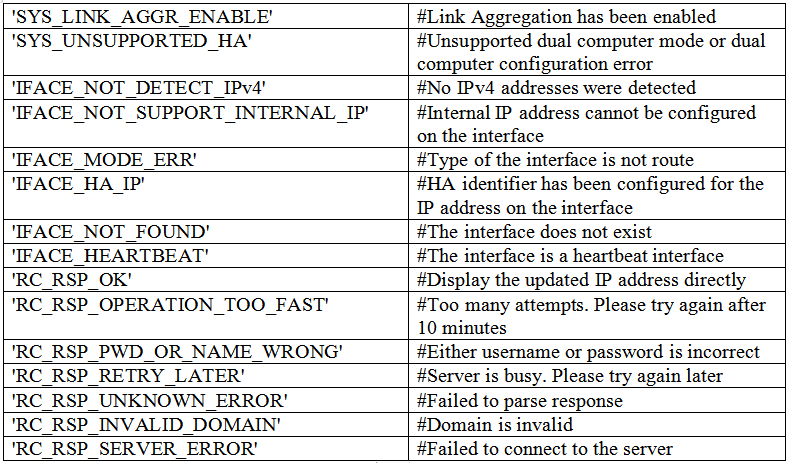
The following error messages will be shown if any update error occurs.

Choose the policy, then click on the Delete button to delete.

To edit the policy, click on the policy name and it will prompt a window for editing the policy.



 {{ $t('index.defaultHeader.chromeBrowserTip') }}