


{{ secondMenu.name }}






To set the DNS servers and DNS proxy for the NGAF device to access the Internet. See the figure below.
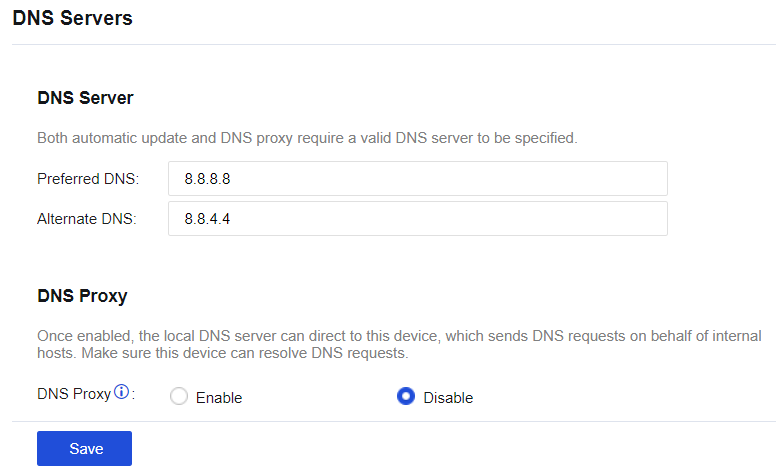
Preferred DNS: Set the DNS server address used by the NGAF device to access the Internet. The NGAF device uses this DNS address as the first choice for resolution.
Alternate DNS: Set the DNS server address used by the NGAF device to access the Internet. If the NGAF device fails to resolve the preferred DNS server address, the alternate DNS server address is selected for resolution.
DNS Proxy: After this function is enabled, the LAN user's DNS address is set as the interface IP address of the NGAF device, which forwards the LAN user's DNS requests to the preferred and alternate DNS servers set for the device. DNS proxy uses port TCP/53. After it is enabled, this port on the firewall can be accessed from all zones. Suppose the firewall is deployed at the network egress. In that case, it is recommended to deny access to this port from the Internet zone by configuring it under Policy > Access Control > Local Access Control.


 {{ $t('index.defaultHeader.chromeBrowserTip') }}