


{{ secondMenu.name }}






To enable and set up the BGP dynamic route protocol for the NGAF device, including network, neighbor, and parameter configurations. Check Enable BGP to enable BGP functions, as shown in the following figure.
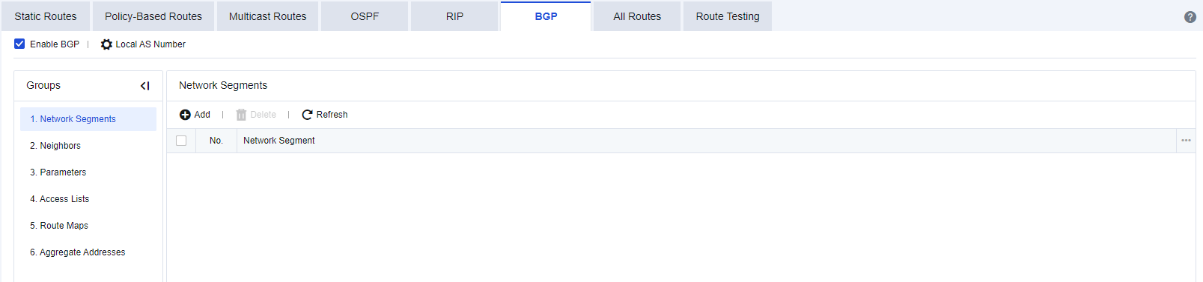
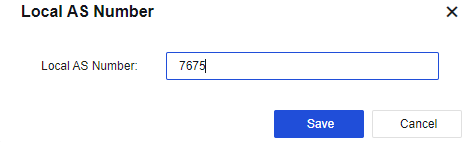
Local AS Number: set the AS number for the NGAF device, as shown in the following figure.
To set the network segment where the device needs to be deployed. Click Add. The following page is displayed.
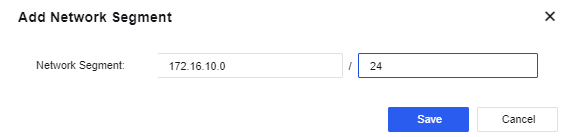
Network Segment: set the network segment that the device needs to be published. The format is "IP/netmask".
To set the neighbors of BGP. Click Add. The following page is displayed.
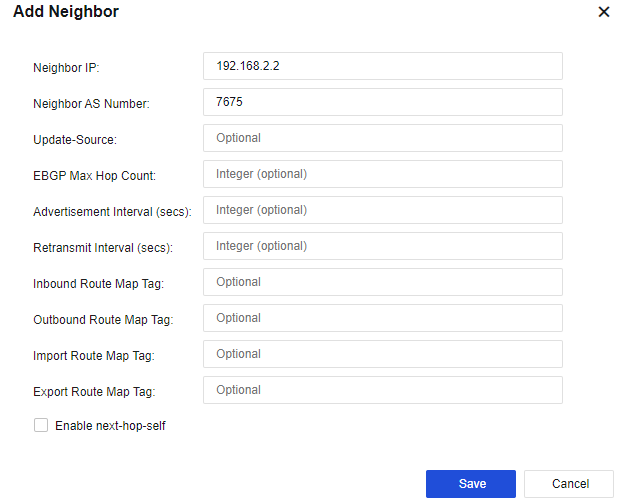
Neighbor IP: address of BGP's peer device.
Neighbor AS Number: AS number of the device with which BGP is established.
Update-Source: updated source address of BGP for the NGAF device.
EBGP Max Hop Count: maximum number of EBGP hops for the NGAF device.
Advertisement Interval: advertisement interval for BGP of the NGAF device.
Retransmit Interval: reconnection interval for BGP of the NGAF device.
Click BGP > Parameters. The following page is displayed.
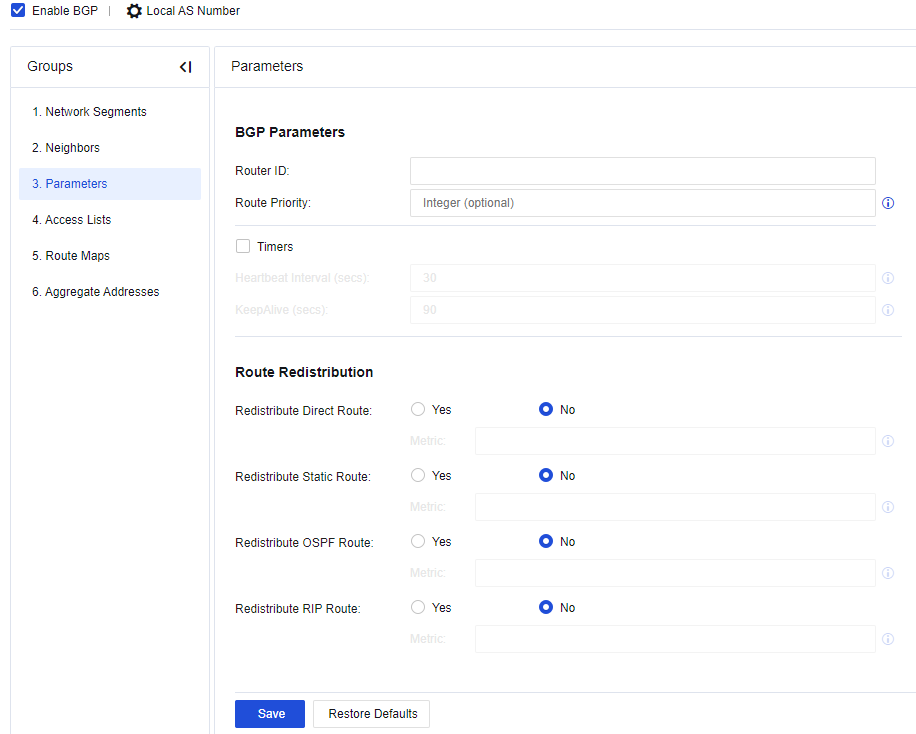
Route ID: Set Router ID of the NGAF device.
Route Priority: Set the route priority of the NGAF device.
Timers: set the Heartbeat Interval and KeepAlive for the NGAF device.
Route Redistribution: Select whether to introduce the direct route, static route, OSPF route and RIP route into the BGP route as external route information and set the metric value after such routes are introduced.
Redistribute Direct Route: Select whether to introduce direct routes into the BGP route as external route information and Set the metric value after such routes are introduced.
Redistribute Static Route: Select whether to introduce static routes into the BGP route as external route information and set the metric value after such routes are introduced.
Redistribute OSPF Route: Select whether to introduce direct routes into the BGP route as external route information and set the metric value after such routes are introduced.
Redistribute RIP Route: Select whether to introduce RIP routes into the BGP route as external route information and set the metric value after such routes are introduced.

The BGP router of NGAF supports the following public attributes: Route-Map, AS-Path, next hop, origin, local preference, and atomic aggregate.
Put restrictions on BGP routes, you can allow or deny these routes for accessing. See the figure below.
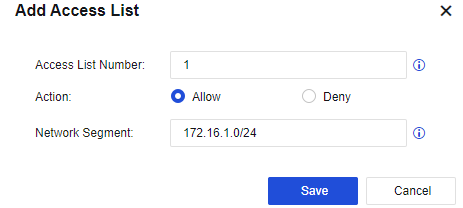
Access List Number: fill in the corresponding list number (1-99 only).
Action: select Allow or Deny.
Network Segment: fill in the corresponding network segment information.
Local mapping of BGP routes allows adjustment of priority and can freely control the forwarding of routes. Click Add to create a route map, as shown in the following figure.
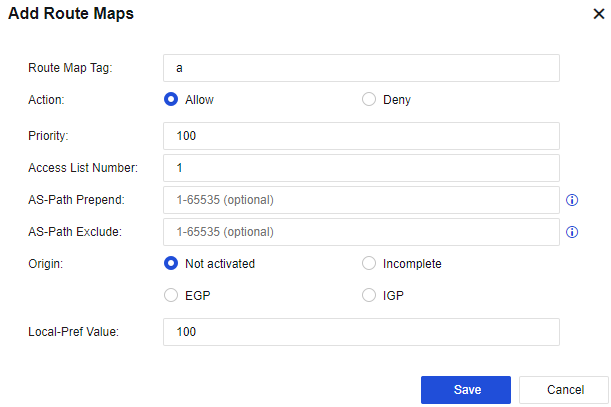
Route Map Tag: Enter the name of the map.
Action: Set to Allow or Deny the map.
Priority: Enter the corresponding priority.
Access List Number: Enter the number of the access-list configured.
AS-Path Prepend: Add corresponding AS numbers.
AS-Path Exclude: Decrease corresponding AS numbers.
Origin: Change the corresponding original attribute, which can be changed to Incomplete, EGP, and IGP.
Local-Pref Value: Select the local priority.
To implement network segment aggregation, click Add to create an aggregate address, as shown in the following figure.
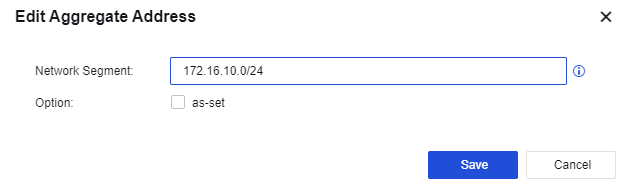
Network Segment: the aggregated IP address network segment.
Option: set whether to retain the original AS number.


 {{ $t('index.defaultHeader.chromeBrowserTip') }}