


{{ secondMenu.name }}






OSPF (Open Shortest Path First) is an Interior Gateway Protocol (IGP) that is used to decide routing within a single Autonomous System (AS). It is a kind of implementation of link status routing protocol, which belongs to the Interior Gateway Protocol (IGP) and operates in an autonomous system. OSPF supports load balancing, service type-based routing, and multiple routing forms, such as specific host routing and subnet routing.
NGAF devices enable and set OSPF dynamic routing protocol, including network configuration, interface configuration, parameter configuration, information display, debugging options, etc.
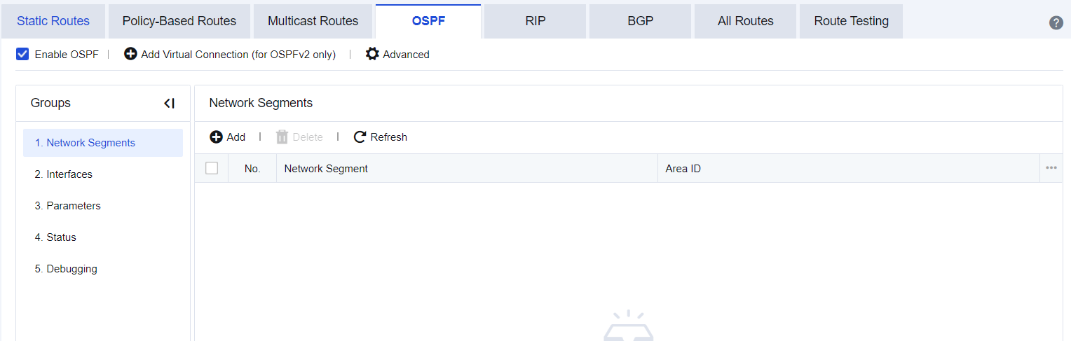
Check Enable OSPF to enable OSPF functions.
When the area where the NGAF device resides is not adjacent to the OSPF backbone area, the virtual connection needs to be enabled and configured.
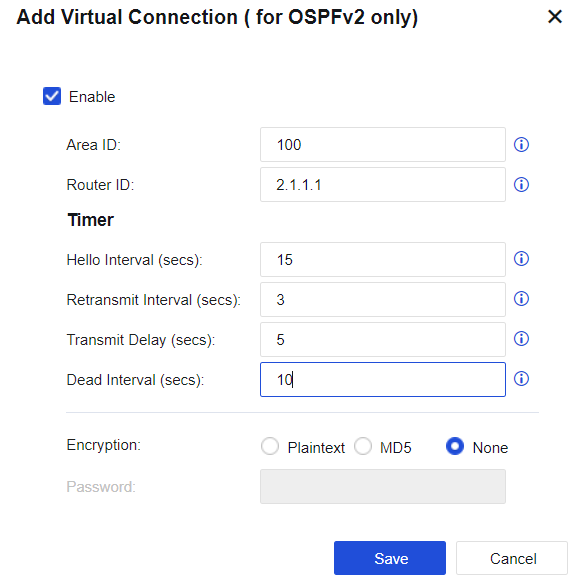
Check Enable to enable the virtual connection. The virtual connection only supports OSPFv2.
Area ID: enter the ID of the backbone area.
Router ID: enter the ID of the peer router of the virtual connection to be established to indicate the router with which the virtual connection is established.
Timer: set Hello Interval, Retransmit Interval, Transmit Delay, and Dead Interval (in seconds).
Hello Interval: interval for retransmitting the Hello message, with a default value of 10s.
Retransmit Interval: interval for retransmitting the connection status message adjacent to the interface, with a default value of 10s.
Transmit Delay: estimated time to transmit a link status update packet, with a default value of 5s.
Dead Interval: if the Hello message has not been received after the dead interval, the OSPF neighbor is considered unreachable. This interval is usually set to 4 times the Hello interval, with a default value of the 40s.
Encryption: set the encryption method for message transmission. Plaintext, MD5, and None are available for selection.
Password: password used for message encryption.
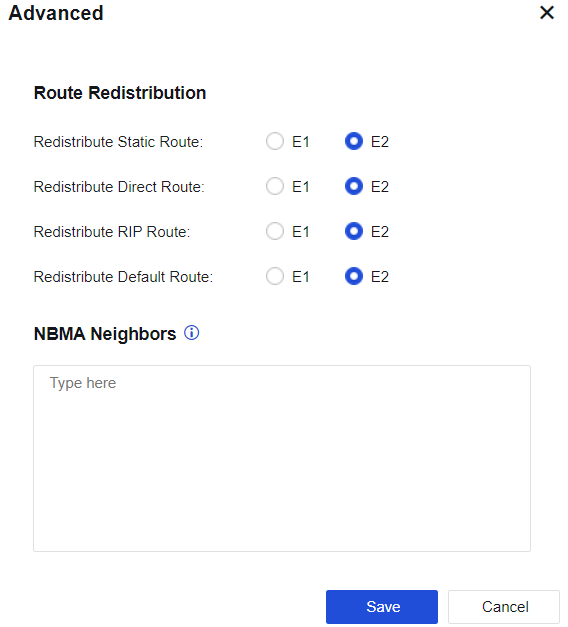
Advanced: Configure Route Redistribution and NBMA Neighbors, as shown in the following figure.
Click Add to add the network segment to be published for the network setting, as shown in the following figure.
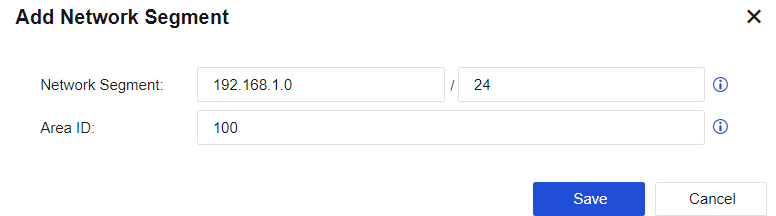
Network Segment: set the network segment that the device needs to be published. The format is "IP/netmask".
Area ID: set the area to which the network segment is imported. It is advised to enter the backbone area ID under normal circumstances.
Display details of the interface corresponding to the network segment published in the network configuration.
Configure parameters of OSPF, as shown in the following figure.
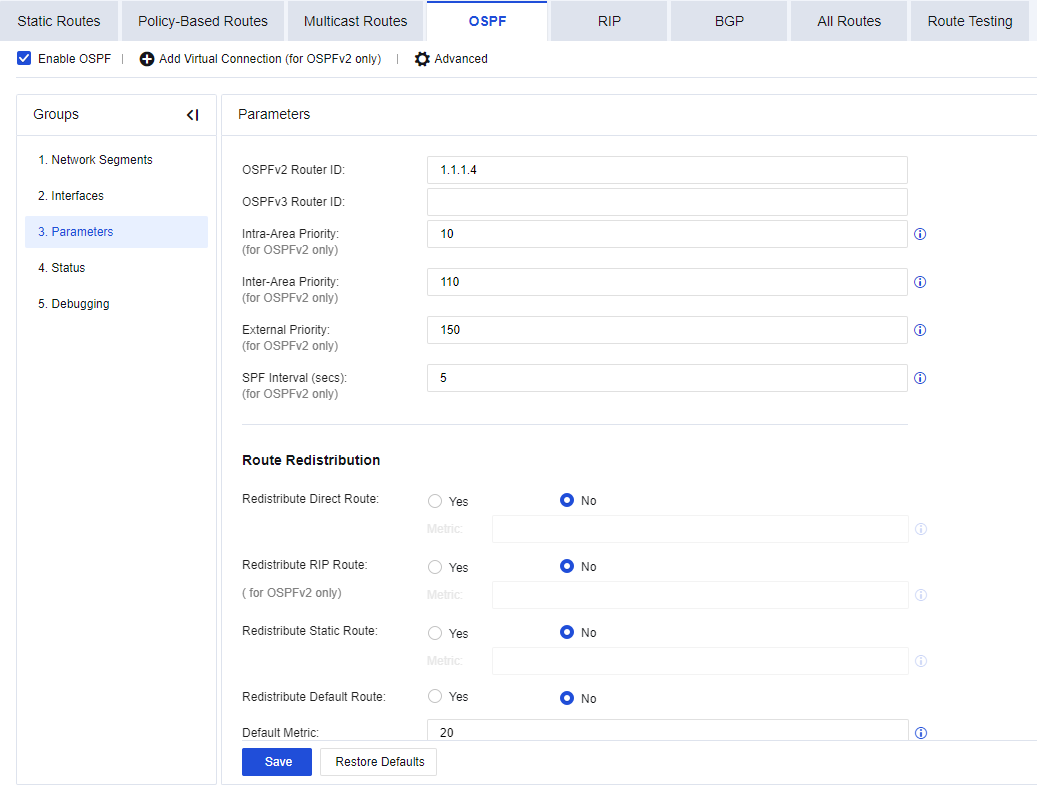
Route ID: set Router ID of the NGAF device.
Intra-Area Priority: priority outputted to the routing table after intra-domain LSA calculation (called admin distance, AD in Cisco devices). The default value is 10. Only OSPFv2 is supported.
Inter-Area Priority: priority outputted to the routing table after inter-domain LSA calculation. The default value is 110. Only OSPFv2 is supported.
External Priority: priority given to the external route when outputted to the routing table after SPF calculation. The default value is 150. Only OSPFv2 is supported.
SPF Interval (secs): when the link-state database (LSDB) changes, the shortest path needs to be recalculated. The default value is 5s. Only OSPFv2 is supported.
Route Redistribution: select whether to introduce the direct route, RIP route, static route, and default route into the OSPF routes as external route information and set the metric value after such routes are introduced.
Redistribute Direct Route: select whether to introduce direct routes into OSPF routes as external route information and set the metric value after such routes are introduced. The default metric value is 10.
Redistribute RIP Route: select whether to introduce RIP routes into OSPF routes as external route information and set the metric value after such routes are introduced. The default metric value is 20. Only OSPFv2 is supported.
Redistribute Static Route: select whether to introduce static routes into OSPF routes as external route information and set the metric value after such routes are introduced. The default metric value is 20.
Redistribute Default Route: select whether to introduce default routes into OSPF routes as external route information.
Default Metric: default number of hops for the introduced route. During the route introduction, if metric parameters of each type of route are not specified separately, this metric value is used as the number of hops after route introduction. The default metric value is 10.
Status displays the details of OSPF Links, OSPF Routes, OSPF Adjacency, and OSPF Interfaces.
OSPF Links
Display OSFP link status details, as shown in the figure below.
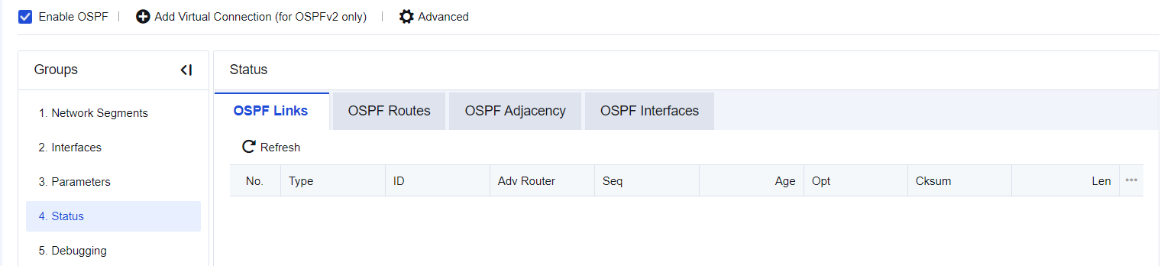
Type: type of the LSA.
ID: ID of the router where the LSA resides. * represents the LSA generated by the device.
Adv Router: indicates the device notifying the LSA to the current device.
Seq: sequence number of the LSA.
Age: indicates how long it has been since the LSA was received. After the timeout, the LSA will be aged.
Opt: indicates the option information carried in the Hello message. If the neighbor has a consistent option field with the device, the neighbor's message can be rejected.
Cksum: checksum of the LSA.
Len: Length of the LSA.
OSPF Routes
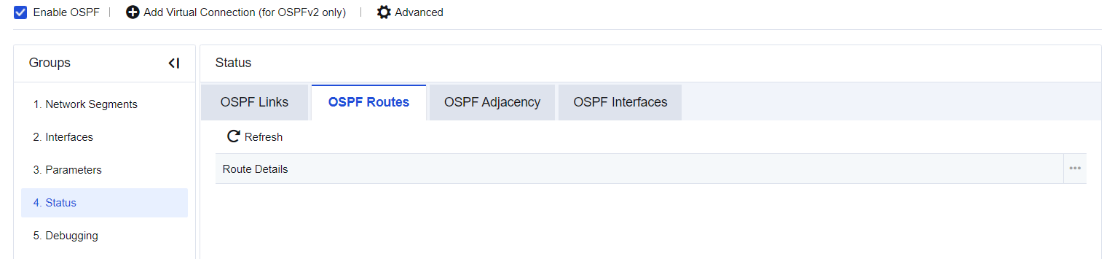
Display OSPF routing details in the network, as shown in the figure below.
OSPF Adjacency
Display OSPF adjacency, as shown in the figure below.
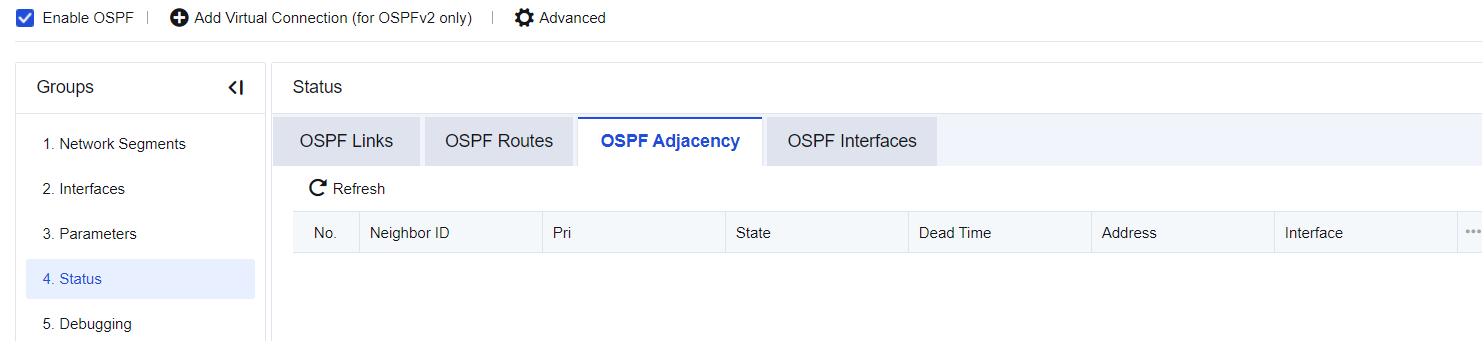
Neighbor ID: router ID of the neighboring router.
Pri: Priority of the neighboring router.
State: functional status of the neighboring router.
Dead Time: shows how long the router status will change to DEAD if the neighbor does not send the Hello message.
Address: IP address of the interface, through which the neighbor is connected with the device. When the OSPF packet is transmitted to the neighbor, this address will be the next-hop IP address. OSPF_VL1 is the virtual connection identifier.
Interface: interface through which the neighbor is connected with the device.
OSPF Interfaces
Display OSPF interface details, as shown in the figure below.
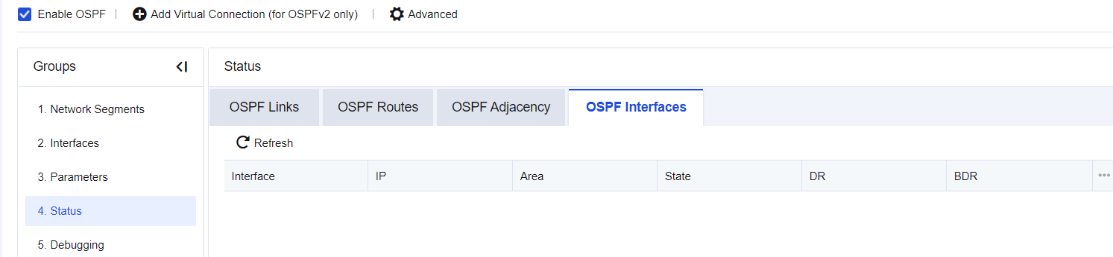
Interface: interface name.
IP: IP address of the interface.
Area: area that the interface belongs to.
State: role of the interface.
DR: DR address of the area.
BDR: address of the candidate BDR in the area.
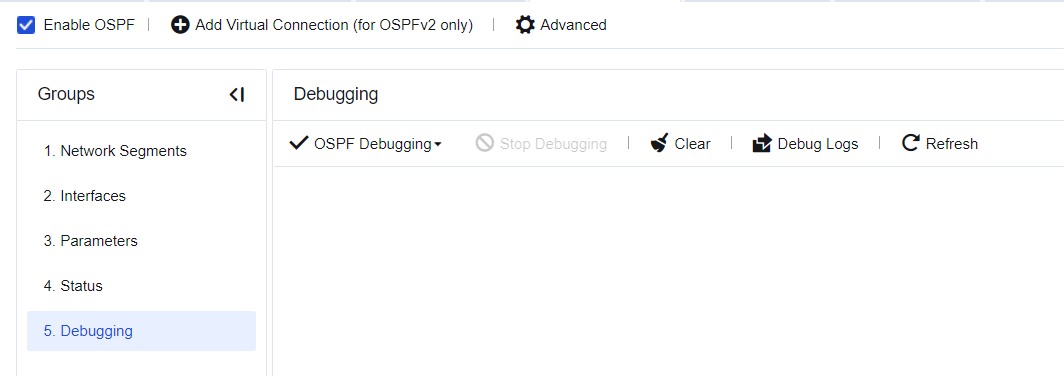
Perform OSPF debugging, as shown in the following figure.


 {{ $t('index.defaultHeader.chromeBrowserTip') }}