


{{ secondMenu.name }}






The operation objects of policy-based routing are data packets. Suppose a routing table has been generated, instead of performing forwarding according to the set routing table, the method of its forwarding path is changed according to a certain policy as needed. The primary function is to select the outbound interfaces and lines, according to the source/destination IP addresses, source/destination ports, protocols, and other conditions, when the device has multiple WAN interfaces connecting with multiple WAN lines.
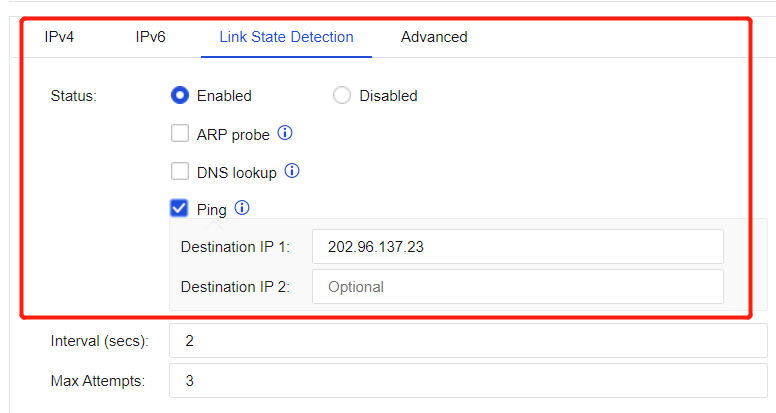
The link fault detection function shall be enabled for the interface/zone. See the figure below.

When there are multiple line outlets, define the matching conditions according to the source/destination IP addresses, ports, protocols, and applications. For traffic matched with conditions, select and specify the outlet or next-hop IP address for the line, such as a multi-ISP routing scenario. Click Add and select Source-Based Route, as shown in the figure below.
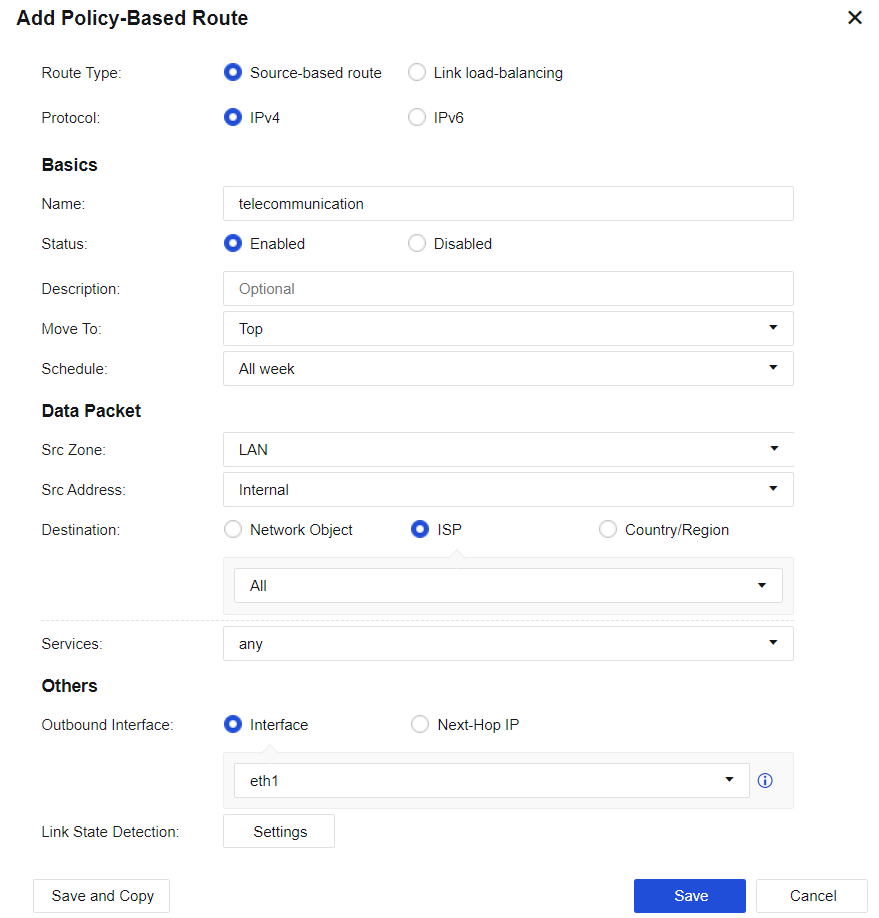
Name: Fill in the corresponding name.
Description: Fill in the description of the route.
Schedule: Specify the effective time range of the policy.
Move To: Put the policy before X, and the matching order is from top to bottom.
Data Packet: Filter and select the corresponding data packet information for matching.
Src Zone: the source zone for matching.
Src Address: the source network object for matching, which is then filtered source IP address. Destination: the destination address for matching. Network Object, ISP, and Country/Region are optional for calling.
• Network Object: Call network objects configured according to the actual situation.
• ISP: Perform routing according to ISPs. China Telecom, China Unicom, CERNET, and China Mobile are currently supported.
• Country/Region: Perform selection by country/region.
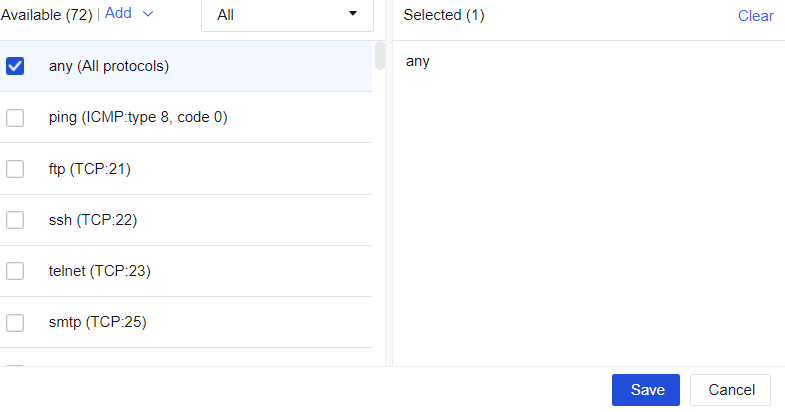
Services: the service objects that need to be matched, as shown in the figure below.
Applications: the applications that need to be matched, as shown in the figure below.
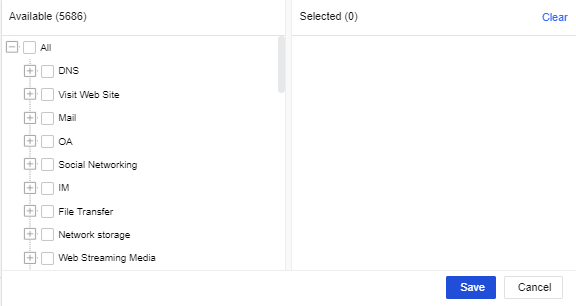

Applications are hidden by default. Go to System > General Settings > Network and check "Enable association policies with applications".
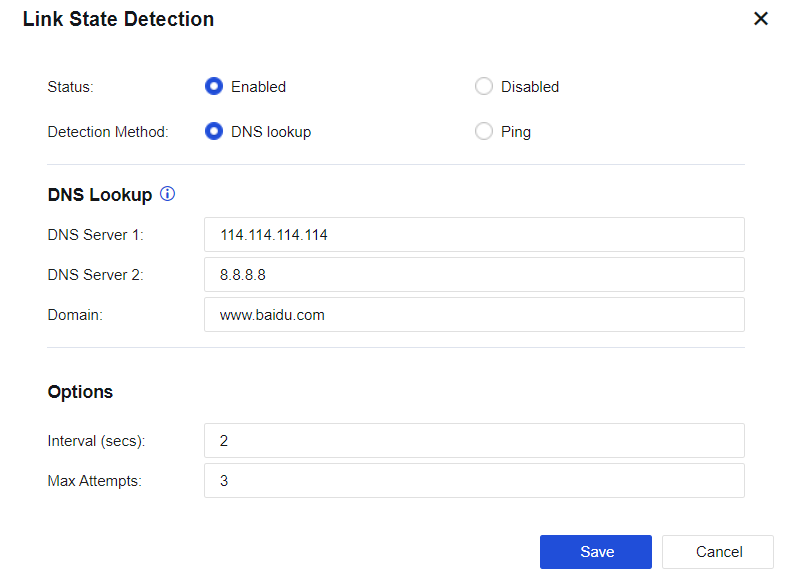
VPN Line Detection: Configure if the policy-based route requires a link state detection. Both DNS lookup and Ping detection methods are supported. See the figure below.
Interface and Next-Hop IP: Set the next-hop IP address and outbound interface for the next-hop direction of traffic sent to the destination IP address.
Configuration Case
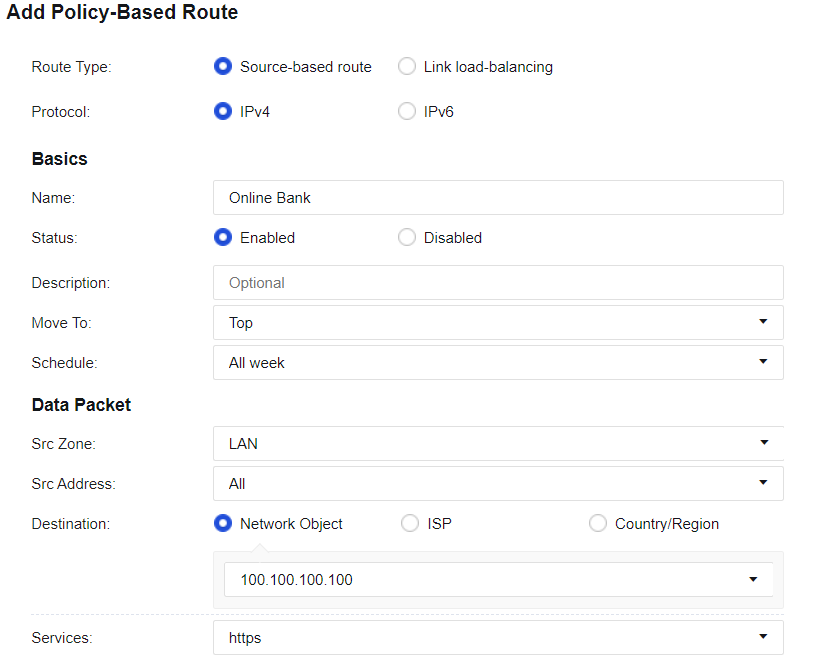
A user needs to access an online bank with the address of 100.100.100.100, using the access protocol HTTPS. The online bank will verify the IP address used for accessing. If the source IP address in the same connection is changed, the online bank will break the link, resulting in an access failure. Set a policy-based route, and specify that the data accessing the destination IP address is permanently sent out through the line connected to the eth1 interface.
Step 1.On the Navigation Menu page, choose Network > Routes > Policy-Based Route, click Add, select Source-based route for Route Type, and select IPV4 for Protocol. Fill in the fields under Basics and Data Packet as shown below.
Step 2.Configure the outbound interface - eth1, as shown in the following figure.

Step 3.Click Save to complete the configuration, as shown in the following figure.

When a company has multiple line outlets, define the matching conditions according to source/destination IP addresses, ports, protocols, and applications, and select policies (RR, bandwidth ratio, weighted least traffic, and prefer link at top) for the outbound interface to perform dynamic routing, to realize effective bandwidth utilization and load balance for these lines.
Click Add and select Link load-balancing, as shown in the figure below.
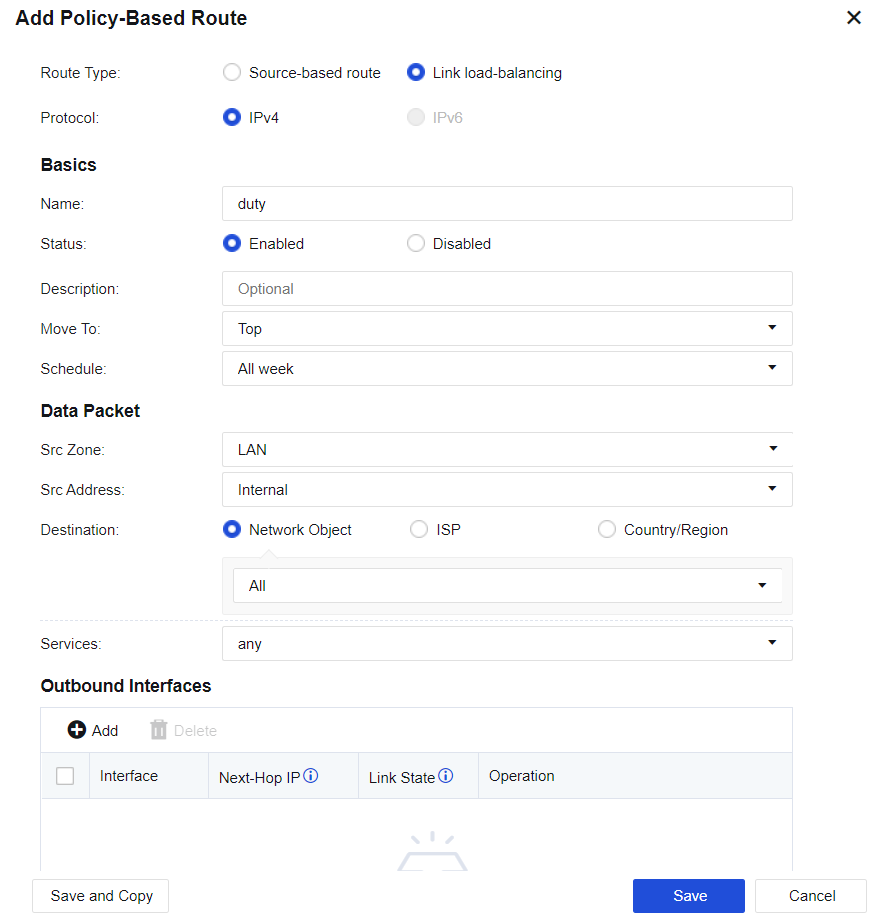
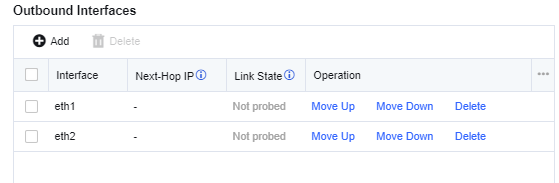
Outbound Interfaces: Select multiple outbound interfaces for the policy, and then perform load balancing according to the policy. Click Add to add outbound interfaces, as shown in the figure below.
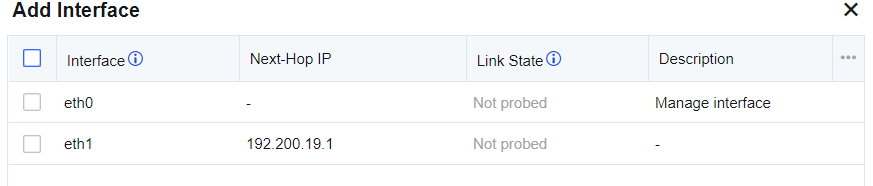
Link State: When configuring link detection for an interface and either PING or DNS detection fails, the line will be regarded as faulty.
Outbound Interface Selection Policy: Perform traffic load balancing according to the algorithm. There are 4 algorithms:
• RR: Evenly allocates connections to multiple WAN lines.
• Bandwidth ratio: Allocates connections according to the ratio of WAN lines bandwidth.
• Weighted least traffic: Compares the current line traffic to the line bandwidth and selects the line with the minimum ratio to have the priority to connect first.
• Prefer link at top: It is used in scenarios where active and standby lines are required. All connections are allocated to the first line. If the first line fails, the connection will be switched to the second selected available line.
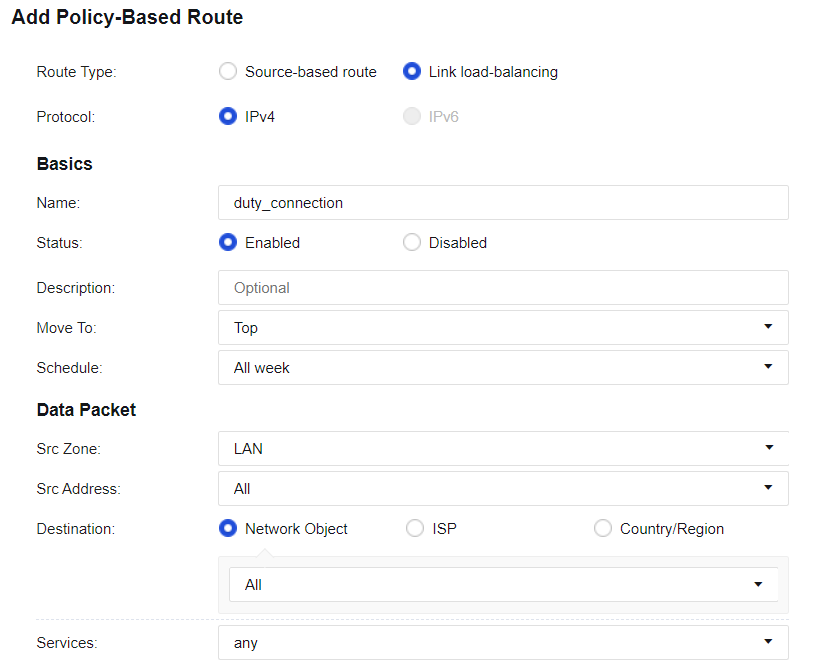
A user has 2 WAN lines, which are China Telecom lines of 2M and 10M respectively. The user wants to realize that when LAN users access public networks, the line with the least traffic is automatically selected.
Step 1.On the Navigation Menu page, choose Network > Routes > Policy-Based Route, click Add to add link load-balancing routes. The page is as follows.
Step 2.Configure interfaces, as shown in the following figure.
Step 3.Select the load balancing method, as shown in the following figure.

Step 4.Configure Link State Detection for the corresponding interface. Ensure the link switching can be performed when a link fails, as shown in the following figure.
Step 5.Check the configuration, as shown in the following figure.

1. To implement load-balancing among multiple WAN lines, Link State Detection must be enabled.
2. For link load-balancing, only WAN attribute interfaces can be selected.
3. Each WAN line must have a corresponding policy-based route, which can be a source-based route or a link load-balancing one.


 {{ $t('index.defaultHeader.chromeBrowserTip') }}