


{{ secondMenu.name }}






Interface Group is used when NGAF devices are working in the traffic load balancing mode. The outbound and inbound interfaces of the device responsible for forwarding data are added to the same correlation group, ensuring that all interfaces in the same correlation group are always consistent in status.
For example, when the network cable is disconnected from an interface in the correlation group, the remaining interfaces in the same correlation group are down. Suppose the network cable is connected to the interface again, and the electrical signal is restored. In that case, other interfaces in the same correlation group are recovered to ensure the normal switching for traffic load balancing.
Enable Link State Propagation is the master switch to enable the interface correlation function. Check this function and click Add to add an interface group, as shown in the following figure.
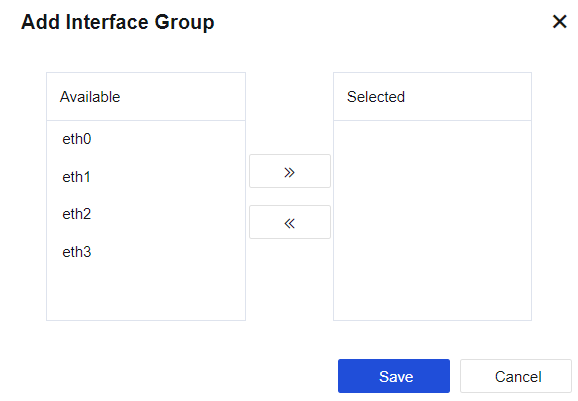
Physical Interface: Select the interfaces to be added to the same interface correlation group. Only physical interfaces can be selected. Multiple interfaces can be selected to add to the same group. Use Add or Delete buttons to add or delete an interface. You can choose to configure the physical interface of the IPv6 address.

If the IP address assigned to an interface is set as "IP/Mask-HA", you cannot set this interface-to-interface correlation.


 {{ $t('index.defaultHeader.chromeBrowserTip') }}