


{{ secondMenu.name }}






To configure GRE tunnels. It supports GRE over IP, GRE over OSPF, and GRE over IPSec VPN. Click Add to add a GRE tunnel, as shown in the following figure.
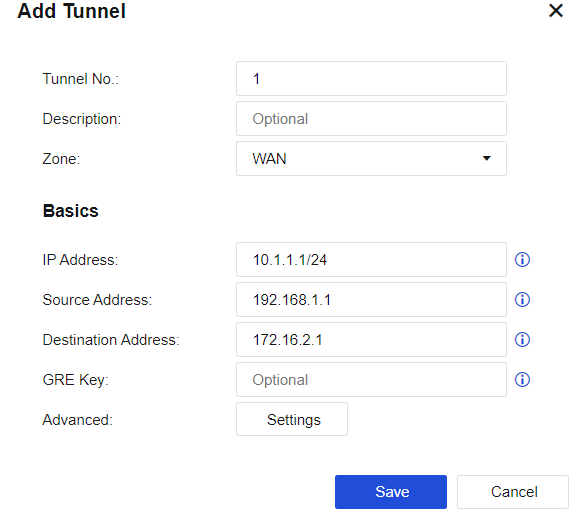
Tunnel No.: the number of the new tunnel port.
Zone: the zone where the outbound interface resides.
IP Address: the IP address of the new tunnel. The network segment where the IP address resides serves as the OSPF running segment.
Source Address: the actual source address of the WAN route of the outbound interface at the local end.
Destination Address: the actual destination address of the WAN route of the incoming interface at the peer end.
GRE Key: a shared key, which must be consistent at both ends.
Advanced: Set the MTU value and message check, and perform settings for sending Keepalive message.
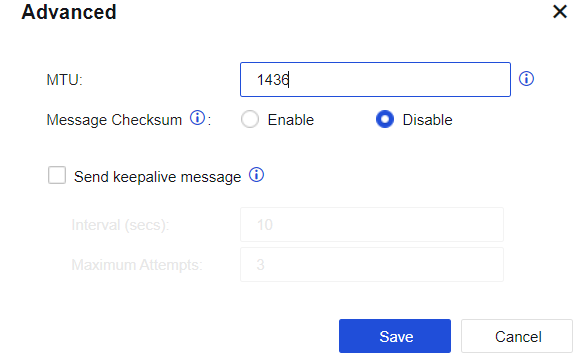
Click Save. The GRE tunnel is successfully set up.


 {{ $t('index.defaultHeader.chromeBrowserTip') }}