


{{ secondMenu.name }}






Endpoint and NGAF Protection enables the ES to share security information with the NGAF, thus implementing the association of network and endpoint security information, which can make threats more detectable and easier to handle.
Endpoint protection options can be configured to realize the correlation between Endpoint Secure and NGAF. Sangfor Endpoint Secure (ES) is equipped with the Engine Zero engine, behavioral engine, cloud engine, and reputation library, which continuously performs detection and responds and deals with threats in a quick manner, building a comprehensive and effective terminal threat handling platform. NGAF can cooperate with ES to automatically deal with threats, forming a multilevel and multidimensional threat defense system.
Endpoint Protection Options include three connection methods: Endpoint Secure and NGAF, Endpoint Secure and Platform-X, and Endpoint Secure Manager. See the figure below.
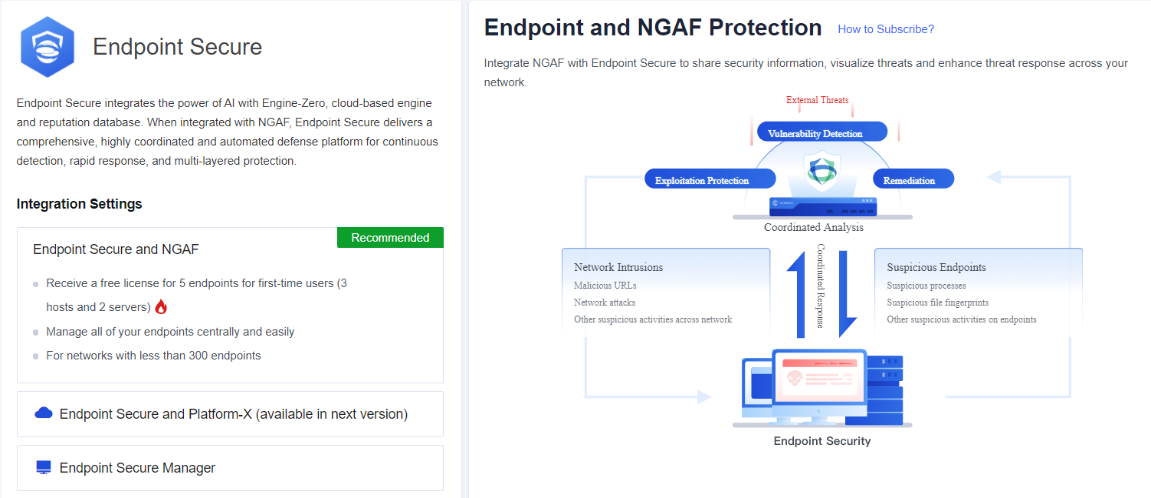
After subscribing to the Endpoint Secure and NGAF in Platform-X -Services, NGAF implements the cooperation with ES by connecting to Platform-X, and can quickly deploy the ES without using additional server resources. At the same time, the endpoint ES management policy can be quickly configured in the NGAF without switching platforms. See the figure below.
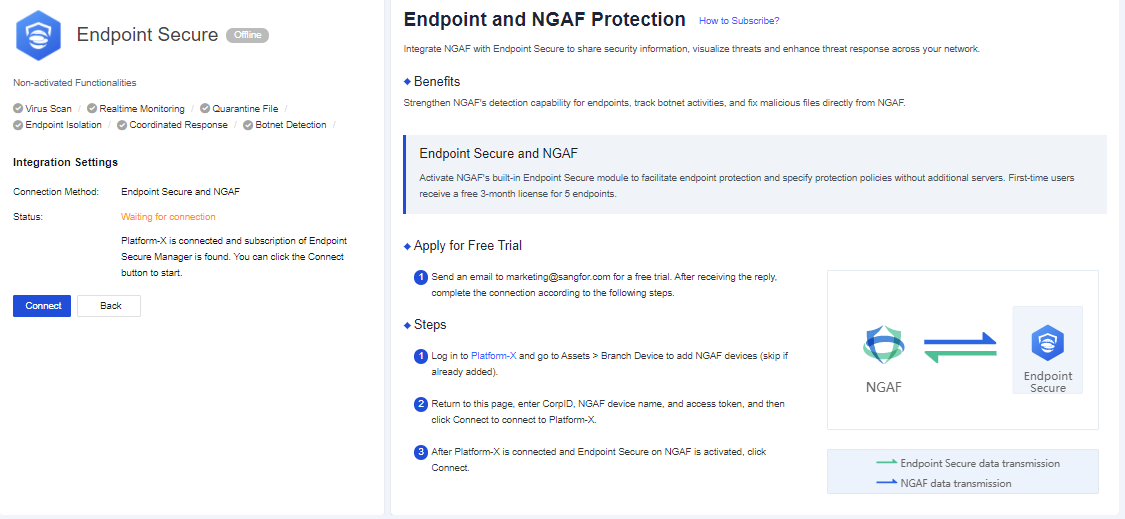
After Platform-X is connected, click Connect to active Endpoint Secure and NGAF. Two configuration items Agent Deployment and Update will be generated in the left side menu.
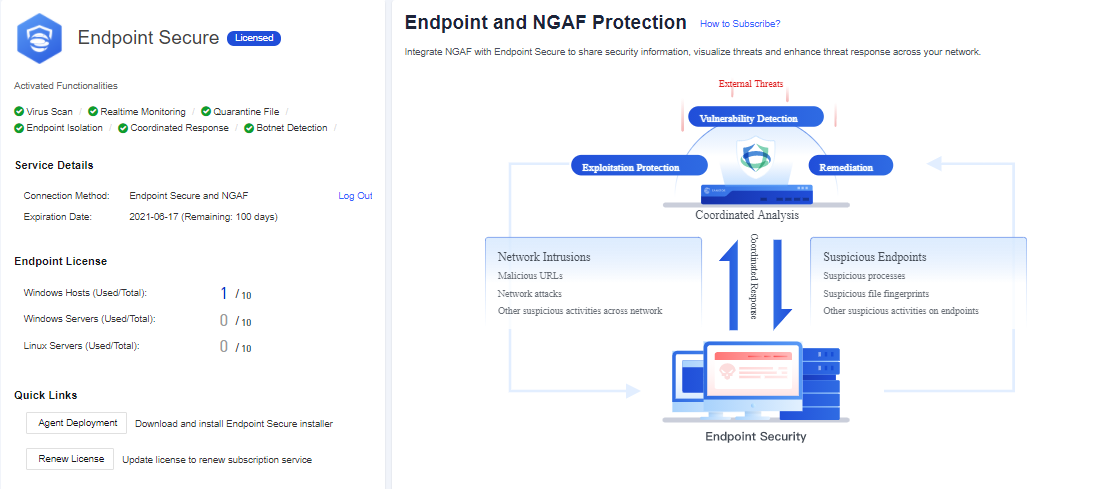
Click Agent Deployment to open the Agent Deployment page, manage ES clients downloading and deployment via different IP addresses associated with different zones by selecting zones and connected IP addresses respectively. Select Zone/Interfaces/Connected IP Address for endpoints to be connected to the NGAF. Click Add to generate policies for performing management depending on zones and connected IP addresses. See the figure below.
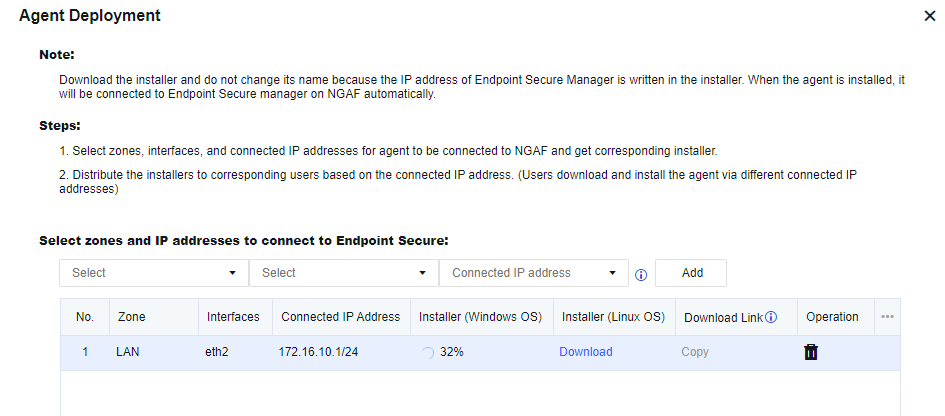
How to download ES installers: Click Download directly, or click Copy to use the ES Download Link.
Agent Deployment
Agent Deployment will be generated automatically after activating Endpoint Secure and NGAF and used to configure ES endpoint system policies. It includes four options: Basics, Anti-Malware, Realtime Protection, and Trusted Files.
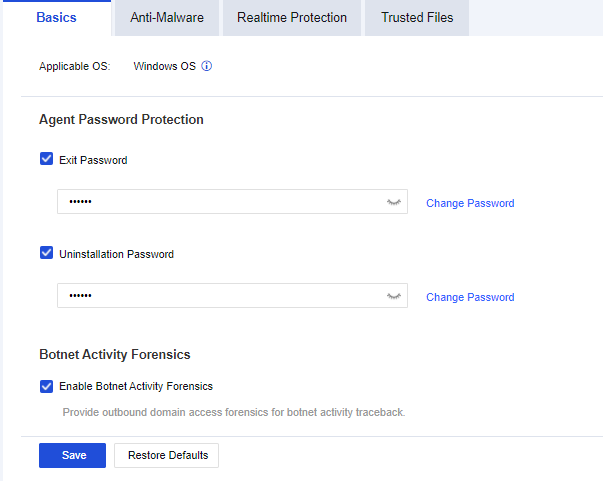
Basics
To set the Agent Password Protection and Botnet Activity Forensics for endpoints with Endpoint Secure Agent installed. Agent Password Protection is used to control the exit action and uninstallation of Endpoint Secure Agent, and Botnet Activity Forensics is used to enable or disable providing forensics for botnet activities corresponding to the outbound domain name provided by NGAF. Basics settings are applicable for Windows systems.
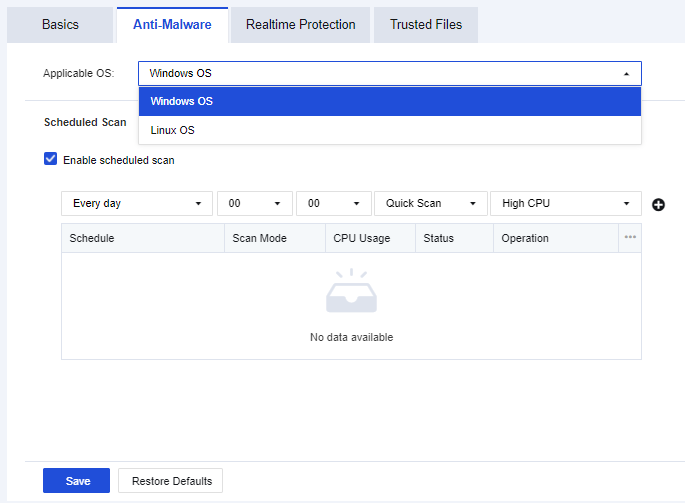
Anti-Malware
To set the virus scanning and killing settings for endpoints with Endpoint Secure Agent installed. Scheduled Scan is used to set scheduled automatic scanning for endpoints, and Scan & Kill is used to control different actions to be taken after threat files are detected. Anti-Malware settings are applicable for Windows and Linux systems. See the figure below.
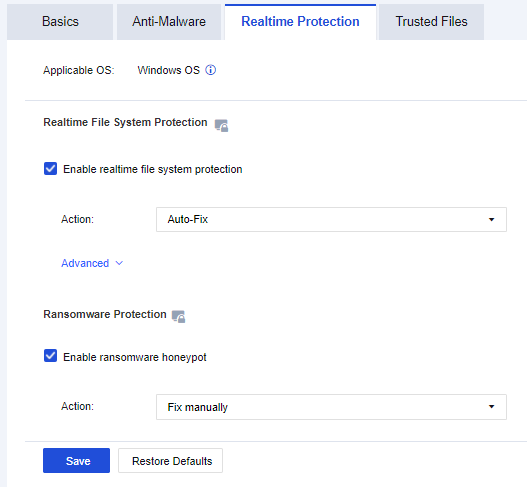
Realtime Protection
To set Realtime File System Protection and Ransomware Protection for endpoints with Endpoint Secure Agent installed. Realtime Protection settings are applicable for Windows systems. See the figure below.
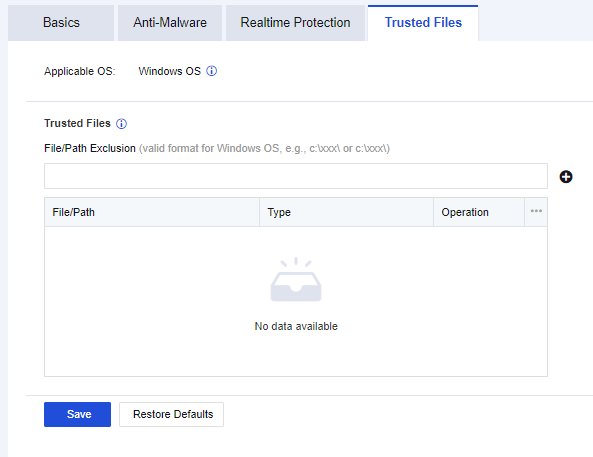
Trusted Files
To set file and directory trusted lists for endpoints with Endpoint Secure Agent installed. Files and directories are added into trusted lists according to file paths and directory paths, and then coming into effect. Trusted Files settings are applicable for Windows systems. See the figure below.
Endpoint Secure and Platform-X connection deploy the ES management platform on Platform-X. NGAF can cooperate with ES after both of them being bound to Platform-X. See the figure below.
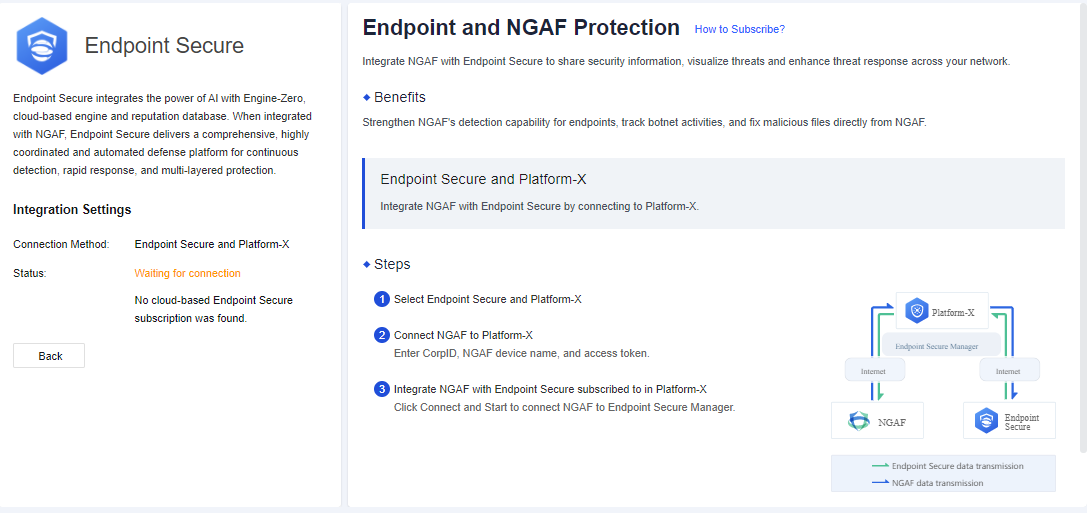
Remarks: At present, this function is not available yet.
Endpoint Secure Manager connection deploys the ES management platform locally. Enter the IP address of Endpoint Secure Manager to establish the connection and implement the cooperation between NGAF and ES. See the figure below.
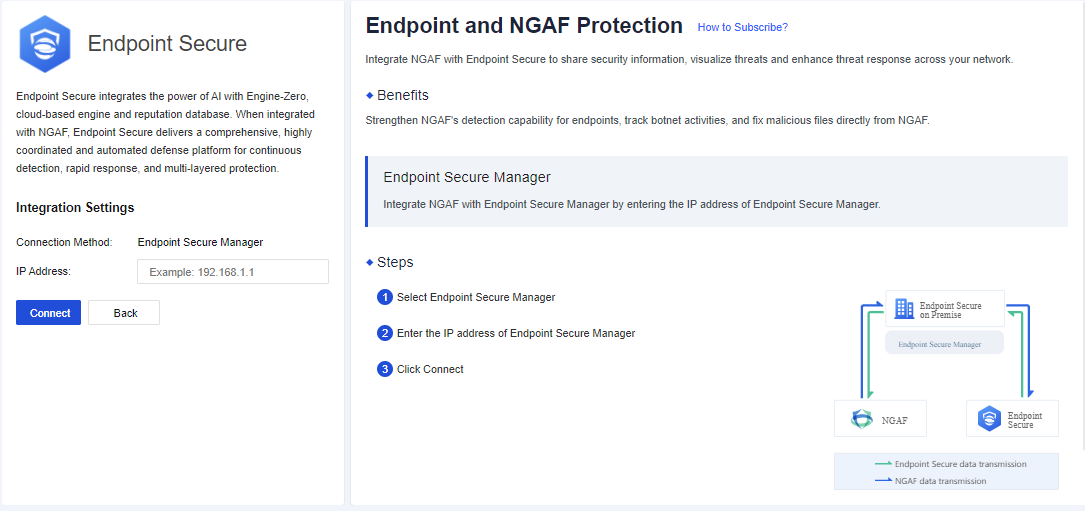
The page Endpoints shows ES client information, including Endpoint, IP Address, Endpoint Status, Operations, Operation, and Last Updates. Information contained in the list is refreshed once an hour and can be searched based on IP addresses.

Click Isolate Host to open the Message page for performing isolation.
Click Save to isolate a host so that it cannot access any network. After confirming that a host has been infected with a virus, use this function to isolate it to prevent it from affecting networks.
Click Release from Isolation to restore the host's access to networks.
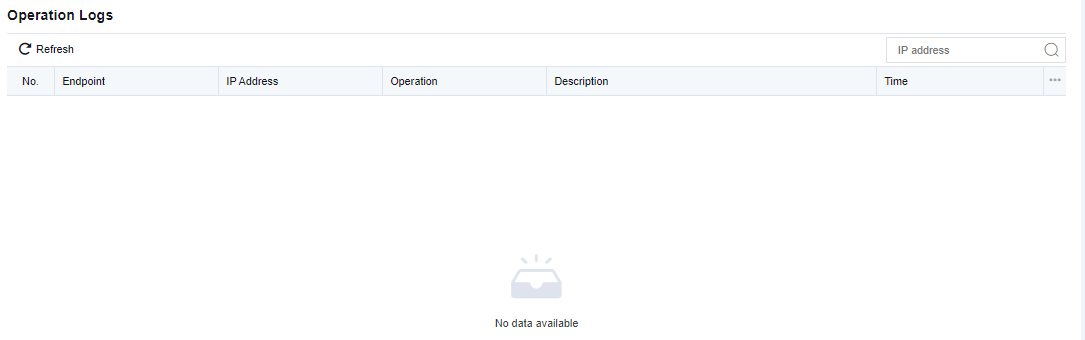
To record operations performed on endpoint files by NGAF in cooperation with ES. See the figure below.
Update will be shown automatically after activating Endpoint Secure and NGAF. It will perform an auto-update to the antivirus databases of ES endpoints. You can view the current version of the antivirus database and security engine of the endpoint, and the specific status of the antivirus database, including the endpoint name, IP address, endpoint status, database, and engine version, and update progress. See the figure below.
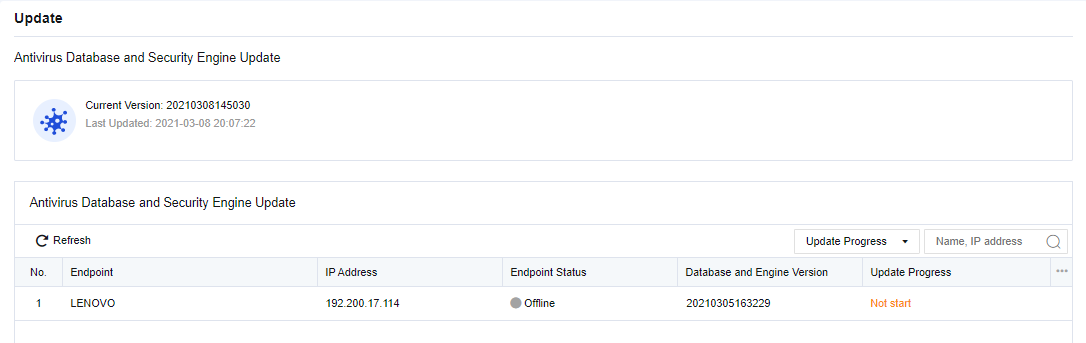
Antivirus database and engine version update progress: Not Updated > To be Updated > Updating > Updated. If an update fails, a failed status will be displayed. If an endpoint failed to update, it needs to wait until the next update cycle to perform auto-update. Five endpoints will be updated every time by default.


 {{ $t('index.defaultHeader.chromeBrowserTip') }}