


{{ secondMenu.name }}






To unblock the specified addresses. LAN users can access the Internet or the target server without being subject to any monitoring and control. Moreover, the IP address, domain name, or URL can also be excluded. Administrators can perform the following operations on the whitelist.
| Operation |
Note |
| Edit |
Select the whitelist that needs to be edited to modify the description. Then click Save. |
| Delete |
Only the custom whitelist can be deleted, not the built-in whitelist. |
| Enable/Disable |
Perform related operations on whitelists that need to be enabled and disabled. |
| Import/Export |
Import and export the permanent blacklist. |
| Refresh |
Refresh the data of the current list. |
| Search |
You can search for a specific whitelist. |
Table 8:Whitelist
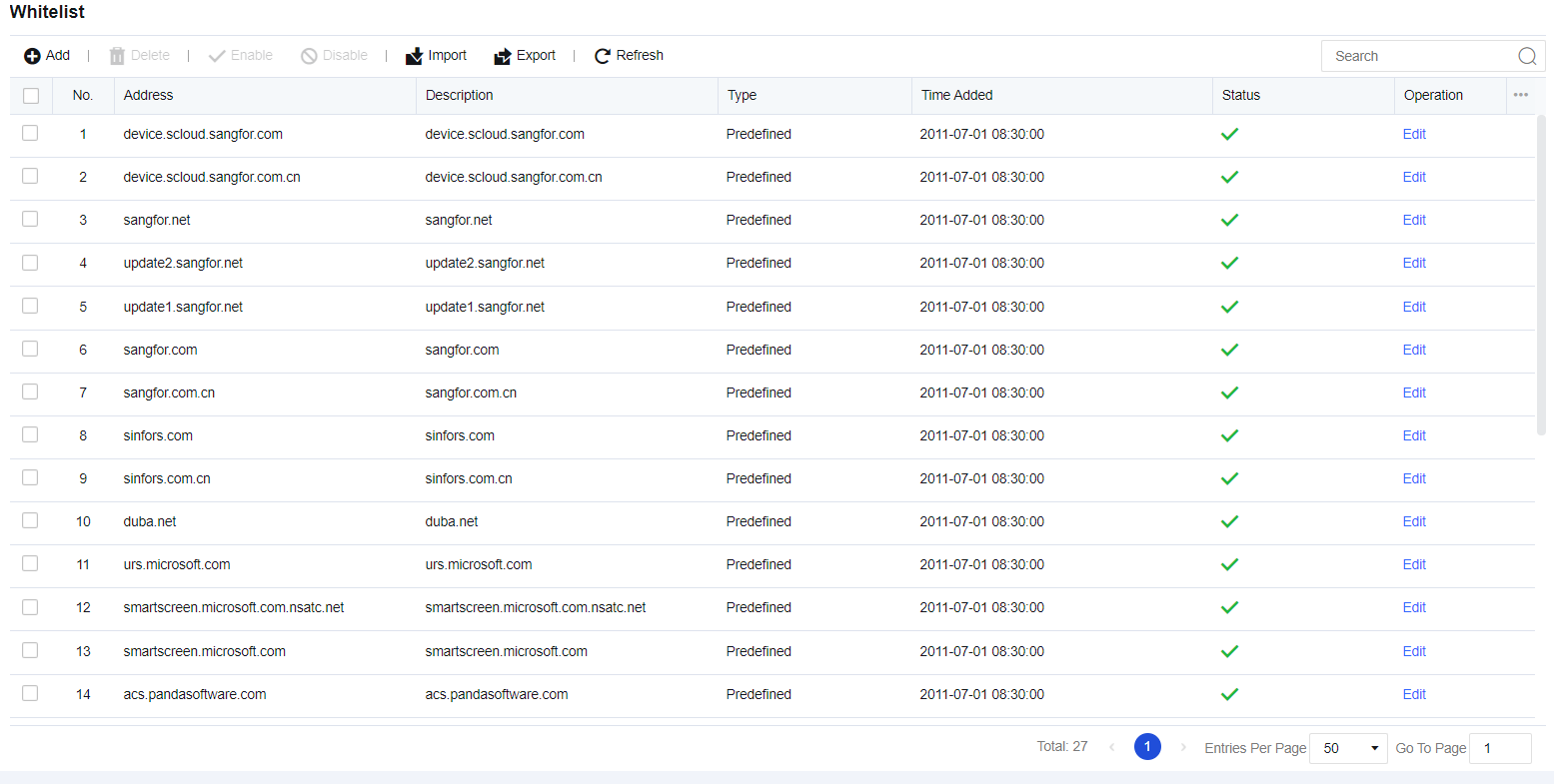
Click Add. The Add Address page is displayed. Enter the custom whitelist and description, and then click Save to submit it.
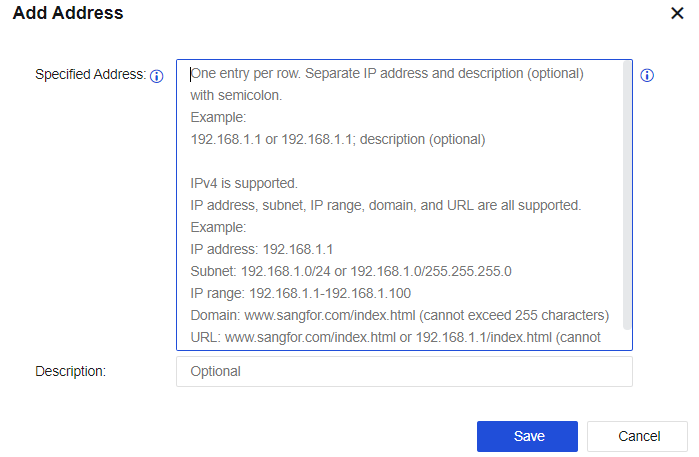
Custom whitelist: Supports IPv4, domain name, and URL, including a single address, IP network segment, and IP range.

If the IPv6 address is required, check Enable IPv4/IPv6 dual protocol stack in System > General Settings > Network.


 {{ $t('index.defaultHeader.chromeBrowserTip') }}