


{{ secondMenu.name }}






The Attack Events page displays the security data from the dimension of business asset security. You can see the TOP 5 attack types and attack map as shown below.
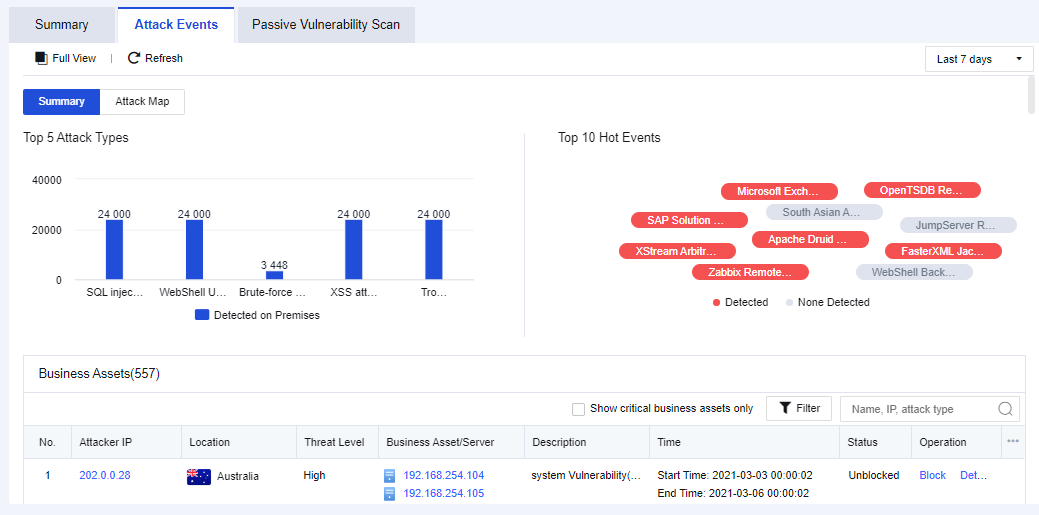
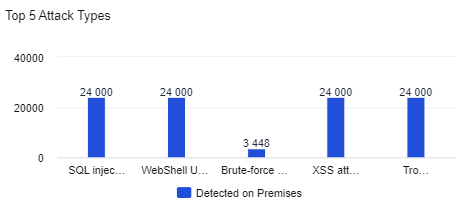
It mainly displays the TOP 5 attack types detected recently as shown below.
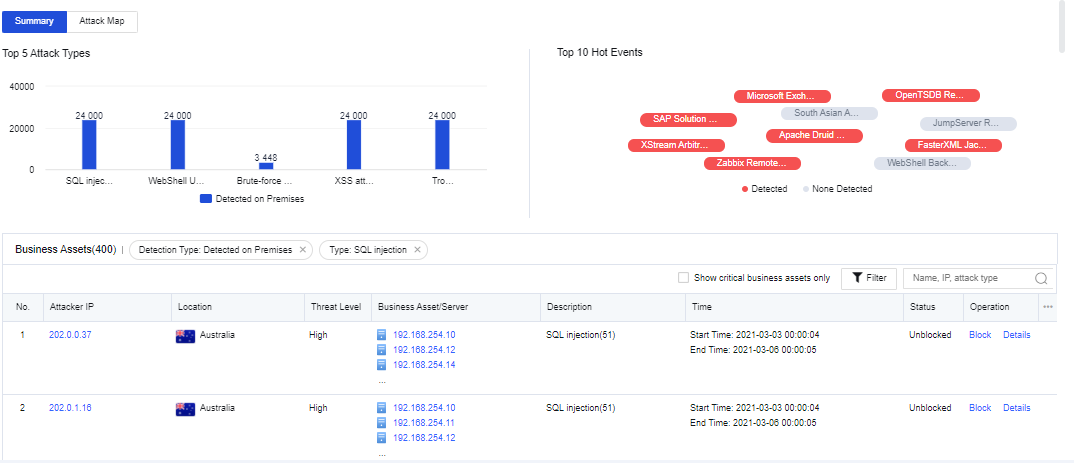
If you click the specific attack type, the logs related to this attack type will be displayed in the table.
It displays that the NGAF device detected the attacker IP today/in the last 2 days/the last 7 days.
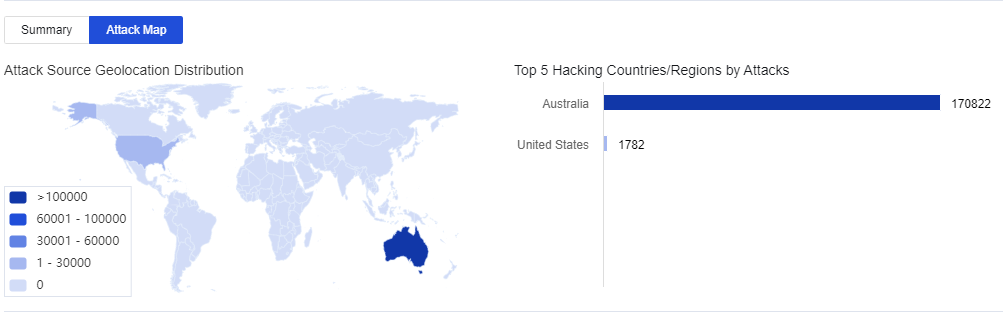
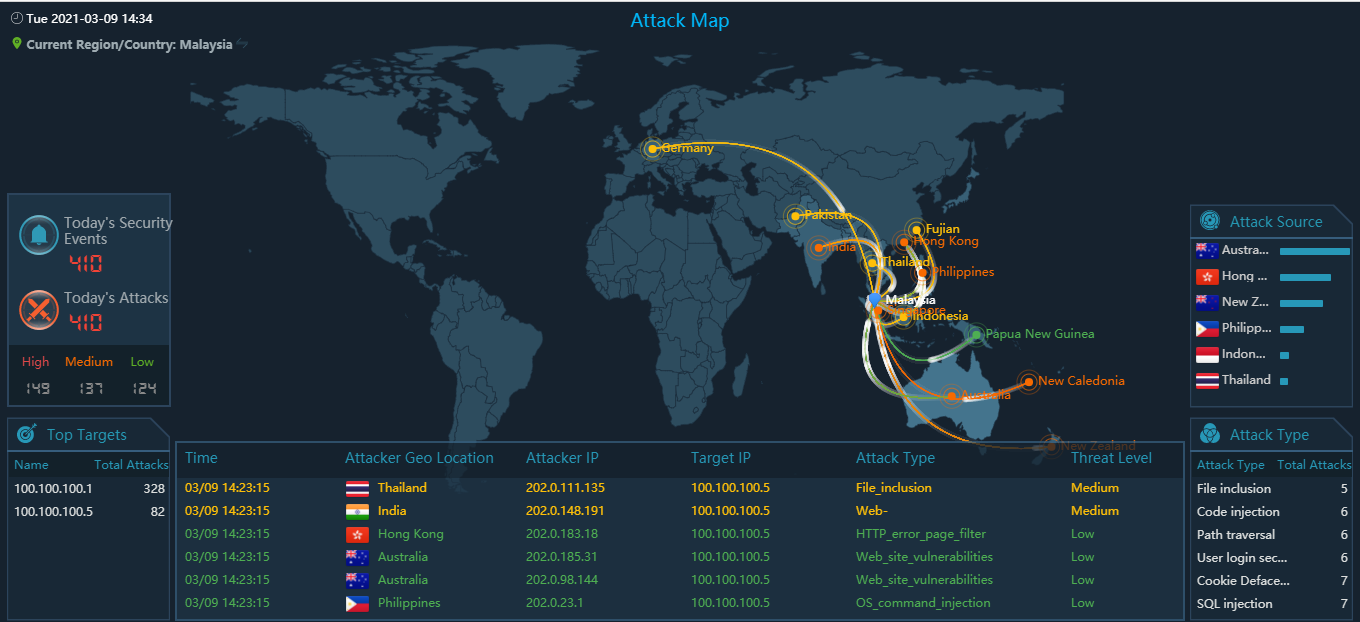
Click Open Monitor. The attack map is displayed. See the figure below.
It mainly refers to the Top 10 security events detected by the firewall across the network within a particular time. In these security events, if the attacking threat passed through the firewall and is detected by the firewall, the corresponding attack threat will be marked in red. If the traffic flowing through the firewall contains no attacking threat, the corresponding attack threat will be marked in gray.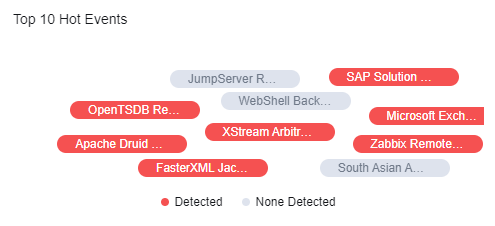
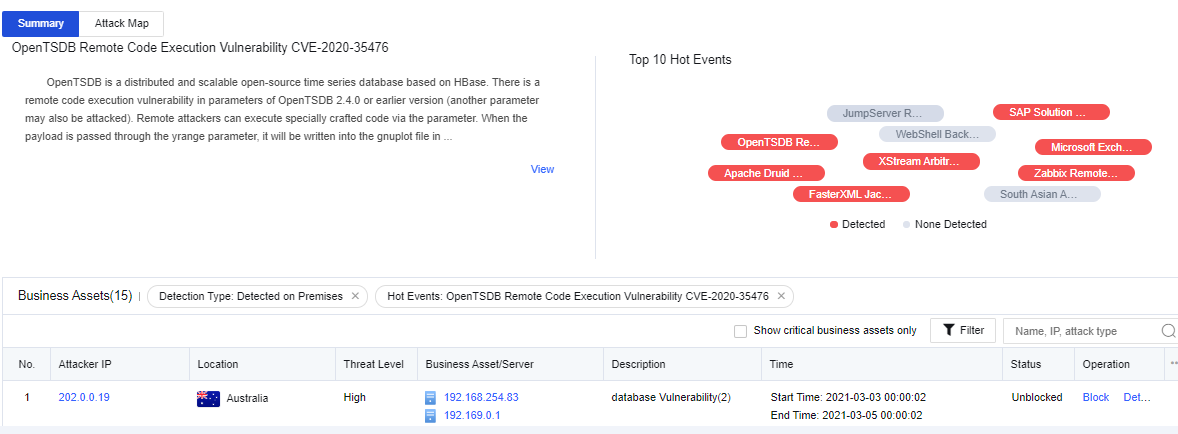
If you click a hot event, the logs of this event will be displayed in the table. See the figure below.
It mainly displays the latest attack events, as shown below.
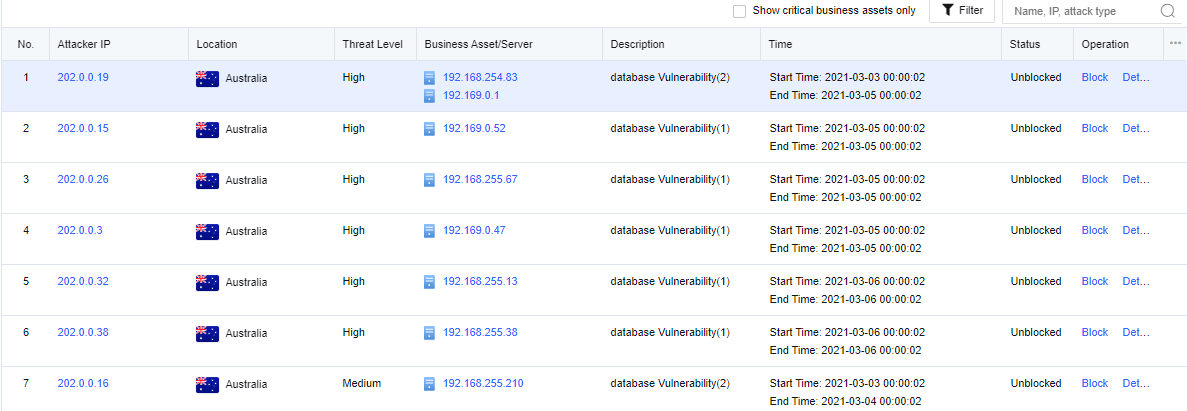
The displayed contents include the attacker’s IP, location, threat level, business asset/server impacted, event description, attack time, status, and operation.
Click an attacker’s IP. You can see the threats that this IP address poses on customer's business assets (event details, attack chain, and TOP 10 attack types) and add this IP address to the blacklist for the correlated block. See the figure below.
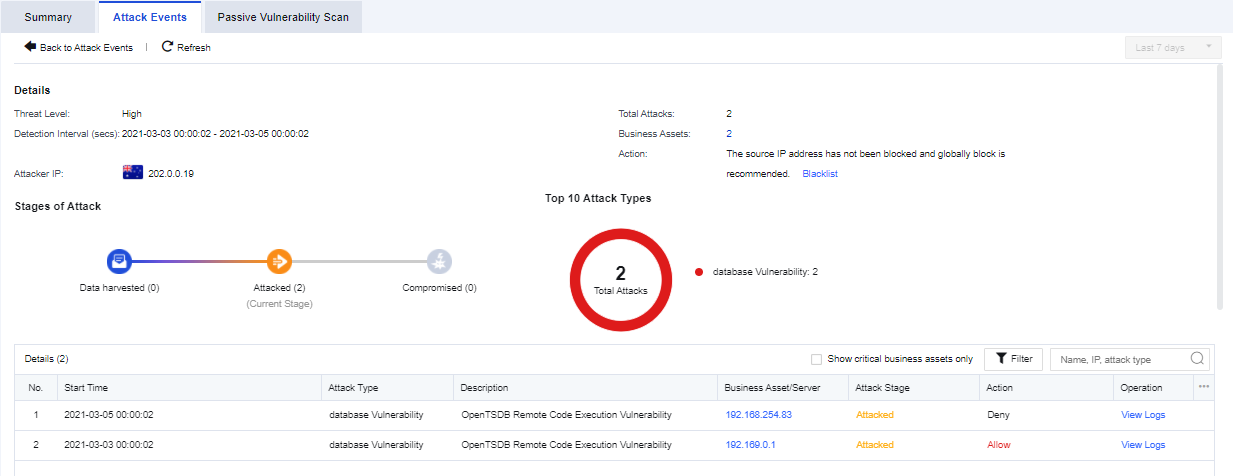
You can view only the security status of core business assets by selecting Show critical business assets only.
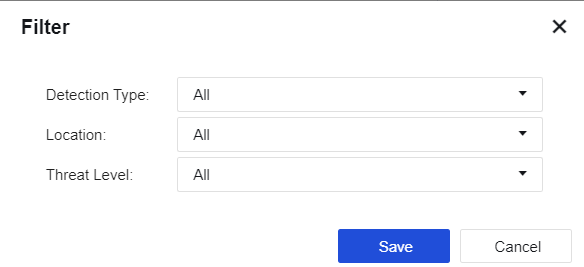
Click Filter. You can filter the attacks by the detection type, location, and threat level. See the figure below.


 {{ $t('index.defaultHeader.chromeBrowserTip') }}