


{{ secondMenu.name }}






It shows the security status from the dimension of business assets. You can check whether the business assets have intrusion risks or view the potential risks as shown below.
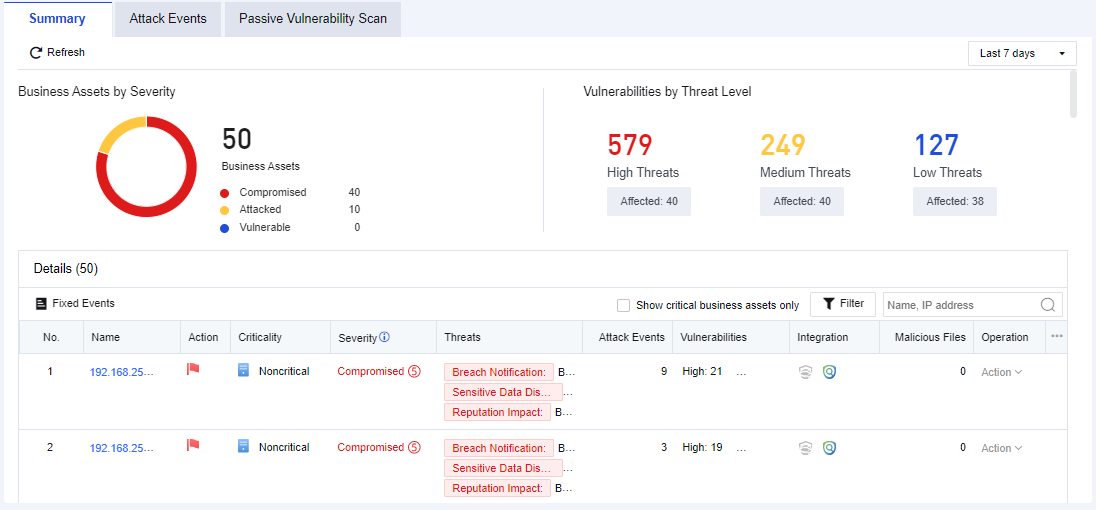
The description of risk levels is shown in the following table.
| Risk Level |
Note |
| Compromised |
Existing data prove that the server has been hacked, such as embedment of web shell, backlink, etc. |
| Attacked |
There is no data to prove that the server is hacked, but it will save the evidence of attack, including SQL injection, brute-force attack, web shell uploading, and other attack logs. |
| Information collected |
There is no data to prove that the server is hacked, but the evidence of collecting information will be recorded. |
| Reconnaissance |
There is no data to prove that the server is hacked, and there is no attack history, which indicates the server itself has reconnaissance. |
Table 5:Description of Risk Levels
Key risks include compliance notification, sensitive data disclosure, reputation impact, and high/medium/low vulnerabilities. Vulnerability statistics are based on the real-time vulnerability analysis results.
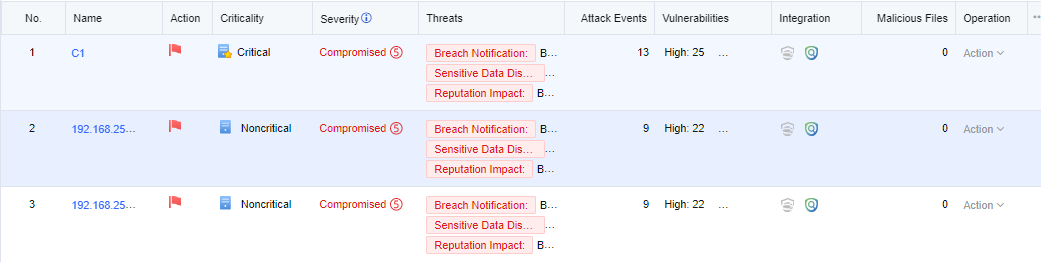
You can only view the security status of core business assets by selecting Show critical business assets only. See the figure below.
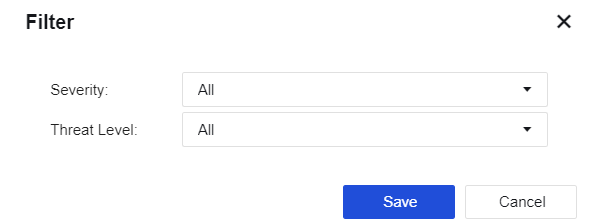
Click Filter. You can filter business assets by the comprehensive risk level and vulnerability level. See the figure below.
Click a business asset name. The following security details page will be displayed.
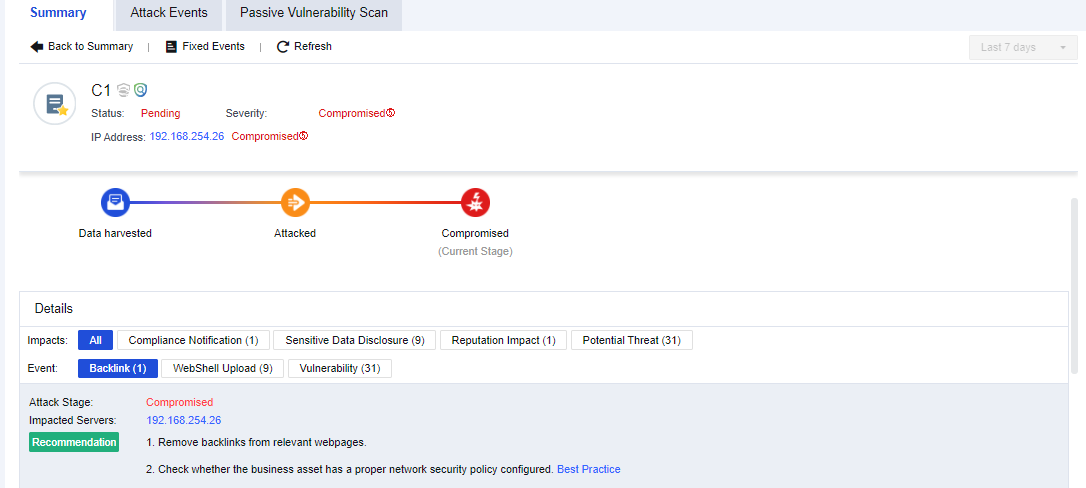
As shown in the above figure, the upper part is a summary of business asset risks. Details include the current impacts on the business assets and the specific event types bringing such impacts (Webshell file access, Webshell backdoor, botnet, internal vulnerabilities, external attacks, etc.).
The risk level is Compromised. You can also see the impacted servers, recommendations, and proof.
In an enterprise, the NGAF has generated many business asset risk warnings, so admin must verify whether the mentioned business asset actually has such risks.
Operation Steps:
Step 1.Click Summary to check which business assets have risks. If they have compromised, you need to check the status of business assets first, as shown below.
Step 2.Click the business asset name to view the specific status of the business asset, as shown below.
Step 3.View the corresponding events and click Log to analyze and judge the detection logs, and confirm whether the events are normal access, as shown below.
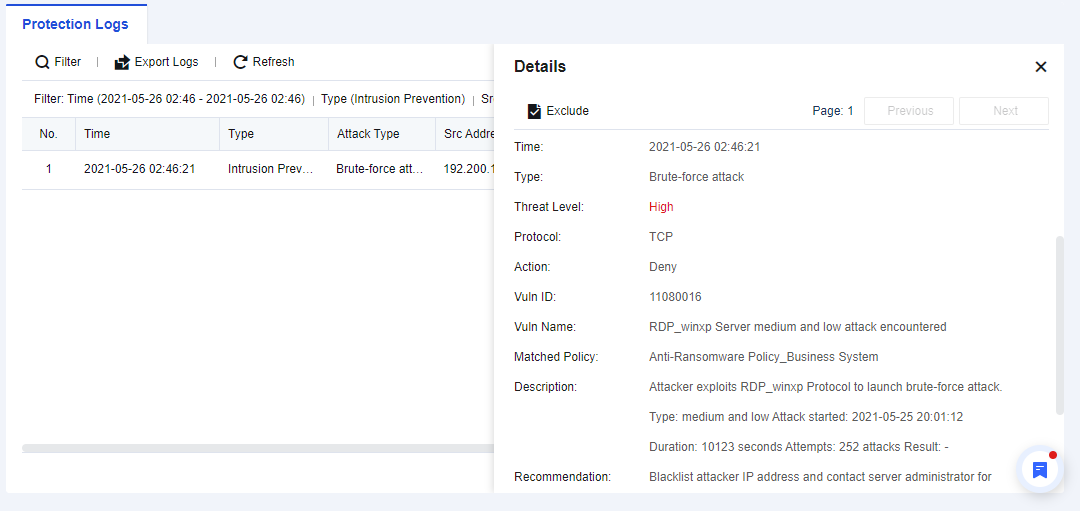
Step 4.If it is a false positive, you can add it as an exceptional case through the analysis and judgment based on logs to generate no alarm later.


 {{ $t('index.defaultHeader.chromeBrowserTip') }}