


{{ secondMenu.name }}






The NGAF deployed for an enterprise has been running stably for some time. Now, this enterprise wants to view the risks of itself and its business assets detected by NGAF, to predict and identify the security risks of devices and business assets in time.
Configuration Steps:
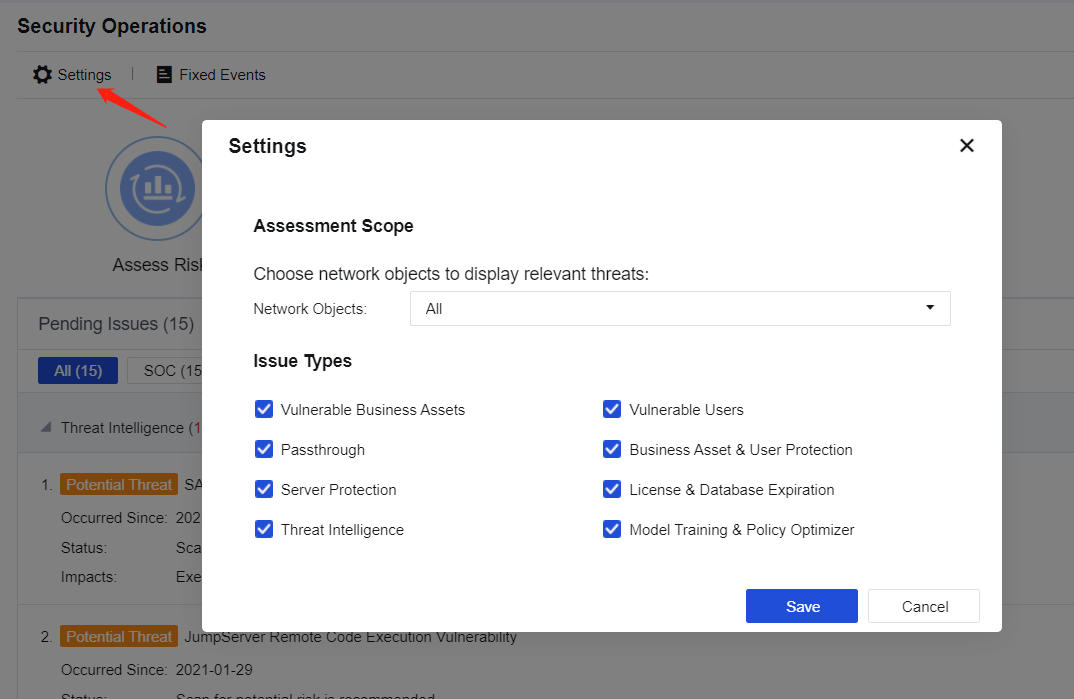
Step 1.Click Settings to set the assessment scope, as shown below.
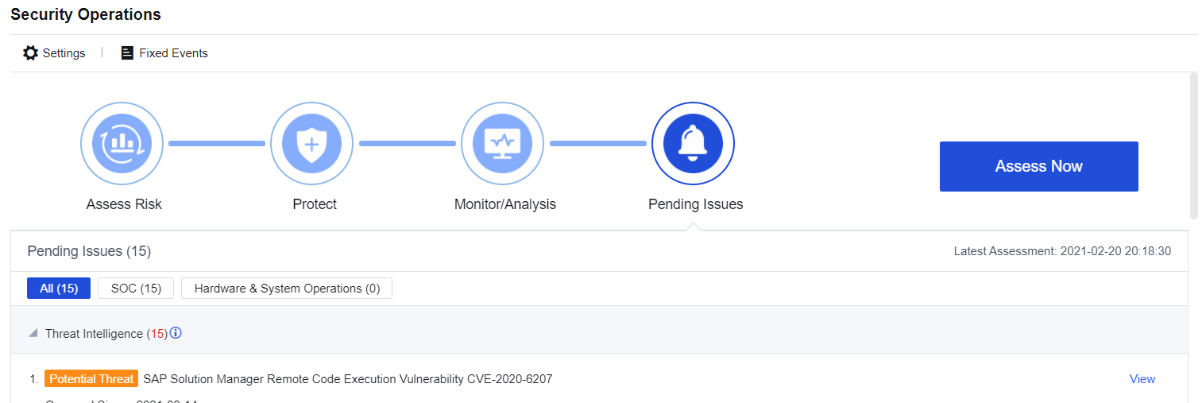
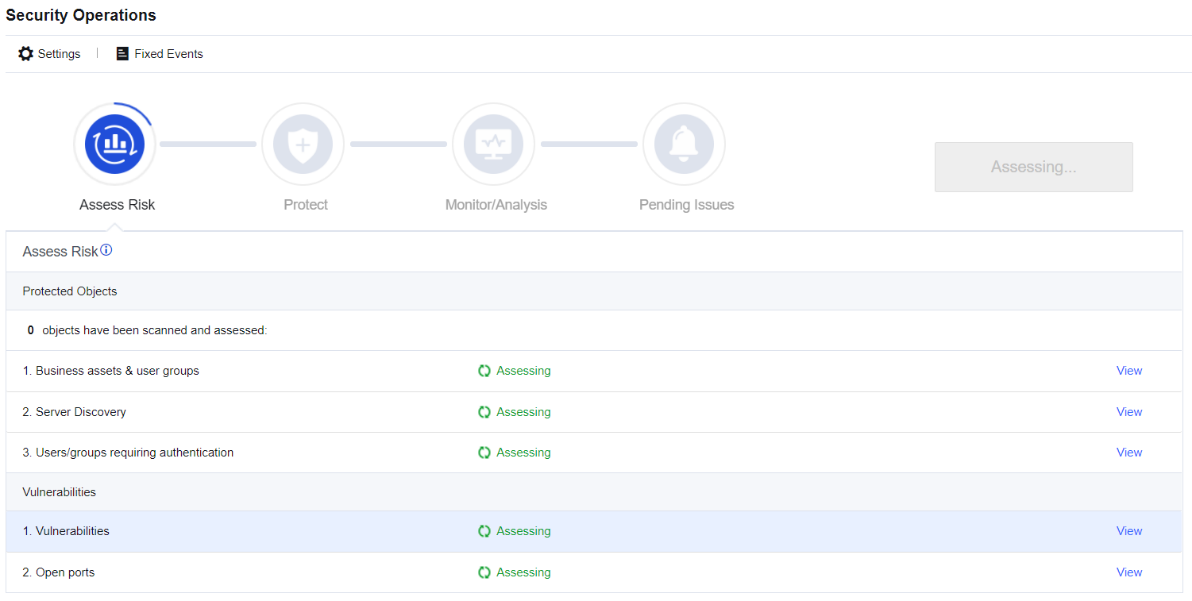
Step 2.Click Manual assessment to assess the set assessment scope, as shown below.
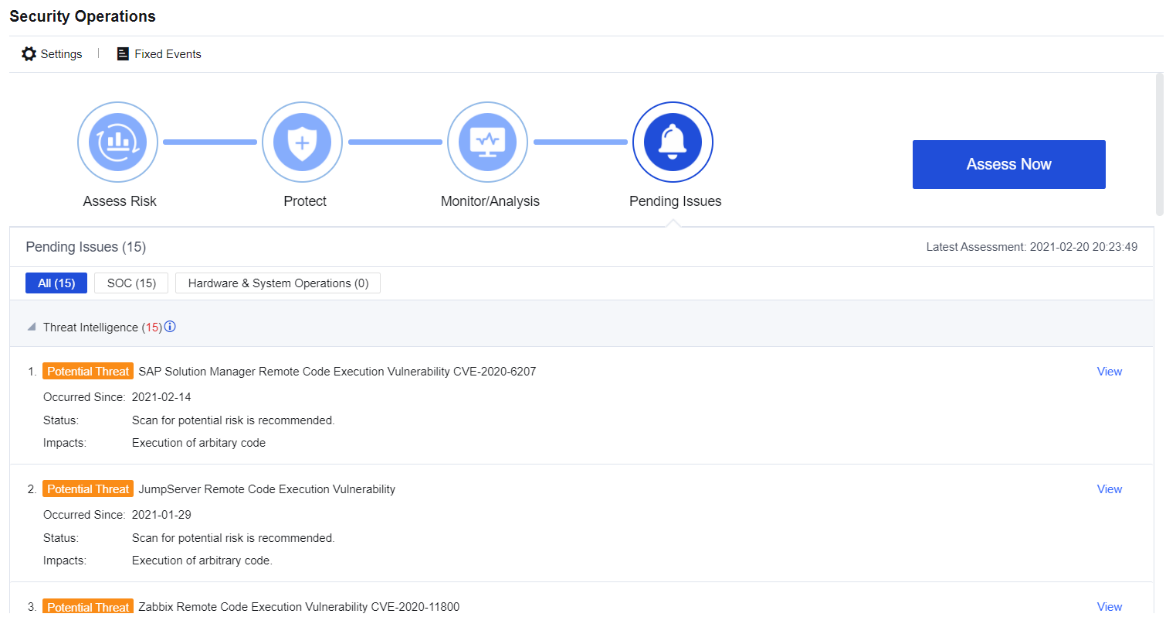
Step 3.After the assessment is completed, view the assessment results, as shown below.
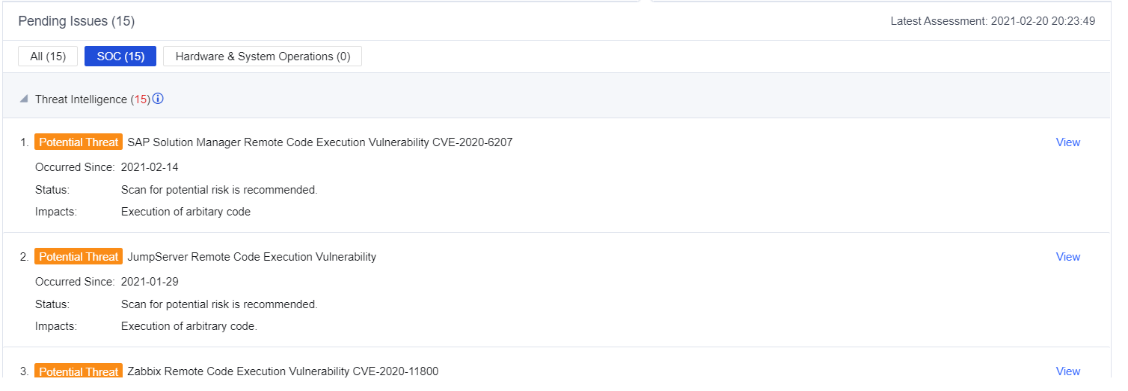
Step 4.Click SOC. You can query the early warning and disposal of matched hot events, the business and user intrusion risks, so that you can quickly identify the businesses in the network having high risks and problems that need to be solved in time as shown below.
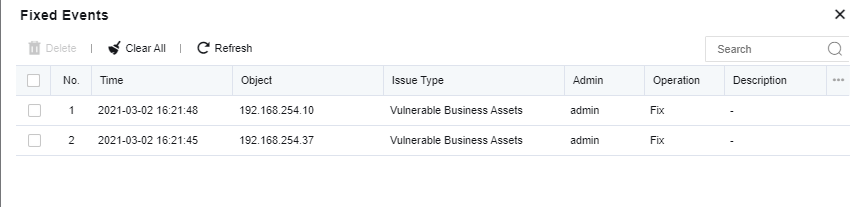
Step 5.If an event has been processed or is a false positive, you can click Mark as fixed, and then you will not see the corresponding alarm later. Additionally, you can view the fixed events in the processing records, as shown below.
Step 6.Click Hardware & System Operations. You can view the problems existing in the system (such as "Serial number is about to expire"), as shown below.
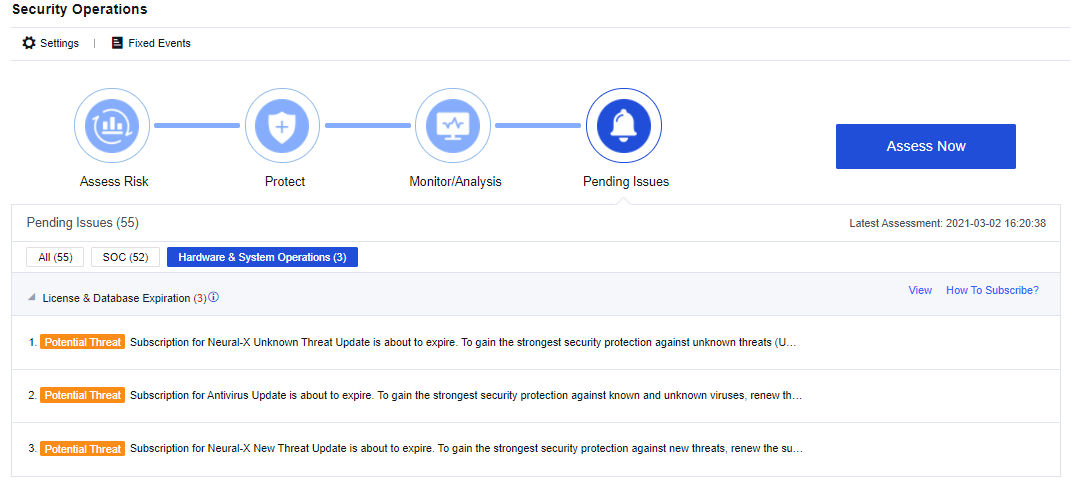
Step 7.You can fix the identified risks accordingly. For example, if the authorization is about to expire, you need to apply for a new authorization in time to prevent that the rule database cannot be updated.


 {{ $t('index.defaultHeader.chromeBrowserTip') }}