


{{ secondMenu.name }}






NGAF's front panel is shown below (NGAF-2000-B2150 as an example).
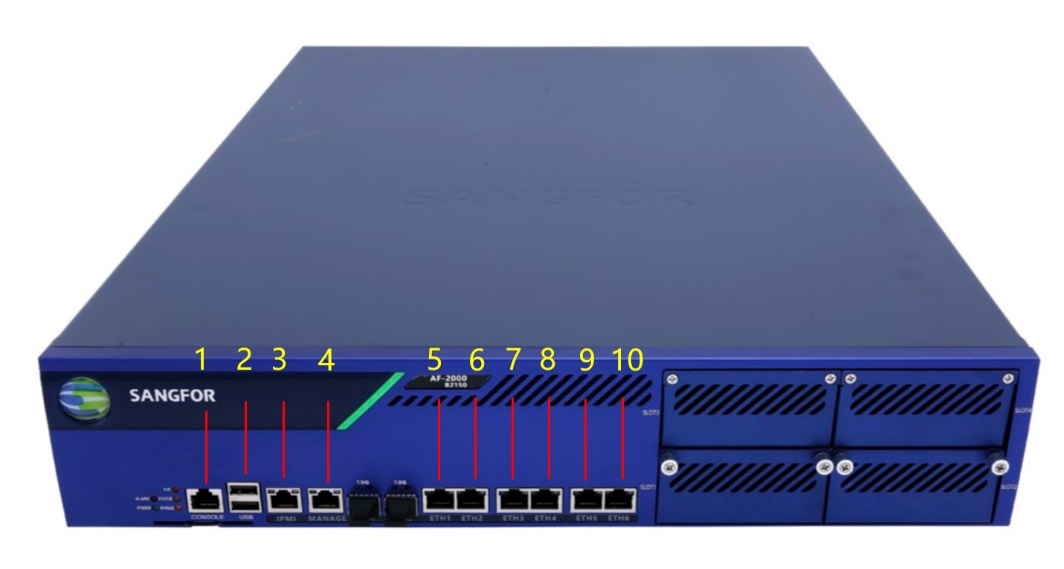
| Device Name |
No. (Front) |
Note |
| NGAF-2000-B2150 |
1 |
CONSOLE interface |
| 2 |
USB interface |
|
| 3 |
IPMI interface |
|
| 4 |
MANAGEMENT interface (ETH0) |
|
| 5 |
ETH1 |
|
| 6 |
ETH2 |
|
| 7 |
ETH3 |
|
| 8 |
ETH4 |
|
| 9 |
ETH5 |
|
| 10 |
ETH6 |
Table 2:Networking Interfaces of NGAF-2000-B2150
NGAF's rear panel is shown below (NGAF-2000-B2150 as an example).
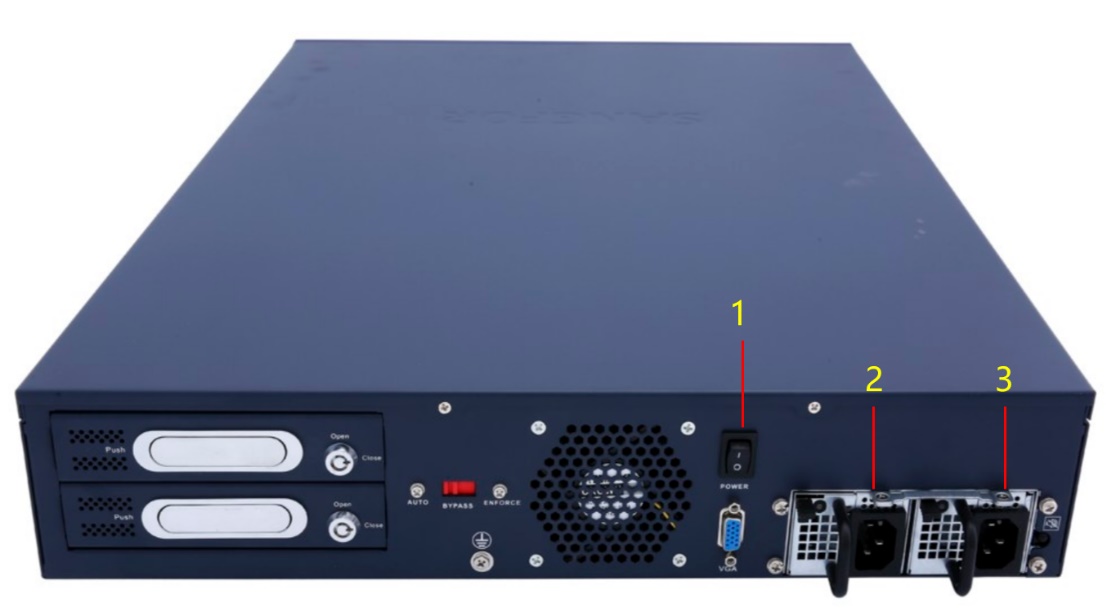
| Device Name |
No. (Rear) |
Note |
| NGAF-2000-B2150 |
1 |
POWER button |
| 2 |
POWER interface |
|
| 3 |
POWER interface |
Table 3:Interfaces on Rear Panel (NGAF-2000-B2150)
Precautions:
1. The alarm indicator is steady red when the device is running. Generally, the red alarm indicator goes out after one or two minutes, indicating the device is normally started. If the red alarm indicator does not go out for a long time, please turn off the device and wait for 5 minutes before turning it on.
2. If the red alarm indicator remains on, please contact Sangfor Customer Service to determine whether the device is damaged. After the normal startup, the indicator may blink red sometimes. This is normal as the device is generating a system log.
3. The CONSOLE interface is for development, test, and debugging only. End-users need to access the device by the networking interface and logging in to the console.


 {{ $t('index.defaultHeader.chromeBrowserTip') }}