


{{ secondMenu.name }}






To enable the NGAF device to join the Central Management Platform for management. After the device joins the platform, the administrator can configure policies for this device and the Central Manager can grant permissions to the controlling terminal. The device is allowed to join in Central Manager.
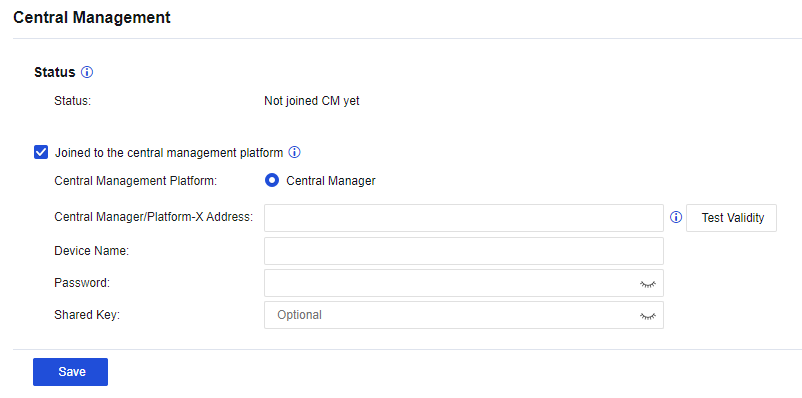
Status: Specify whether the device has connected to the Central Management Platform.
Remove from Central Management Platform: Enter the password for removing the device from the Central Management Platform. The administrator of the Central Manager keeps the password. This function is available after the device is connected to the platform.
Central Manager/Platform-X Address: Specify the device's IP address to be connected to the Central Management Platform. The administrator of the Central Manager keeps the IP address.
Click Test Validity to detect whether the IP address and port number are available.
Device Name: Specify the username for the Central Manager of the Central Management Platform.
Password: Specify the password for connecting to the Central Manager of the Central Management Platform.
Shared Key: Specify the shared key of the device. This parameter is optional.


 {{ $t('index.defaultHeader.chromeBrowserTip') }}