


{{ secondMenu.name }}






To define IP address sets, which can be LAN IP addresses, or an IP range, or all IP addresses in the public network. These sets can form a new set, namely the IP address group. Network objects properly defined provide calls such as application control policy. The objects can be imported or exported to perform quick configuration as shown below.

Click Add to add network objects according to the address or address group. There are three types of addresses: IP Address, Business Asset Address, and User IP Address. See the figure below.
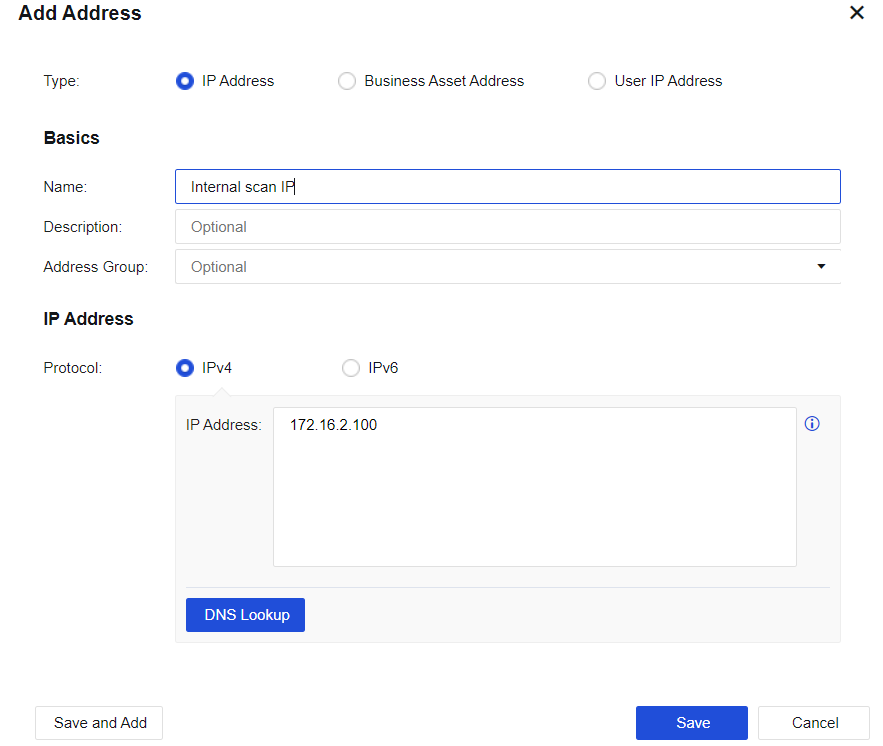
Name: Fill in the corresponding name.
Description: Enter description information.
Address Group: (Optional) The group to be joined by the IP address.
Protocol: Select IPv4 or IPv6.
IP Address: Enter the IP address.
DNS Lookup: To resolve the relationship between the domain name and the IP address, after which the corresponding IP address will be entered into the IP address box.

The DNS lookup function works through the device. Therefore, the device must be able to access the Internet and configure a valid DNS address to resolve the domain name.
In the figure below, Business Asset Address is selected.
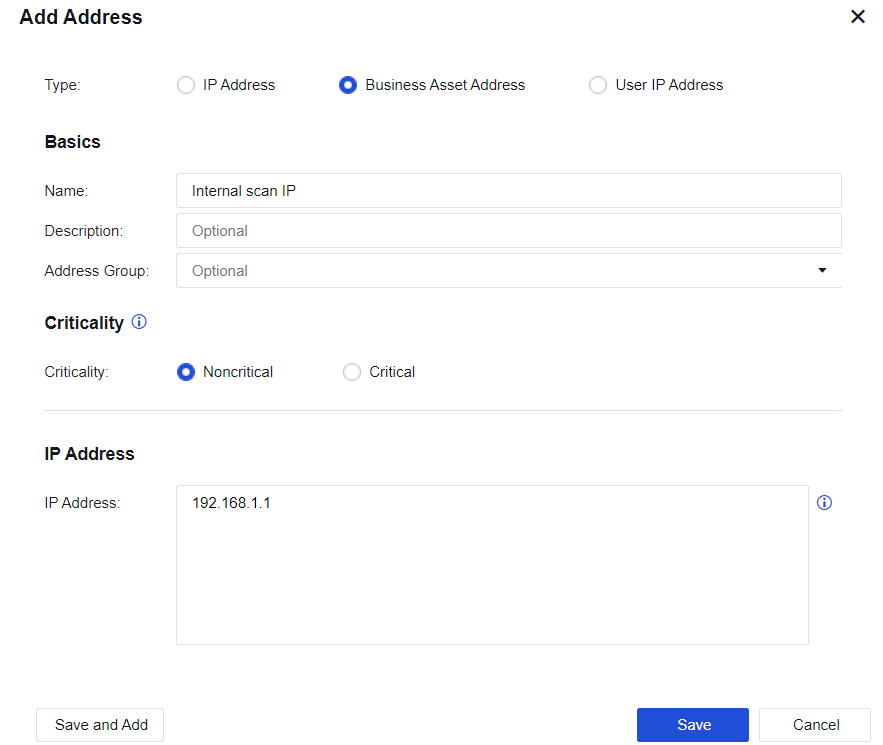
Criticality: Mark the criticality of a business asset, to prioritize or manage the security issue of the business asset.
Sensitive data: The system automatically recognizes a business with sensitive data to inform you of the sensitive data location. You can also manually mark whether the business has sensitive data.
In the figure below, User IP Address is selected.
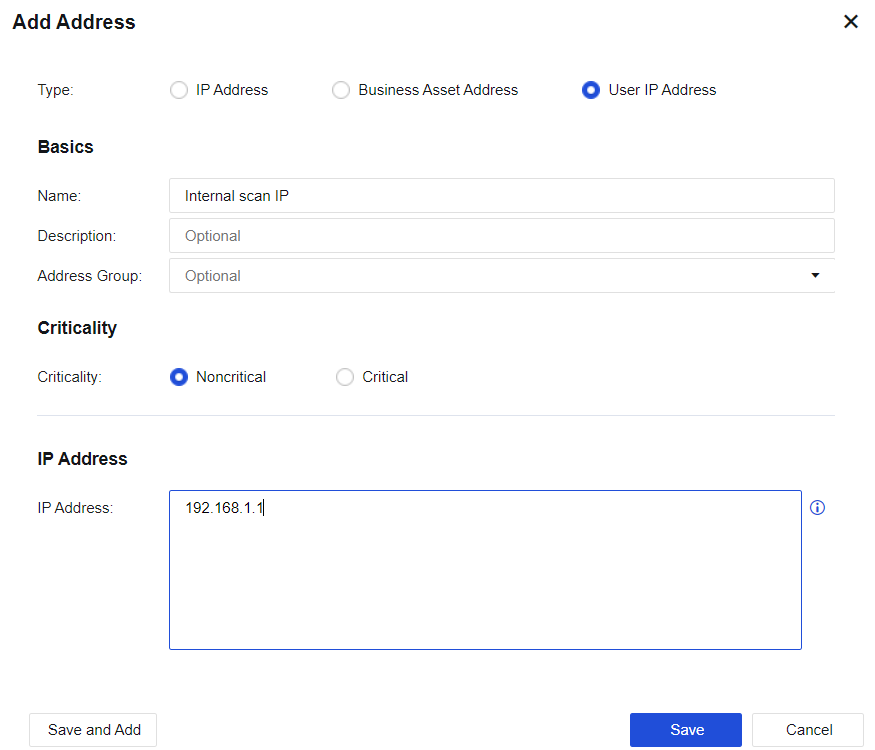
Criticality: There are noncritical and critical users. You can select either of them as required.
Select Add Address Group. See the figure below.
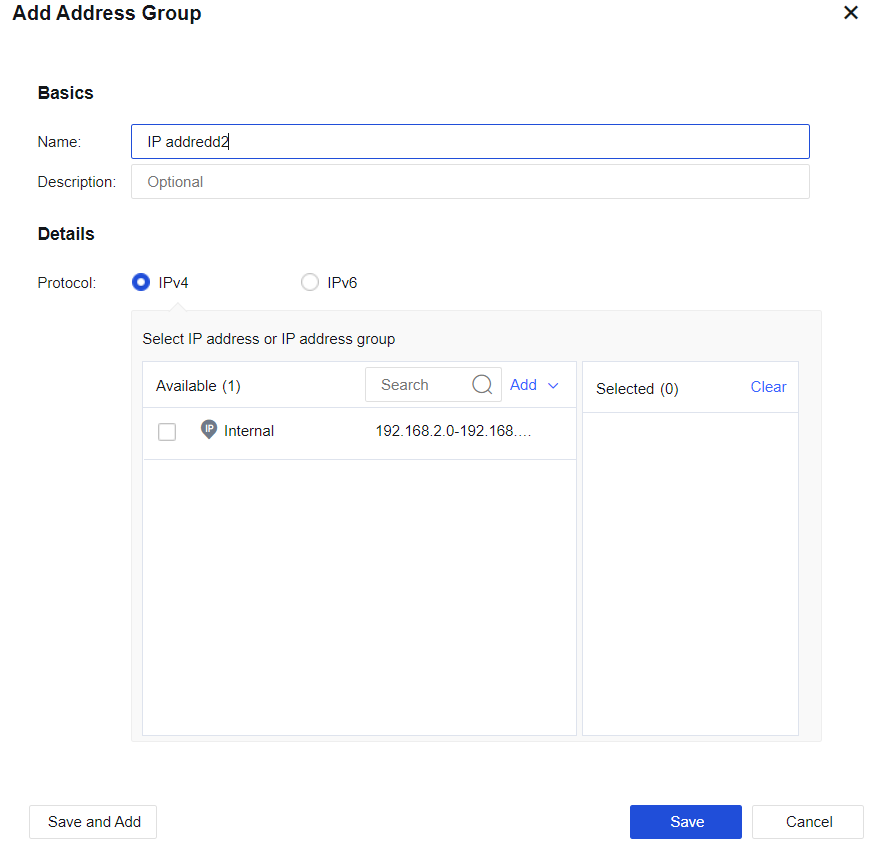
Protocol: IP groups in an address group must be of the same IP type (IPV4 or IPV6).
Select IP address or IP address group: Select the IP address or IP address group to be contained in the address group as required.
Server Discovery
Discovered server information will be displayed on this page, including open ports and page number of sensitive data. See the figure below.

Add To: Select business assets to be added.
Ignore: Ignore the server information that is discovered.
Ignored Servers: View ignored servers.
Ignored Pages: View page information ignored by the server.
Advanced: Whether to enable server discovery and whether to discover data business.


 {{ $t('index.defaultHeader.chromeBrowserTip') }}