


{{ secondMenu.name }}






To analyze a source IP address, destination IP address, or domain name, and obtain matching details of traffic to locate the traffic precisely. It is recommended to select this method when some users cannot access the Internet, or some services or applications cannot be used. You must enter the source IP address or destination IP address/domain name for directional analysis to rapidly locate fault causes.
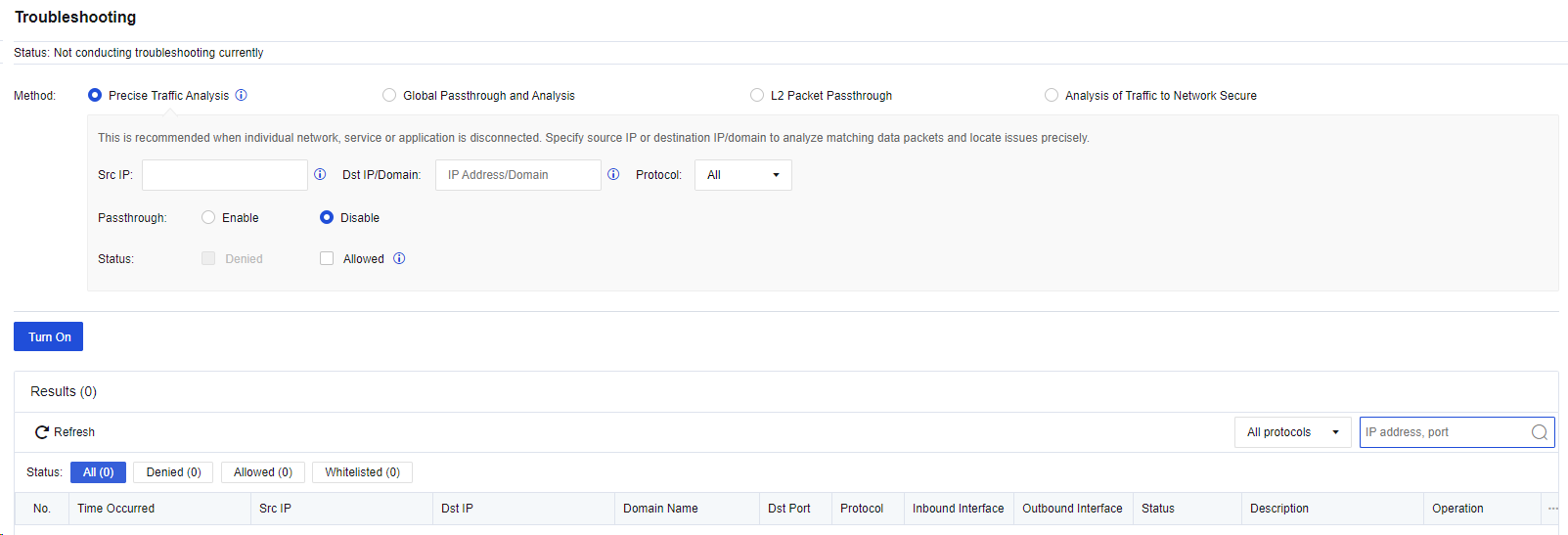
Src IP and Dst IP/Domain: Enter one or both of the source IP address and destination IP address of a packet for precisely matching.
Protocol: Specify the protocol of the packet that can be output to the analysis result list. You can select All, TCP, UDP, ICMP, ICMPv6, and other protocols for this parameter.
Passthrough: Specify whether the policy is allowed for the matched packet.
Status: Specify whether the matched packet is denied or allowed to be output to the analysis result list. You can select Denied for this parameter when troubleshooting the problem that some users cannot access the Internet.
After you click Turn On, the matching details will be displayed in the analysis result list. See the figure below.
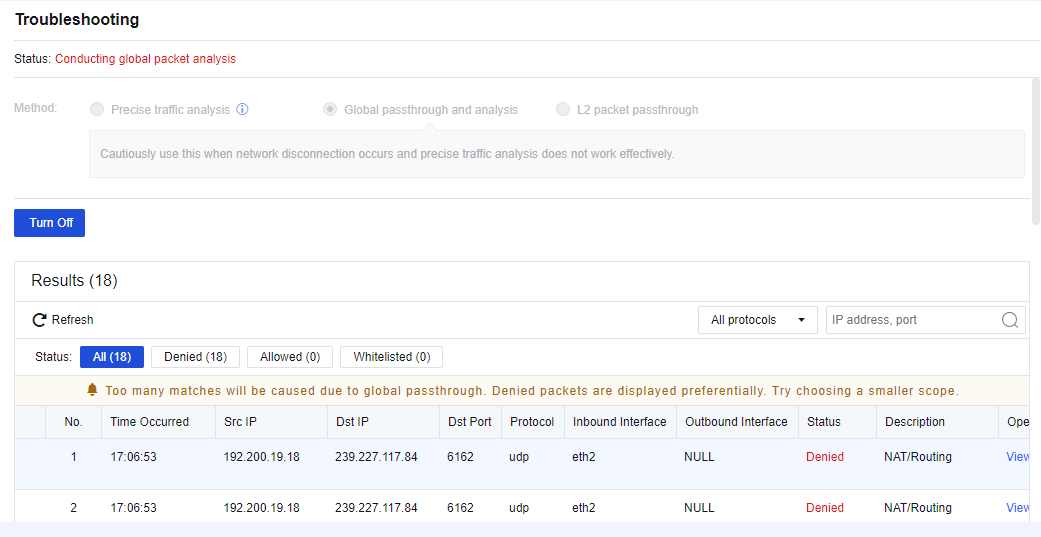
Click Refresh to view the matching situations of the packet in real time. Click View details to view the specific policy matching with this packet. See the figure below.
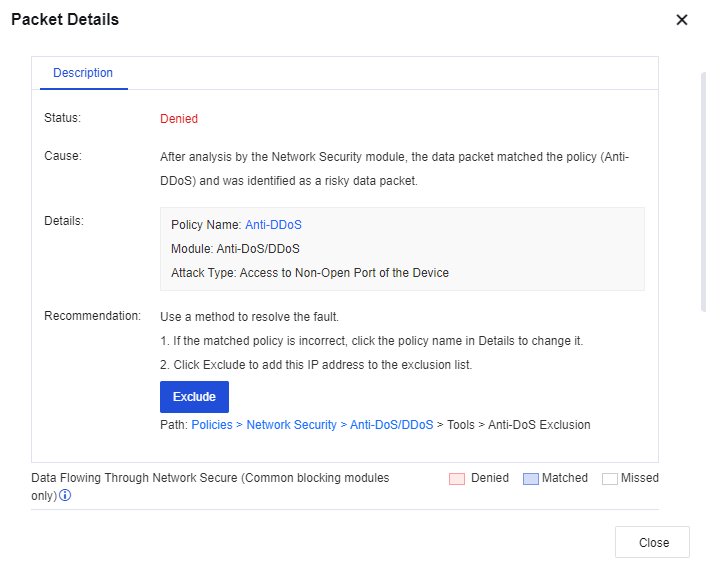
After the troubleshooting is completed, click Turn Off. This makes the address policy specified to the passthrough rule continue to take effect, but not allowed for this packet any longer.


 {{ $t('index.defaultHeader.chromeBrowserTip') }}