


{{ secondMenu.name }}






You can create a local SD-WAN path selection template or download one from the Branch Business Center (BBC). You can also create path selection policies for the VPN HQ device or view path selection policies for the VPN HQ and branch devices, as shown in the following figure.

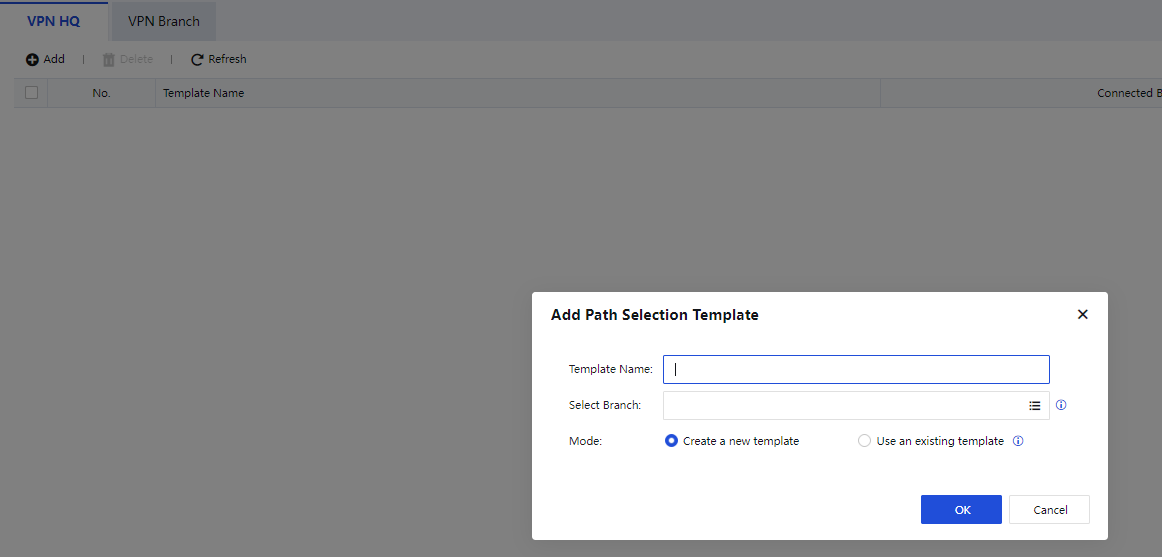
Step 1.On the VPN HQ tab, click Add. In the Add Path Selection Template dialog box, set the template name and select a branch, then click OK, as shown in the following figure.
Step 2.Click Configure Path Selection Policy in the Operation column for the created template, as shown in the following figure.

Step 3.On the page that appears, click Add, as shown in the following figure.

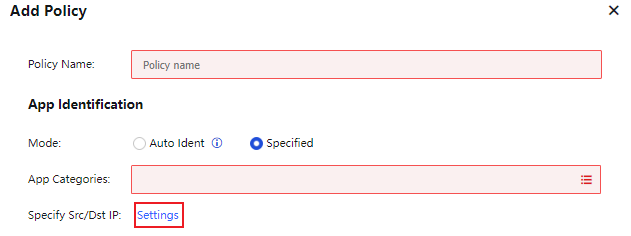
Step 4.In the Add Policy dialog box, select Specified for Mode in the App Identification section. Auto Ident is selected by default. The auto identification algorithm identifies the types and priorities of apps and automatically selects paths from them based on their service types and priorities. Herein, Specified is selected for ease of demonstration.
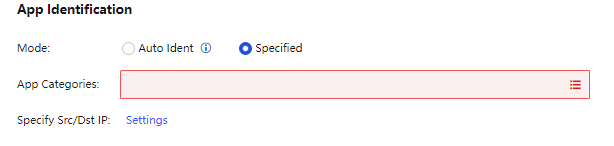
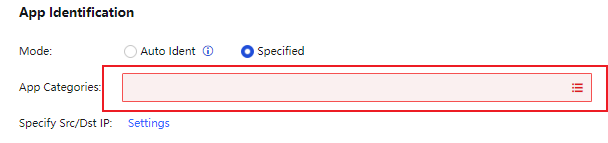
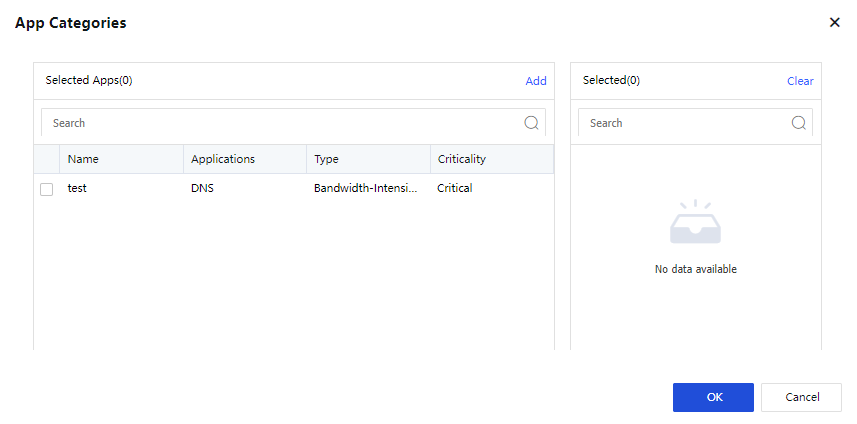
Step 5.Select apps for SD-WAN path selection in App Categories.
Step 6.Click Settings next to Specify Src/Dst IP and specify the IP range for SD-WAN path selection. All is selected by default.
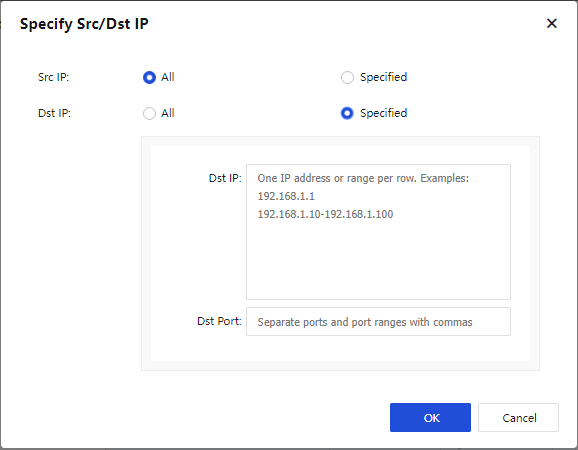
Step 7.In the Path Selection Settings section, select AutoGO Smart Path Selection for Mode and select Paths for path selection. If no paths are selected, all paths are included by default. Click OK.
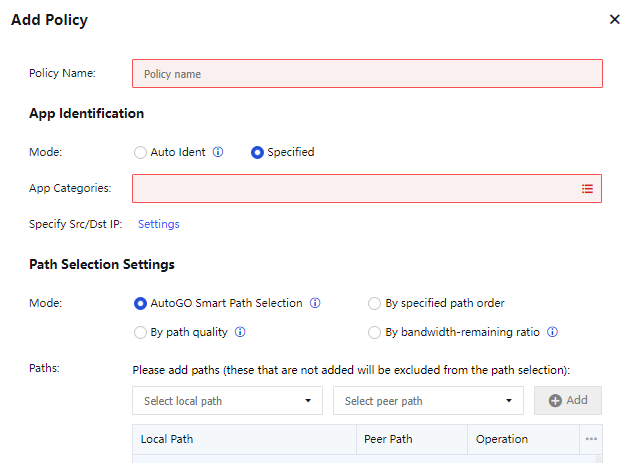

The configured VPN paths are available for Local Path, and four paths are available for Peer Path by default. You can click Delete in the Operation column to delete the VPN paths that do not exist.

If your device is not added to the BBC, you can configure SD-WAN path selection templates and policies on your local console. If your device is added to the BBC, you must configure SD-WAN path selection templates and policies on the BBC and push them down to your device. The configuration method in the BBC is the same as that in your local console.


 {{ $t('index.defaultHeader.chromeBrowserTip') }}