


{{ secondMenu.name }}






The Local Password authentication method in Network Secure is a local password-based authentication. The settings related to the local password-based authentication include password security options and username options. Click the Settings button in the Local Password section to enter the Local Password Based Authentication page, as shown in the figure below:
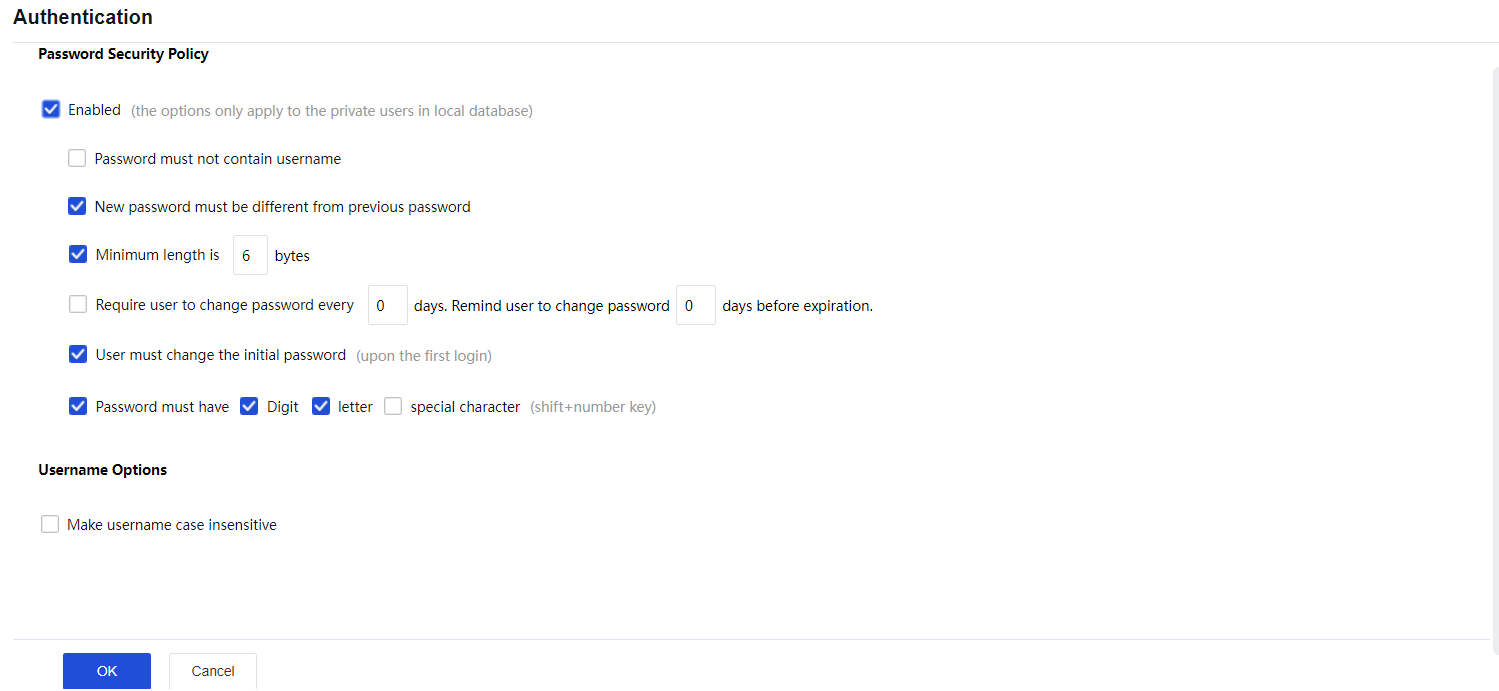
The Local Password-Based Authentication page includes the following contents:
Password Security Policy: Configure the password strength and how users change passwords.
Username Options: If the Make username case insensitive is selected, the case of username will be insensitive when users enter the credentials to log in to SSL VPN.
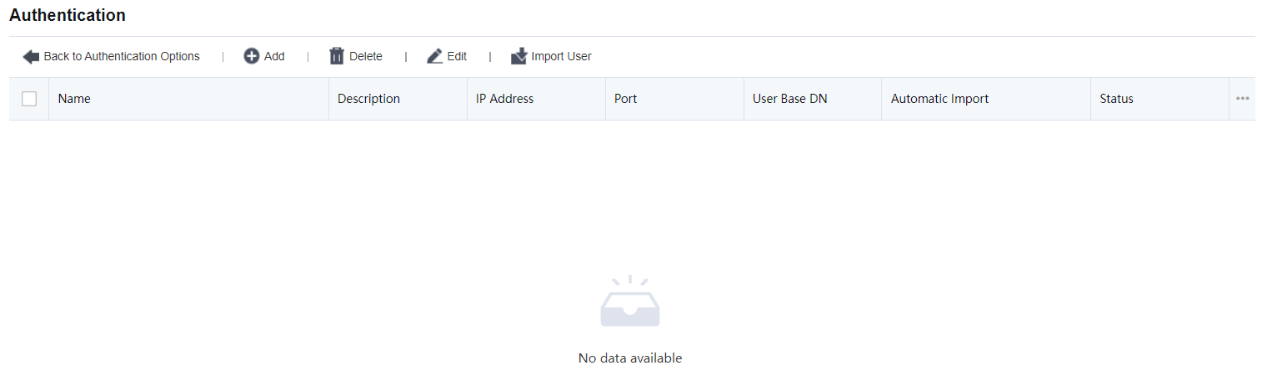
Click the Settings button in the LDAP section. Then, click Add to add an LDAP server, as shown in the figure below:
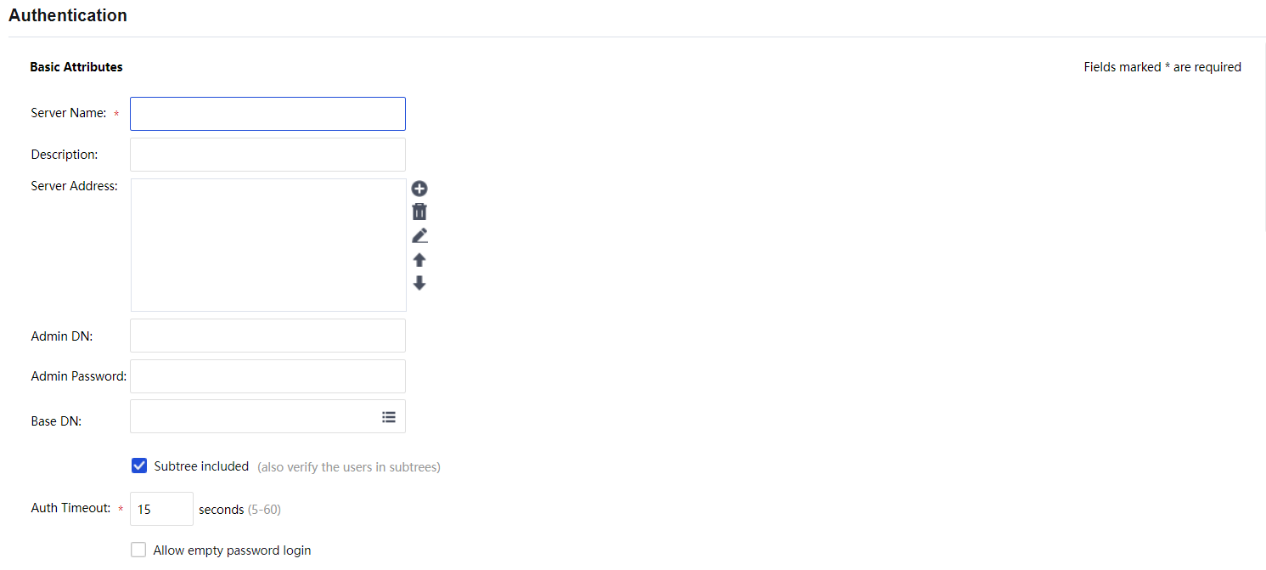
In the Basic Attributes section, set a server name, description, server IP address, authentication port, admin DN, admin password of a domain user, Base DN (path of the server where the user resides), timeout interval, and status.

In the Advanced Options section, select the type of the server and specify the user attribute, and user filter. The following three types are supported: MS ActiveDirectory, LDAP server, and MS ActiveDirectory VPN.

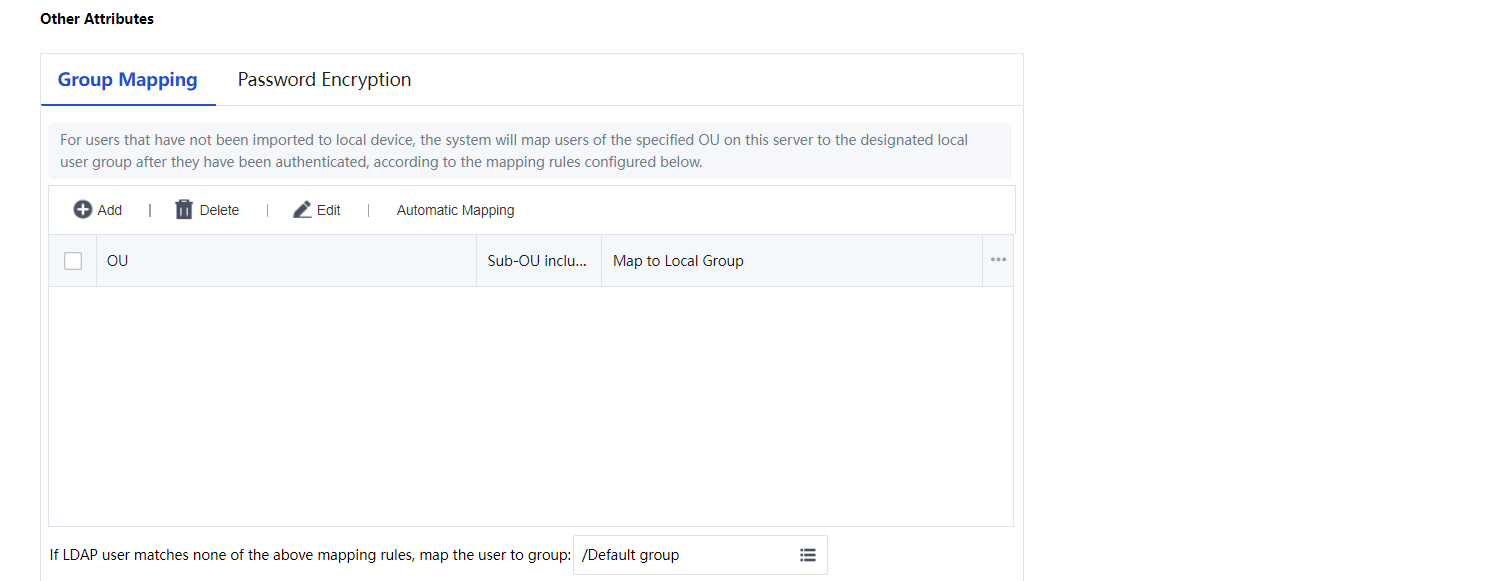
The Other Attributes section allows setting Group Mapping and Password Encryption. See the figure below:


 {{ $t('index.defaultHeader.chromeBrowserTip') }}