


{{ secondMenu.name }}






The LAN interface eth2 on a user's Network Secure device is connected to a LAN segment. The user requests that the Network Secure device automatically assign the IP address range of 172.16.10.100-172.16.10.199 to users in a conference room for accessing the Internet, and the manager's computer is permanently assigned with the IP address 172.16.10.150.
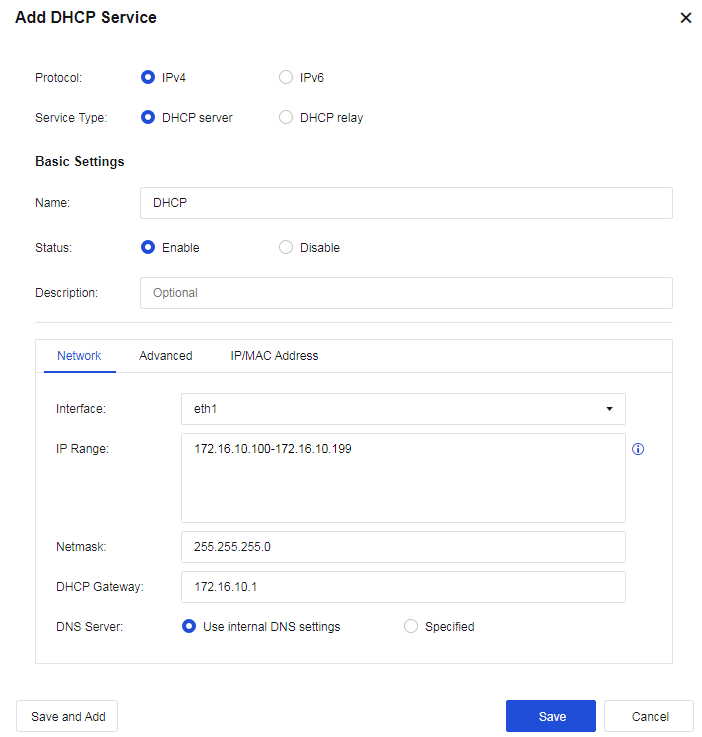
Step 1.Add a new DHCP server. Select the interface eth1 from the interface list for the DHCP configuration. Configure the IP range and DNS network parameters, as shown in the following figure.
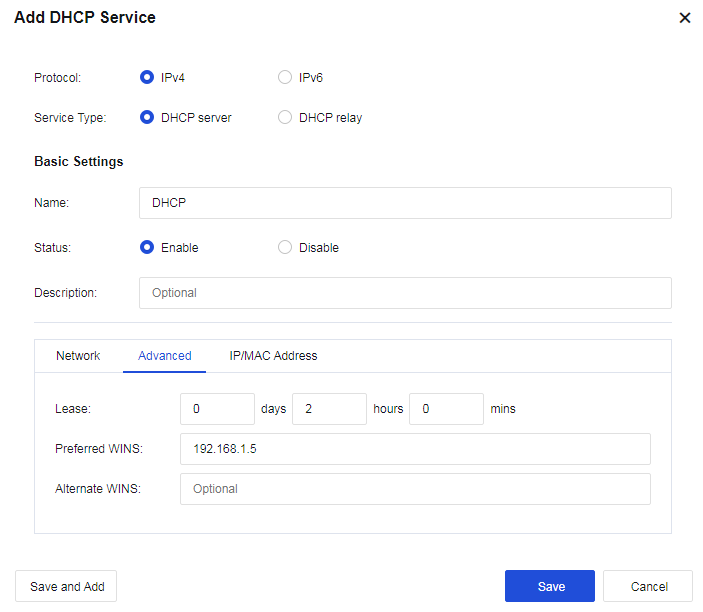
Step 2. (Optional) Set the Lease, i.e., the lease issued by the DHCP server, as shown in the following figure.
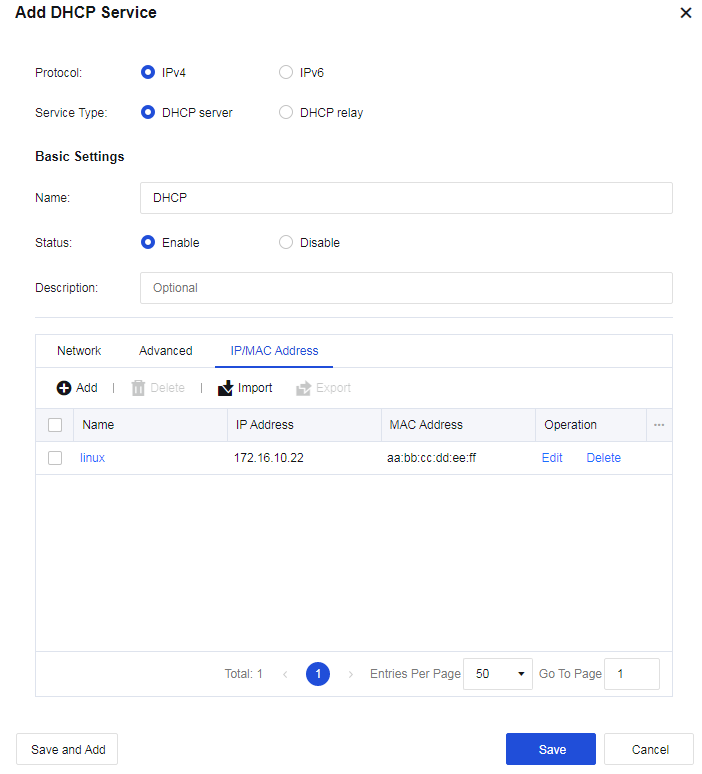
Step 3.Set reserved IP Addresses. Click Add to set a reserved IP address, i.e., assign a permanent IP address to the corresponding computer according to its MAC address.
Step 4.View the DHCP operation status and the DHCP assignment status.



 {{ $t('index.defaultHeader.chromeBrowserTip') }}