


{{ secondMenu.name }}






When a company has multiple lines connecting to the internet, define the matching conditions according to source/destination IP addresses, ports, protocols, and applications, and select policies for the outbound interface to perform dynamic routing to realize effective bandwidth utilization and load balance for these lines.
Click Add and select Link load-balancing, as shown in the figure below.
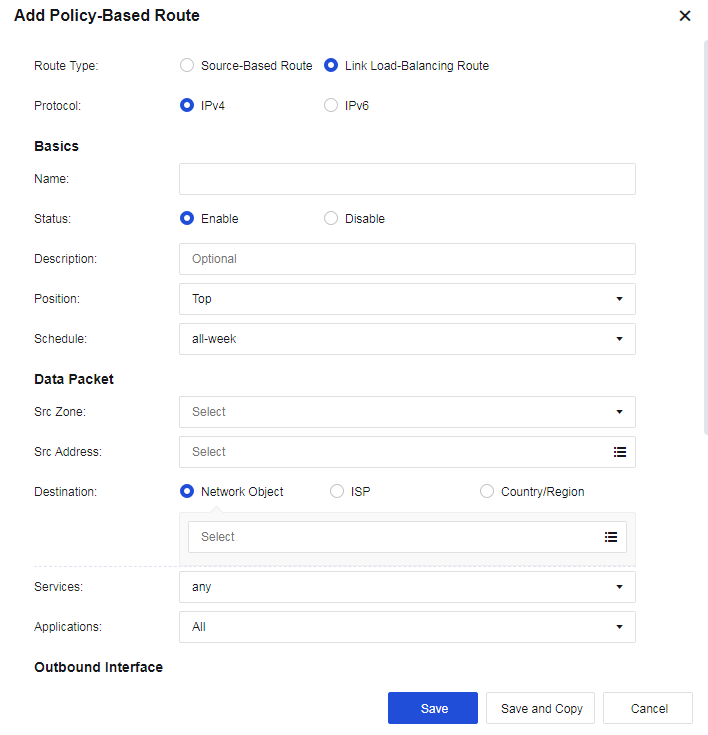
Outbound Interfaces: Select multiple outbound interfaces for the policy and then perform load balancing according to the policy. Click Add to add outbound interfaces, as shown in the figure below.
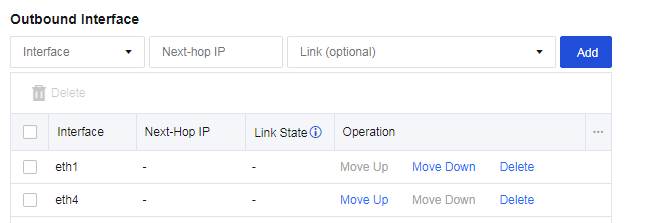
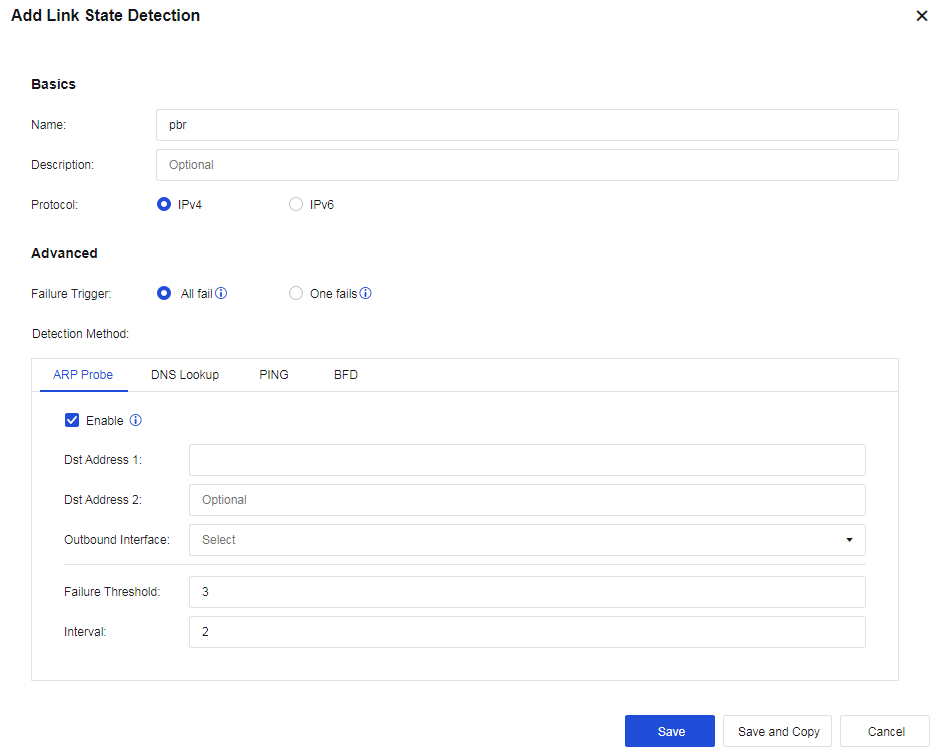
Link State: The line will be regarded as faulty when configuring link detection for an interface, and either PING or DNS detection fails.
Load Balancing Method: Perform traffic load balancing according to the algorithm. There are four algorithms:
• Round robin: Evenly allocates connections to multiple WAN lines.
• Bandwidth ratio round robin: Allocates connections according to the ratio of WAN lines bandwidth.
• Weighted least traffic: Compares the current line traffic to the line bandwidth and selects the line with the minimum ratio to prioritize connecting first.
• Prefer link at top: It is used in scenarios requiring active and standby lines. All connections are allocated to the first line. If the first line fails, the connection will be switched to the second selected available line.
A user has 2 WAN lines: China Telecom lines of 2M and 10M. The user wants to realize that when LAN users access public networks, the line with the least traffic is automatically selected.
Step 1.Navigate to Network > Routes > Policy-Based Route, and click Add to add link load-balancing routes. The page is as follows.
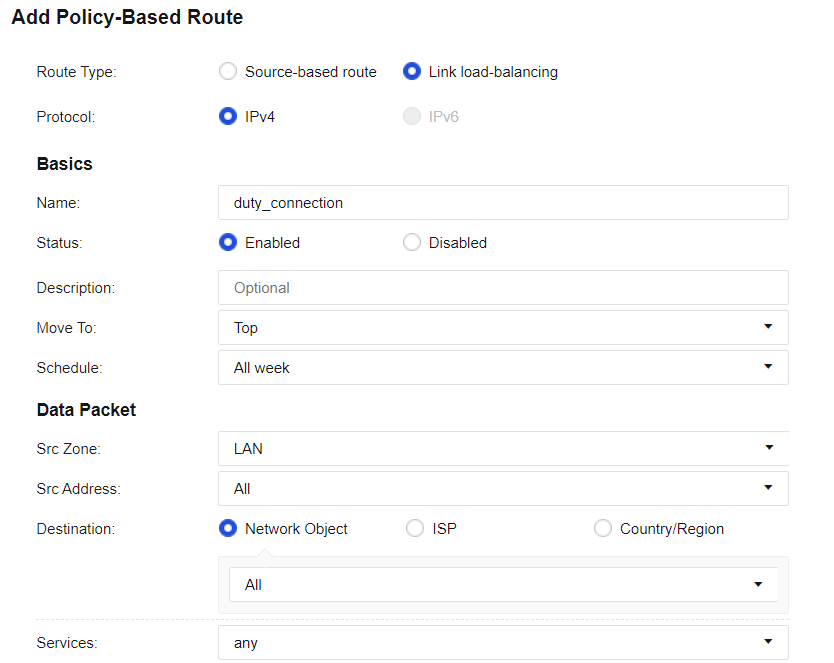
Step 2.Configure interfaces, as shown in the following figure.
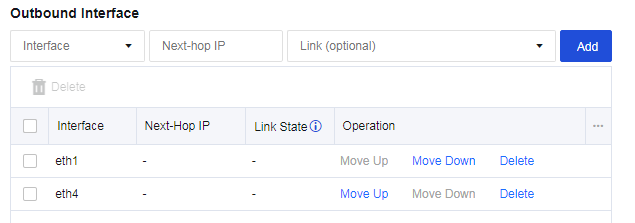
Step 3.Select the Load Balancing Method, as shown in the following figure.

Step 4.Configure Link State Detection for the corresponding interface. Ensure the link switching can be performed when a link fails, as shown in the following figure.
Step 5.Check the configuration, as shown in the following figure.


1. To implement load-balancing among multiple WAN lines, Link State Detection must be enabled.
2. For link load-balancing, only WAN attribute interfaces can be selected.
3. Each WAN line must have a corresponding policy-based route, which can be a source-based route or a link load-balancing one.


 {{ $t('index.defaultHeader.chromeBrowserTip') }}