


{{ secondMenu.name }}






To judge and detect the app category of Internet data. It can detect the app category according to the signature value of the data packet or multiple conditions, such as protocol, port, direction, data packet length matching, and data packet content matching. Also, it can detect app categories that cannot be distinguished by port or protocol, such as QQ, P2P, etc.
The Application Signatures database is divided into the built-in database and the custom database. The built-in database has built-in rules and apps, and the custom database has custom rules and custom apps. The built-in database cannot be modified; which is updated regularly by the device.
Updating the built-in database requires serial number authorization to ensure the device can access the Internet. The custom database can be added, deleted, modified, etc. A custom definition can cite multiple rules.
In Policies > Access Control > Application Control > Policies, you can cite app signature rules to control relevant applications.
Viewing application signature rules
Navigate to Objects > Content Identification Database > Application Signatures and click the Application Signatures tab.
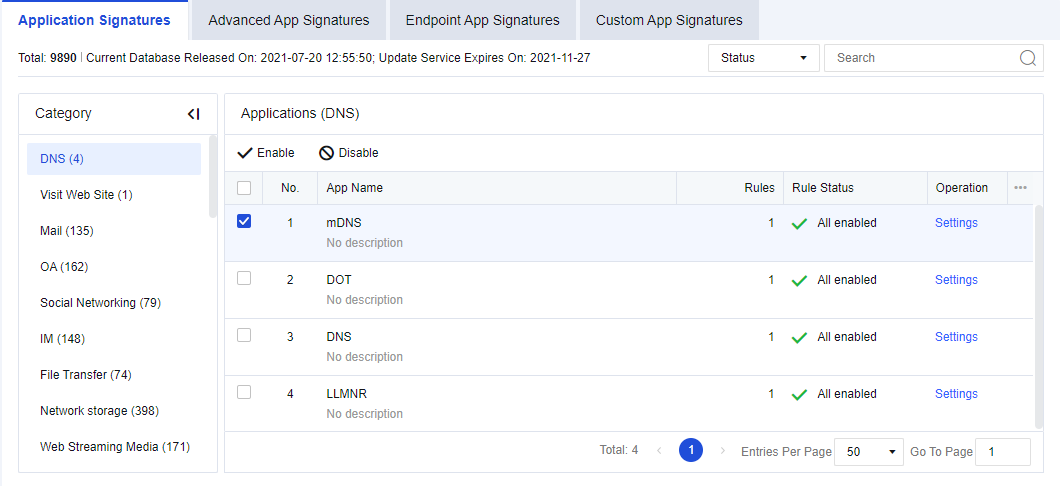
Total: Show the number of app rules in the device’s current internal rule signature database.
Current Database Released On: Show the release date and time of the current version of the internal rule signature database.
Update Service Expires On: Show the validity period for the upgrade of the internal rule signature database.
Category: Show the categories of app signature rules, such as IM and games.
Select the correct app category. Applications show specific applications included in the current app category. They belong to a sub-category under the large app category, such as QQ and MSN in IM.
Select the rule type to be queried in Filter: Select Status to filter all rules that meet the conditions; select Enabled to filter enabled rules that meet the search conditions; select Disabled to filter disabled rules that meet the conditions. In Search, enter the rule keyword to be queried (e.g., set "QQ" as the filter condition).
Enabling/Disabling application signature rules
Navigate to Objects > Content Identification Database > Application Signatures, click the Application Signatures tab. Filter the rules to be set. For example, enter "QQ" to filter QQ related apps, as shown in the following figure.
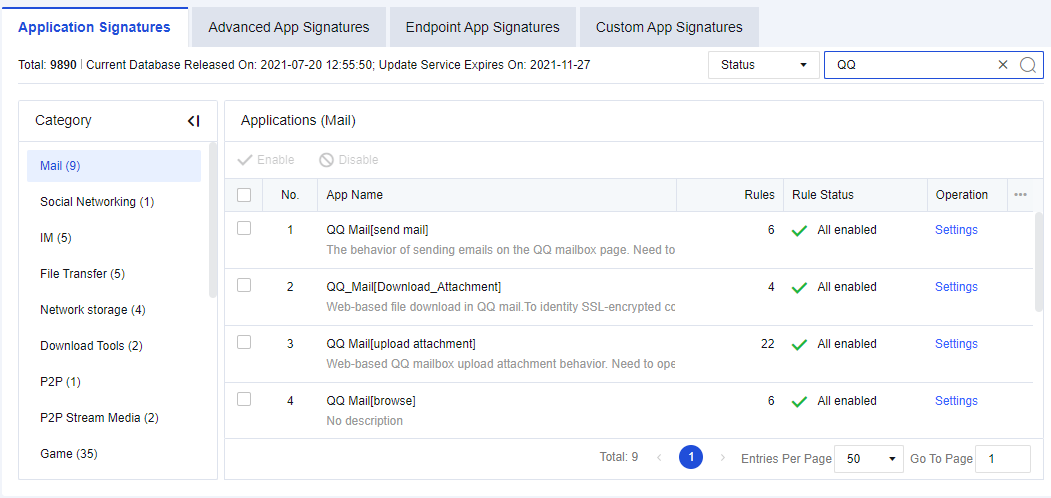
Select the specific app and click Enable or Disable. You can disable or enable all QQ login rules.
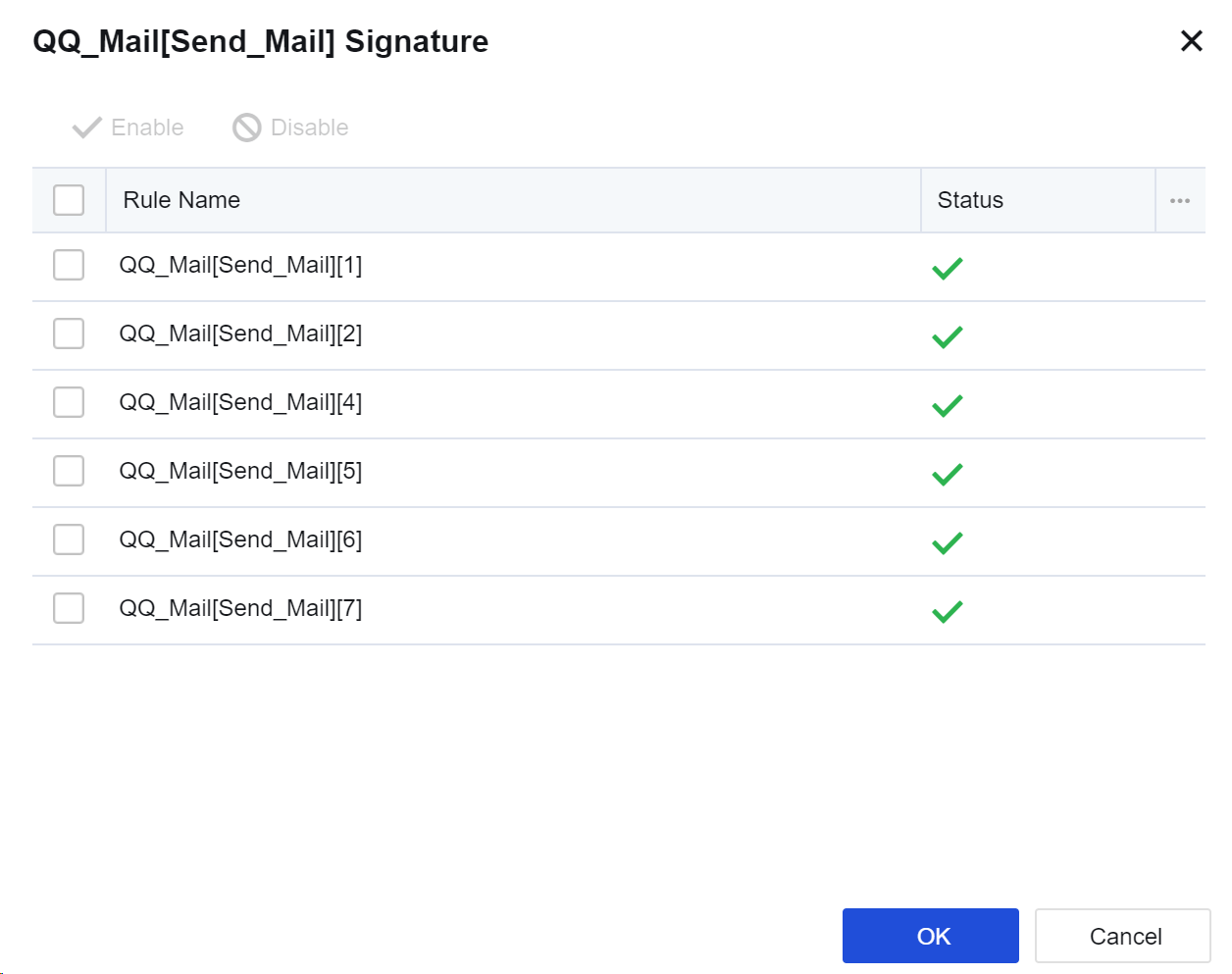
If you want to disable or enable a rule in a specific app, such as disabling a rule in "QQ", click Settings. The signature rules editing box will appear, listing all relevant rules of QQ. Select a rule and click Enable or Disable to disable or enable the rule.

1. The app signature rules of some basic protocols (such as HTTP) cannot be disabled. If such basic protocols are disabled, data identification based on HTTP will be affected. Therefore, such rules cannot be disabled.
2. Here, disabling the rules is not to block apps. For blocking rules, please refer to Chapter 8.4.4 Content Security. In this case, if we disable QQ, the device will not identify the QQ app. Under normal circumstances, you are not advised to disable these rules. They may be needed in troubleshooting scenarios.
3. The app signature database supports IPv6 and can recognize common applications in the IPv6 environment.


 {{ $t('index.defaultHeader.chromeBrowserTip') }}