


{{ secondMenu.name }}






WAF Signature Database covers attack packet features of the application layer, including SQL injection, XSS attack, website Trojan, website scanning, WebShell, cross-site request forgery, OS command injection, file inclusion attack, directory traversal attack, information disclosure attack, and whole-site Web system vulnerability. When passing through the device, these attack packets can be intercepted based on user settings to protect the server, as shown in the figure below.
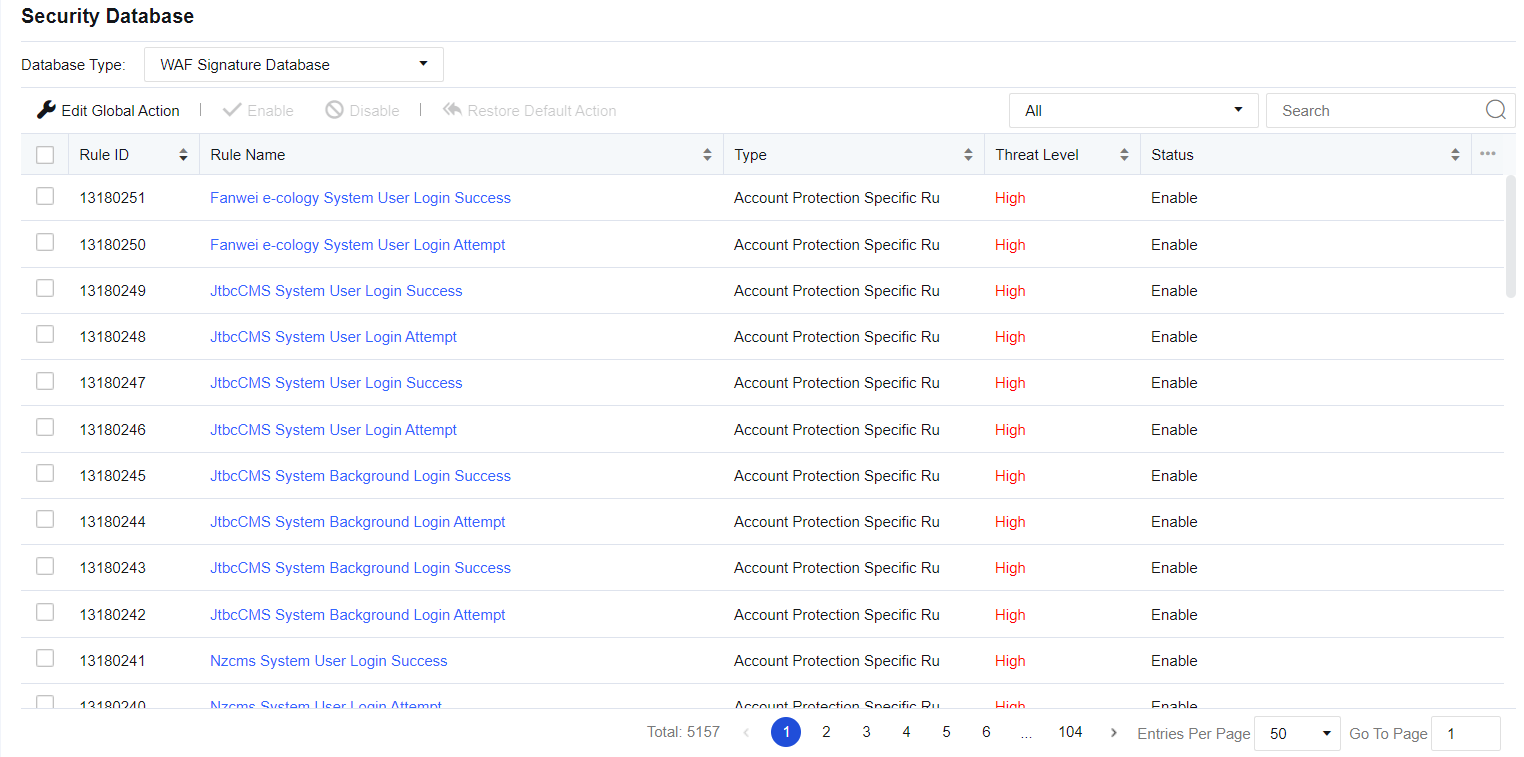
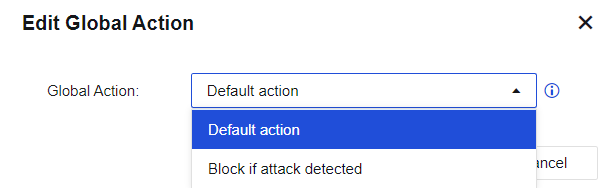
Click Edit Global Action to modify WAF protection rules in a unified manner. If Default action (initial system state) is selected, the system's rule state is retained. If Block if attack detected is selected, the actions for all protection rules will be set to Enable, block after detection. Rules with the medium hazard level will be passed under the default status of the system, while rules of any hazard level will be intercepted after strict detection is enabled. See the figure below.
Type shows the rule database of the current protection type. Click the drop-down box next to the search box to view the corresponding rule ID according to the protection type. Rule Name shows the corresponding name of the protection rule, as shown in the following figure.
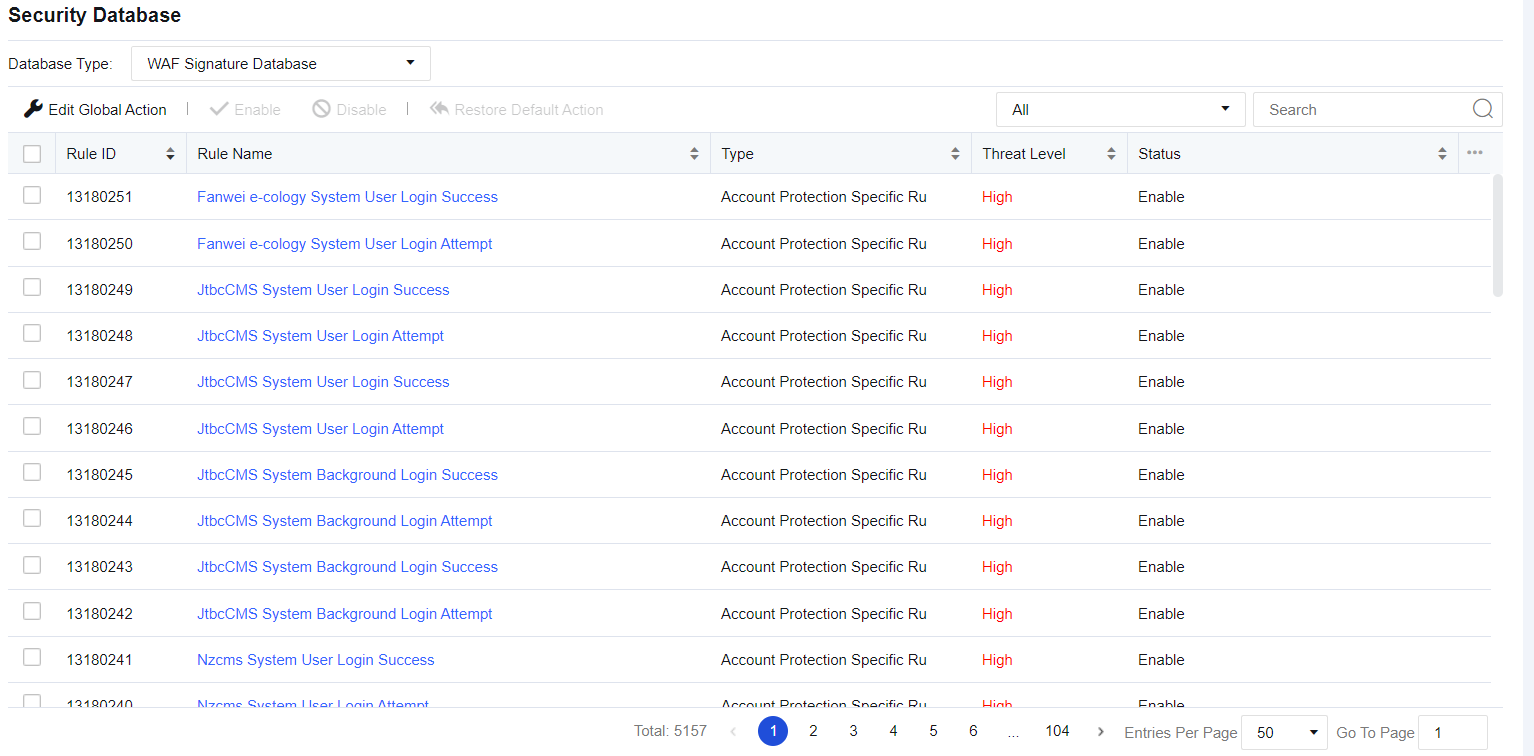
Rule Name: Show the name of the protection rule.
Type: Display the protection type mapping to the current protection rule, such as SQL injection.
Threat Level: Describe the severity of the current vulnerability. It includes three levels: High, Medium, and Low. The higher the level, the higher the severity.
Status: Describe the actions taken by the device when detecting an attack, including Enabled. Block if attack detected, Enabled. Allow if attack detected, Enable, and Disable. This status can be customized. Click a rule name to go to the Edit Rule page, as shown in the figure below.
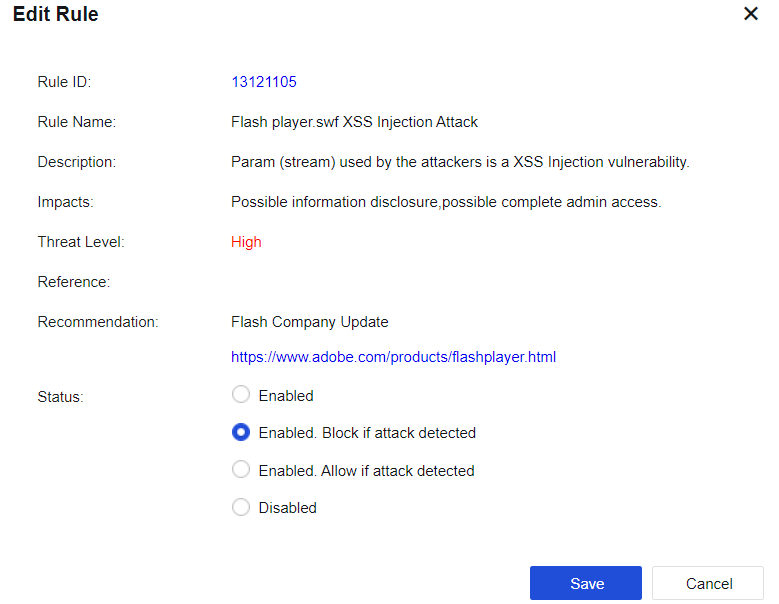
Enabled. Block if attack detected: Indicate that the current rule is enabled. When an attack is detected, the corresponding packet is blocked.
Enabled. Allow if attack detected: Indicate that the current rule is enabled. When an attack is detected, the packet is logged but not blocked.
Disabled: Indicate that the current rule is disabled. When the rule is disabled, the device does not detect the rule.


 {{ $t('index.defaultHeader.chromeBrowserTip') }}