


{{ secondMenu.name }}






File Upload Restriction: Filter the types of files uploaded to the server from clients. Select File Upload Restriction and click Settings. The File Upload Restriction dialog box will pop up as follows.
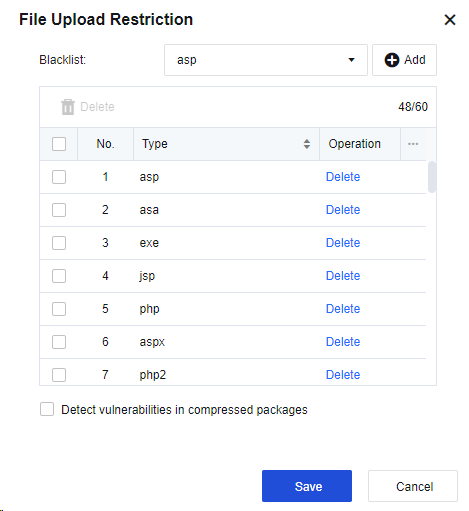
Click the dropdown box next to Blacklist to select the built-in file types of the device. Click Add to add them to the list. To add a custom file type, enter it in the box and click Add to add it to the list.
URL Access: Control the permission switch. For example, if access to a URL is denied, no attacks will happen and therefore this URL is not subject to web app protection. If access to a URL is allowed, this URL is on the whitelist and is not subject to web app protection. Check URL Access and click Settings to enter the following page.
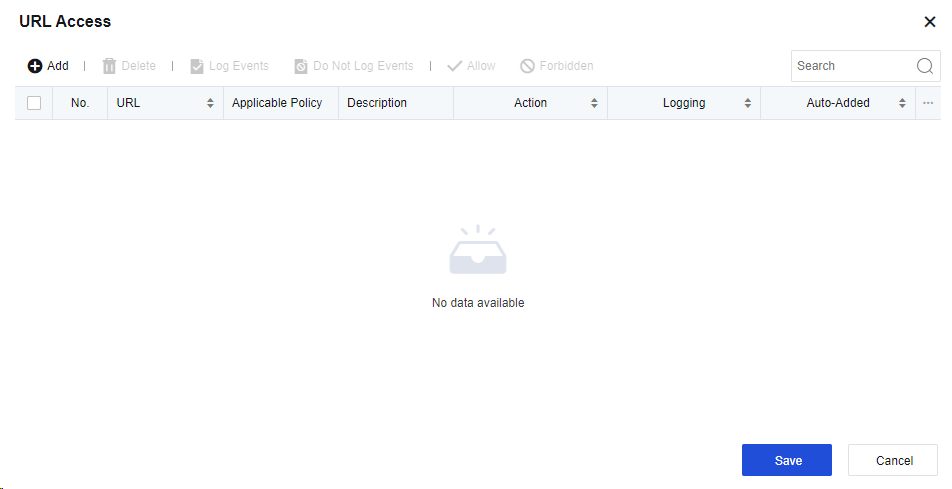
Click Add to add URL filter as shown below.
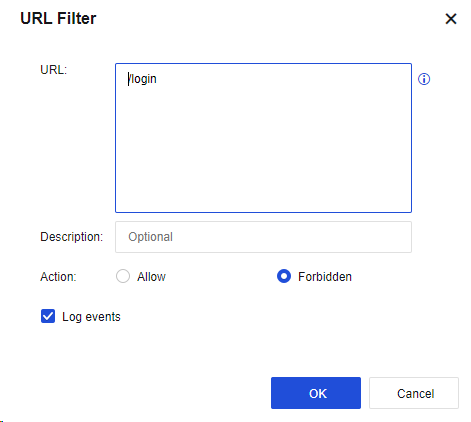
The parameter value is specified similarly to the anti-blasting rule: The URL suffix is required. For example, if a URL is http://www.***.com/login.html, enter "/login.html" and allow or deny access to the URL as required.


 {{ $t('index.defaultHeader.chromeBrowserTip') }}