


{{ secondMenu.name }}






The server of an enterprise often suffers from slow service access, and some resources of the server are highly used. Packet capture reveals that this phenomenon is caused by sending a large number of SYN packets, UDP packets, etc., to some internet IP addresses and occupying many resources. Therefore, you need to configure DDoS attack protection for Network Secure deployed at the internet egress to solve this problem.
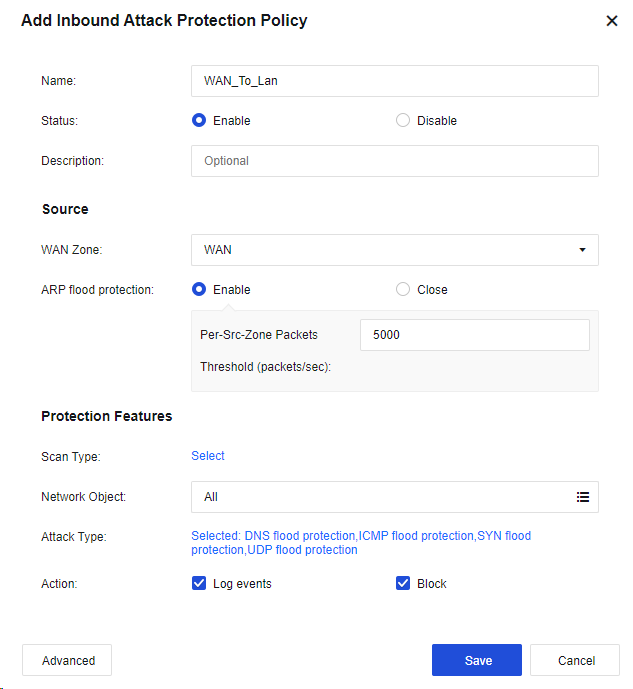
Step 1.On the Anti-DoS/DDoS page, click Add and select Inbound Attack Protection. Then, the Add Inbound Attack Protection Policy dialog box appears, as shown in the following figure.
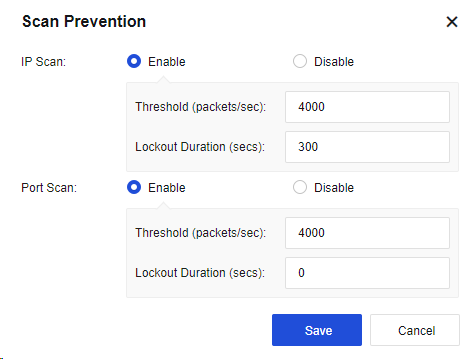
Step 2.Click Select for Scan Type to enable Scan Prevention, as shown in the following figure.
Step 3.Select the Network Object to protect the specific IP. If no specific IP address is required, select All.
Step 4.Click Selected: DNS flood protection,ICMP flood protection,SYN flood protection,UDP flood protection to configure DoS/DDoS Protection, as shown in the following figure.
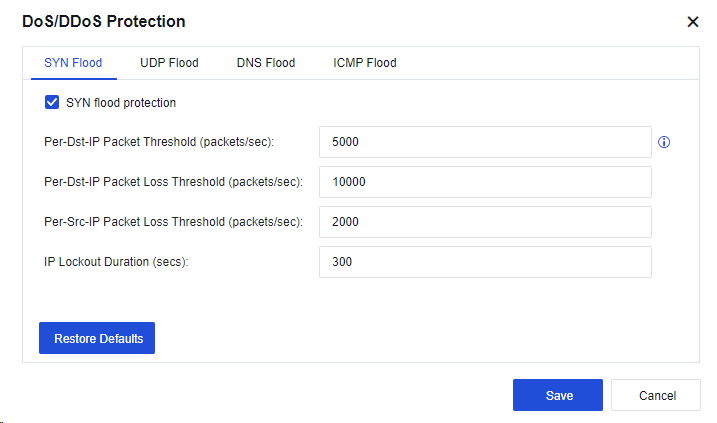
Set the SYN Flood, UDP Flood, DNS Flood, and ICMP Flood parameters according to actual requirements.
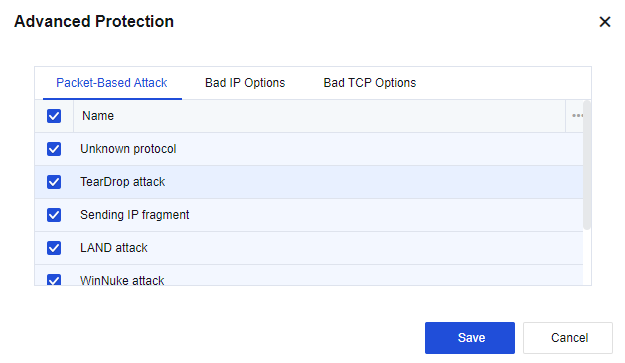
Step 5.Optional. Click Advanced to select protection options against specific attacks, as shown in the following figure.
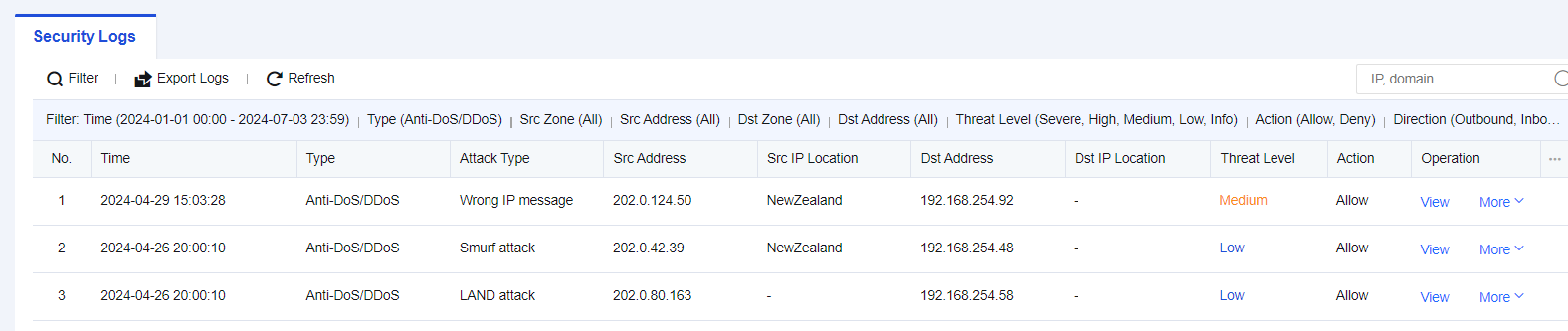
Step 6.The test results are shown in the following figures.


 {{ $t('index.defaultHeader.chromeBrowserTip') }}