


{{ secondMenu.name }}






To translate the destination IP address of data passing through the device. This function is often used to publish servers by mapping the services of LAN servers to the internet so that internet users can access internal servers through the public IP address. The following figure shows the destination NAT process.
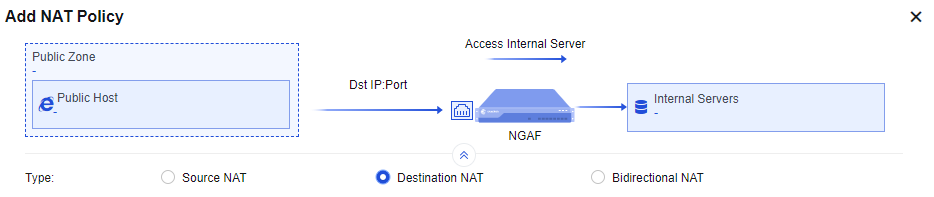
There is a web server 172.16.1.100 on port 80 of an enterprise's intranet to provide HTTP service and has applied for a domain name www.xxx.com to point to 1.2.1.1. The customer hopes that external users can enter http://www.xxx.com to access the LAN 172.16.1.100 server.
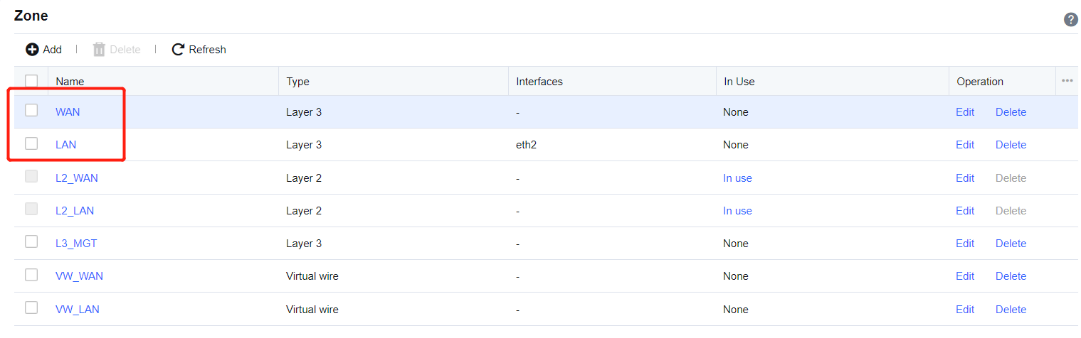
Step 1.Define LAN and WAN zones. Before you add a DNAT policy, navigate to Network > Zones and select the zone to which the interface belongs on the Zones page. In this example, select WAN for the ETH2 interface and LAN for the ETH1 interface.
Step 2.Add a NAT policy. Navigate to Policies > NAT > IPv4 NAT and click Add. Then, the Add IPv4 NAT dialog box appears. Select Destination NAT and enter the name of the policy in the Name field, enter a custom description in the Description field, and specify the Position and Schedule parameters in the Basics section.
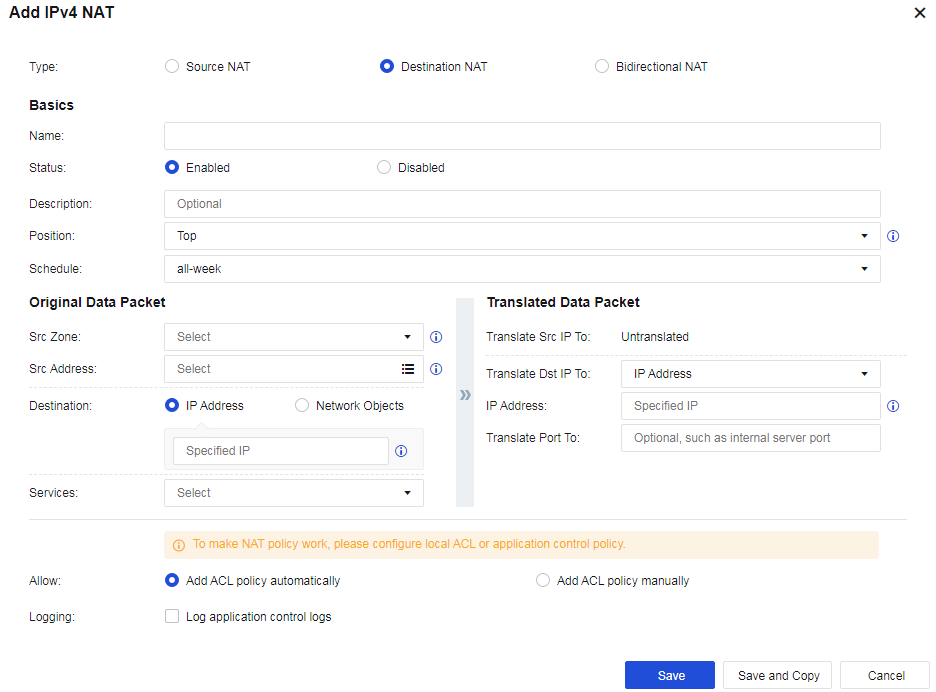
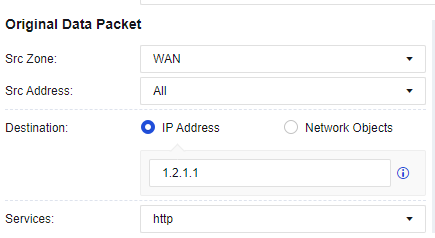
Step 3.Set an Original Data Packet to comply with the policy.
Src Zone: Specify the zone from which the data entering the device is subject to DNAT. For example, when a LAN server is published to the internet, internet users can access the server, and this parameter is set to WAN.
Src Address: Specify the source IP address only from which data to be subject to DNAT comes.
Destination: Specify the IP address that DNAT is performed when internet users access this address. The destination IP address is the IP address accessed by users before DNAT for a data packet and is usually the public IP address of a device interface. In this example, this parameter is set to 1.2.1.1.
Services: Set the service for which DNAT is to be performed. In this example, select http (TCP:80) for this parameter. The service can be added directly or defined in the Network Objects.
Step 4.Set conditions of a Translated Data Packet.
IP Address: Specify the IP address to which the destination IP address is translated and choose whether to translate the destination port. In this example, set the IP address of the LAN server that provides HTTP services to 172.16.1.100, the Translate Dst IP To parameter to IP Address, and the Translate Port To parameter to Untranslated.
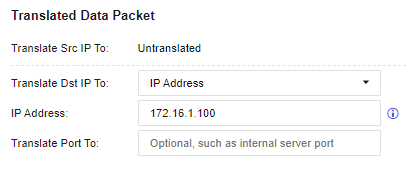

If you need to map port 80 in the network segment 1.2.1.1 to port 8080 of the servers in the LAN segment 172.16.1.100, you can set Translate Port To to port 8080.
Step 5.Allow an application control policy. By default, Add ACL policy automatically is selected for the Allow parameter. This function automatically allows all traffic matching this policy to pass at the application control level. If this option is not selected, you need to configure the application control policy to enable the traffic to pass. Finally, click Save. Then, the configuration is complete. See the figure below.

Step 6.External users can access the LAN server 172.16.1.100 via http://www.xxx.com.


 {{ $t('index.defaultHeader.chromeBrowserTip') }}