


{{ secondMenu.name }}






This function establishes a connection between the Network Secure and CCOM systems as well as the full traffic threat analysis system. After establishing this, logs created by the Network Secure device will be synchronized with the CCOM platform, and the CCOM platform will perform further traceability analysis on the logs. The CCOM platform can also issue commands to the Network Secure device, which will execute the corresponding actions after receiving the commands.
To configure the settings for establishing the connection between the Network Secure and the CCOM system, navigate to Monitor > Settings > Logging Options. In the Logging and Archiving section, check the box next to Cyber Command for Security Logs. The Cyber Command Settings section will appear, as shown in the following figure.
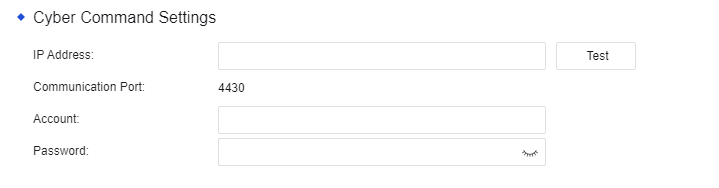
IP Address: The IP address of the CCOM system and the full traffic threat analysis system.
Communication Port: Port 4430 by default. Other ports are not currently supported.
Account: The account used to establish the connection to the CCOM system and the full traffic threat analysis system.
Password: The password used to establish the connection to the CCOM system and the full traffic threat analysis system.


 {{ $t('index.defaultHeader.chromeBrowserTip') }}