


{{ secondMenu.name }}






An administrator in an enterprise needs to check the proportion of applications in service traffic frequently. The administrator sees that the Web streaming media applications use more traffic, and it is necessary to make an analysis.
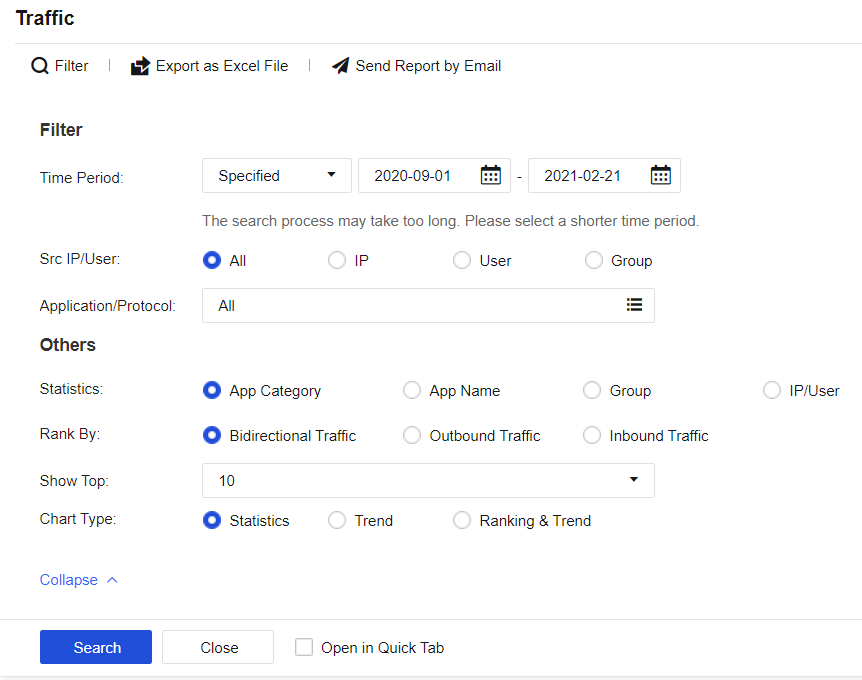
Step 1.Click Filter and set the filter conditions according to needs, as shown in the following figure.
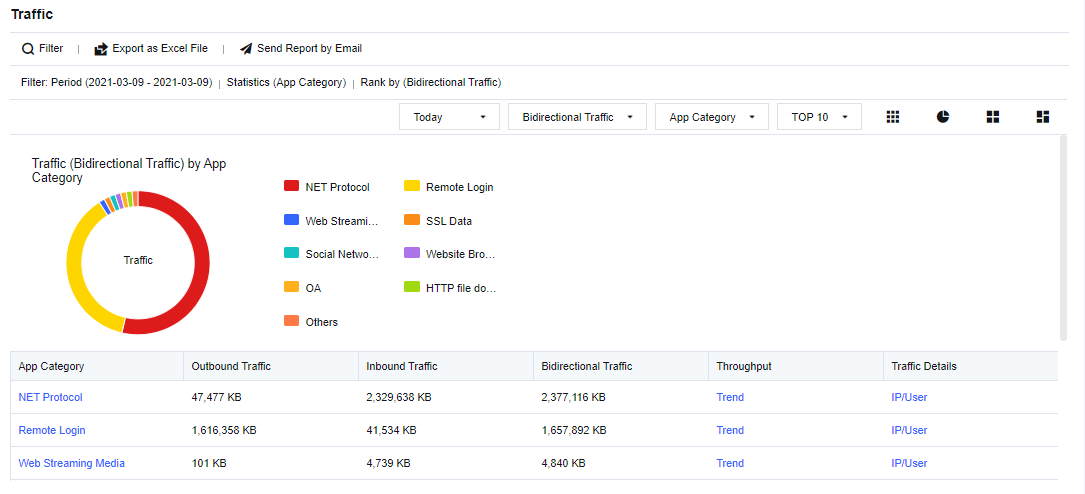
Step 2.Check the results, including App Category, Outbound Traffic, Inbound Traffic, Bidirectional Traffic, etc., as shown in the following figure.
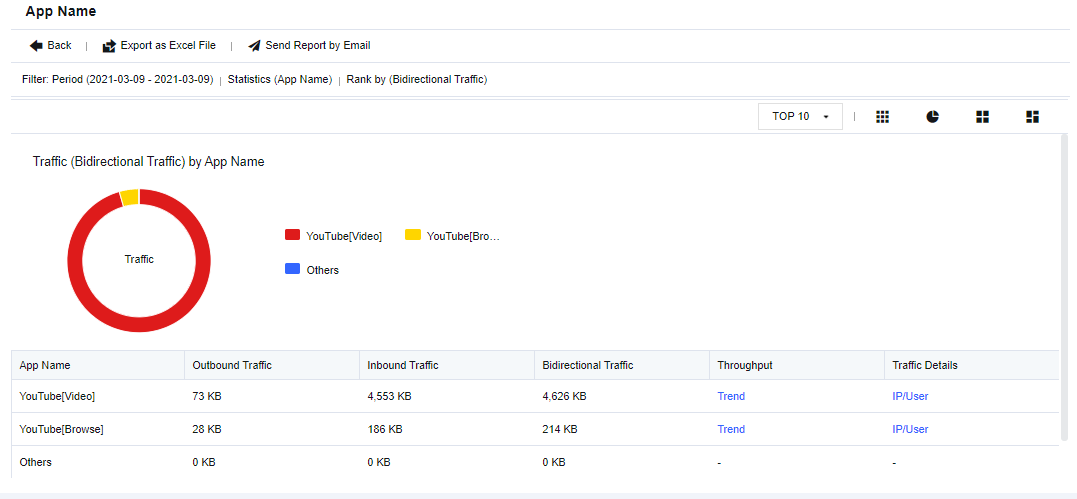
Step 3.Click Web Streaming Media to view the proportion of specific applications and traffic volume, as shown in the following figure.
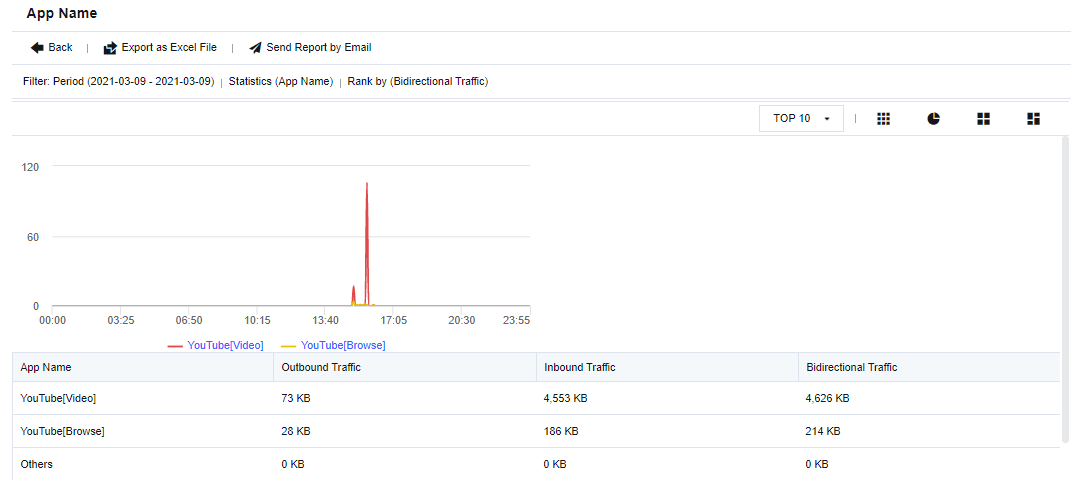
Step 4.Click Trend to view the specific traffic trend chart, as shown in the following figure.
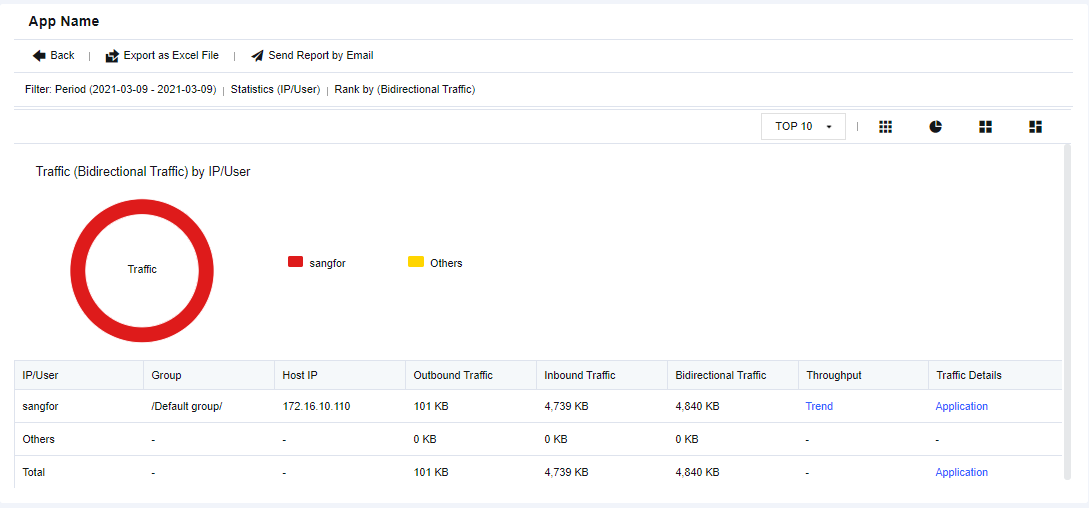
Step 5.Click IP/User to view the specific IP address or user accessing the application, as shown in the following figure.

Steps to enable the traffic statistics function:
1. Check the WAN attribute option in the corresponding interface.
2. Enable the Traffic Audit Logs on the Monitor > Settings > Logging Options page.


 {{ $t('index.defaultHeader.chromeBrowserTip') }}