


{{ secondMenu.name }}






The Network Secure device possesses its access control policy. It is a policy designed for endpoints accessing the Network Secure. You can check which policies have been matched when endpoints access Network Secure according to the logs. The Local ACL Logs page is shown below.
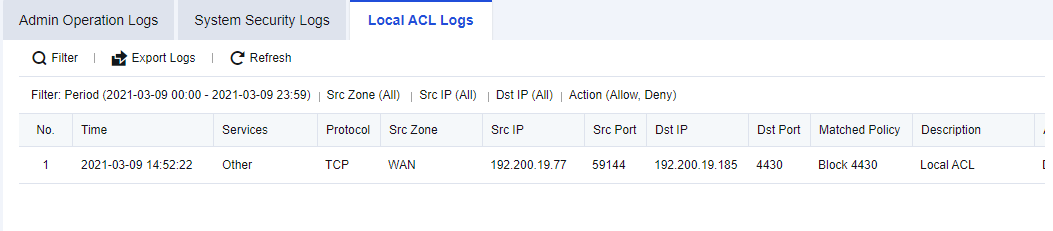
An enterprise needs to check which endpoints have accessed the Network Secure device and determine whether the access was normal.
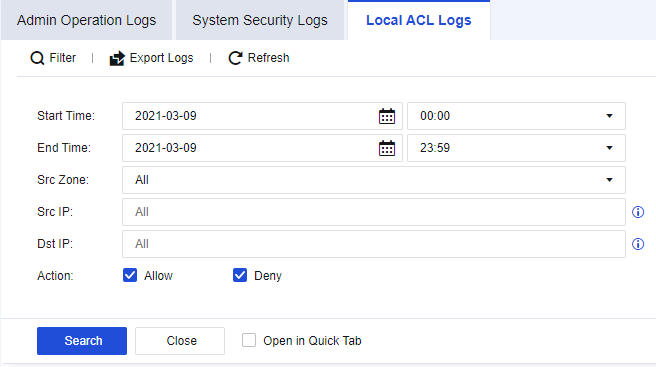
Step 1.Click Filter to perform log filtering according to needs, as shown in the figure below.
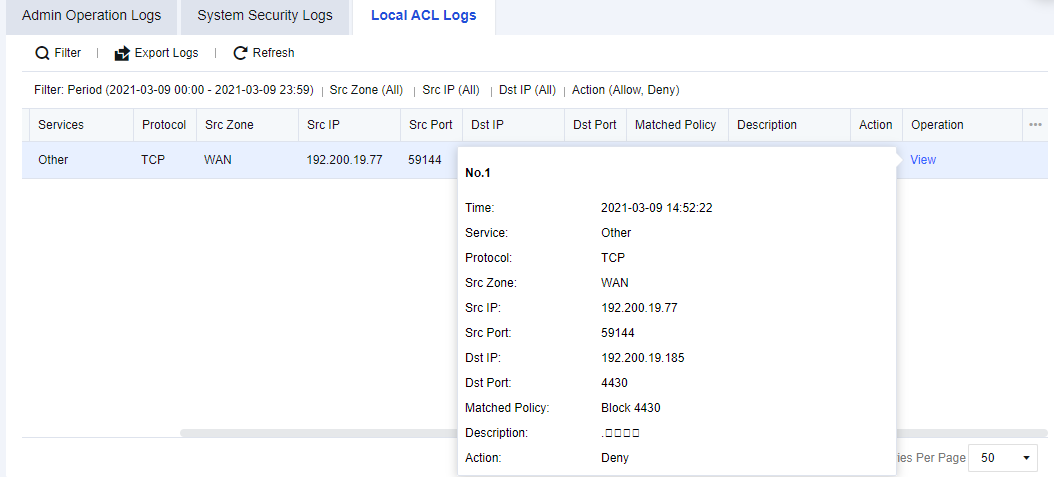
Step 2.You can check the source and destination IP addresses and other information about specific access from the results. Click View to view the details, as shown in the following figure.

How to enable Local ACL logging:
1. Navigate to Monitor > Settings > Logging Options > Logging and Archiving, Enable the Local ACL Logs and check Local. You can choose other storage methods if there are external devices.
2. Navigate to Policies > Access Control > Local ACL, and enable the Log events for corresponding policies as needed.


 {{ $t('index.defaultHeader.chromeBrowserTip') }}