


{{ secondMenu.name }}






Session logs are used to check which application control policy the traffic matches to facilitate troubleshooting. See the figure below.
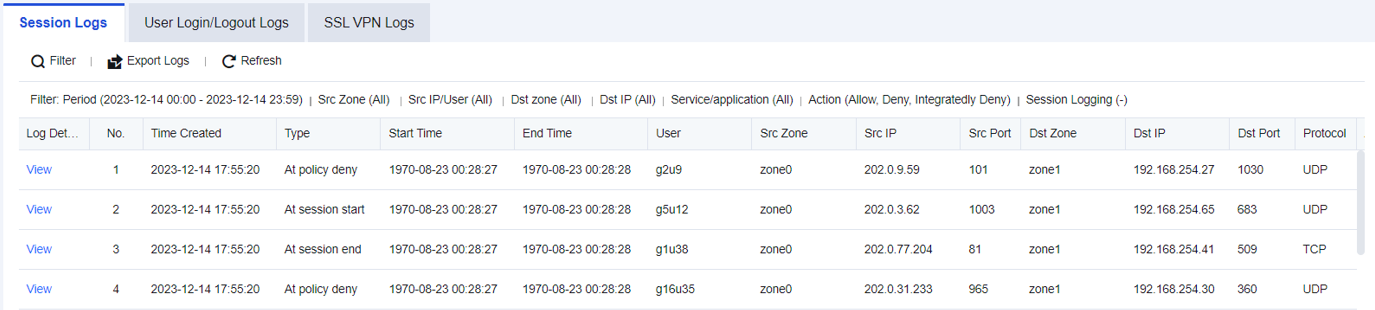
In an enterprise's network, it is required to specify a policy, with certain access ports determined. Therefore, after enabling Log events in the firewall Application Control Policy, search logs in the Session Logs.
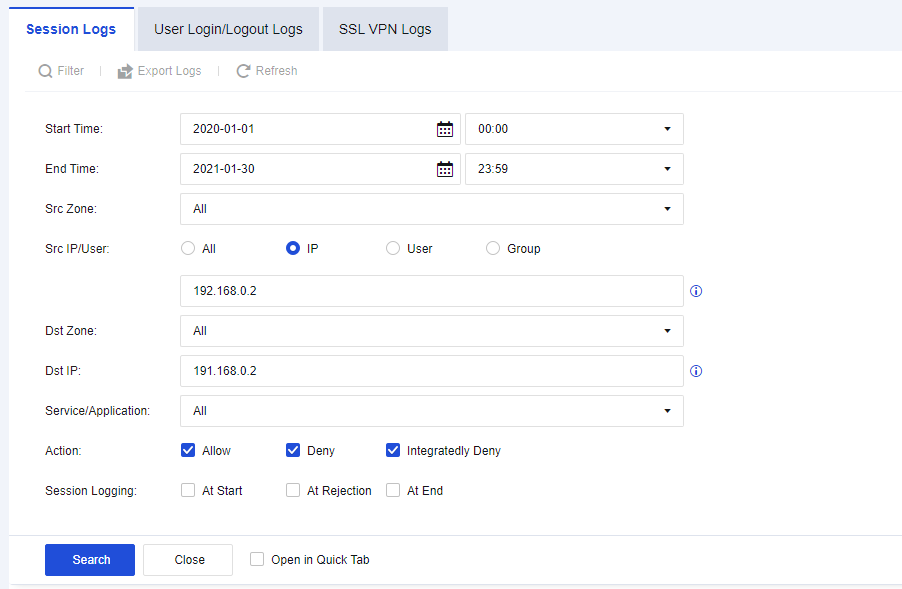
Step 1.Click Filter to perform Src/Dst IP filtering according to needs, as shown in the figure below.
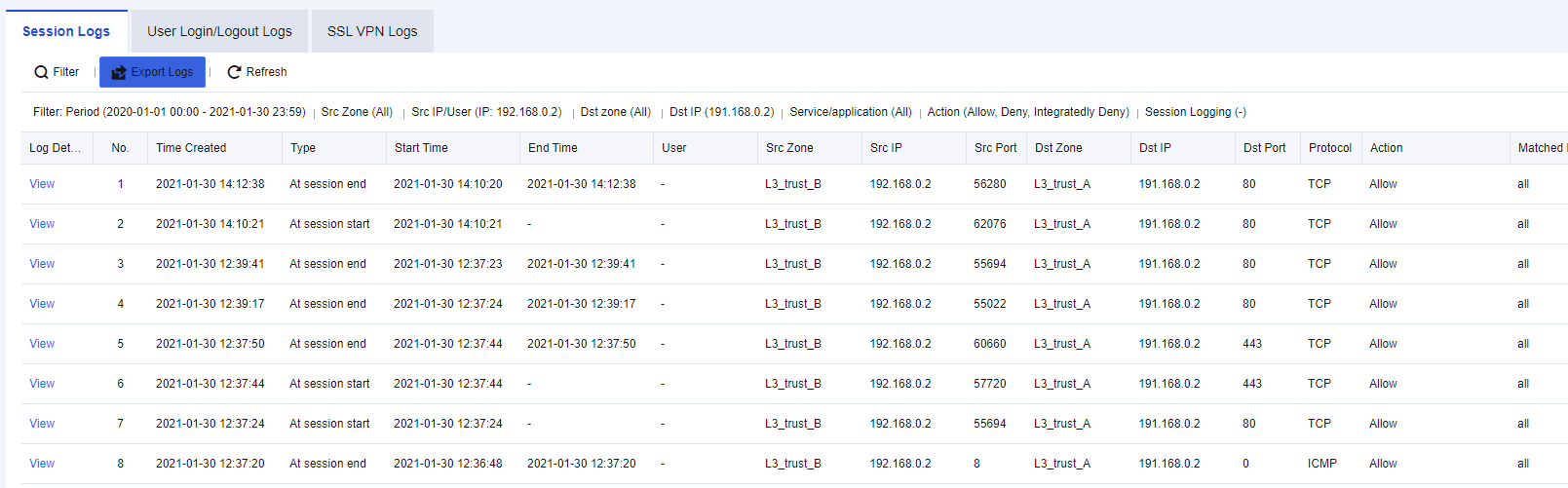
Step 2.According to the results, determine whether the port and service are normal, as shown in the figure below.

How to enable Application Control Policy:
1. Navigate to Monitor > Settings > Logging Options > Logging and Archiving, Enable the Application Control Logs, and check Local. You can choose other storage methods if there are external devices.
2. Navigate to Policies > Access Control > Application Control > Policies, select the corresponding application control policies and enable the Log events function.


 {{ $t('index.defaultHeader.chromeBrowserTip') }}