


{{ secondMenu.name }}






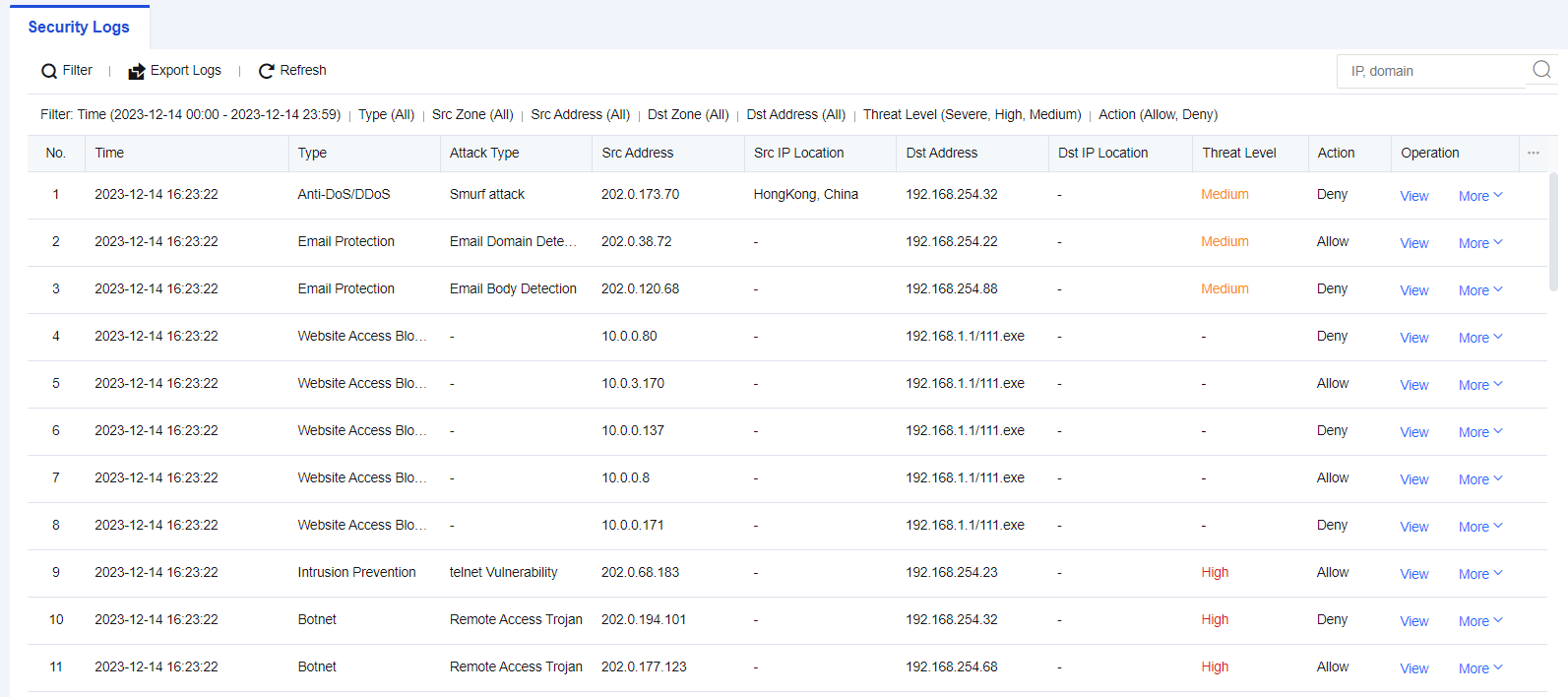
Security logs mainly record service attack behaviors, including Web app protection, intrusion prevention, Bonet, website access, email security, and DoS attacks. If an attacking threat triggers the security policy, it will be logged into the security log. If the attack event is determined to be a misjudgment, the attack event can be added to the exceptions for exclusion, and if it is judged to be a real attack threat, the attack event can be dealt with according to the solution guidelines provided in the log details. You can export logs to perform an analysis or enter the IP address or domain name in the search box to search for the corresponding log information. See the figure below.
A network administrator in an enterprise discovers that a Web server is under attack. It is necessary to review the Web protection logs, determining the attacking IP address(es) and the means used in the attack, and other information.
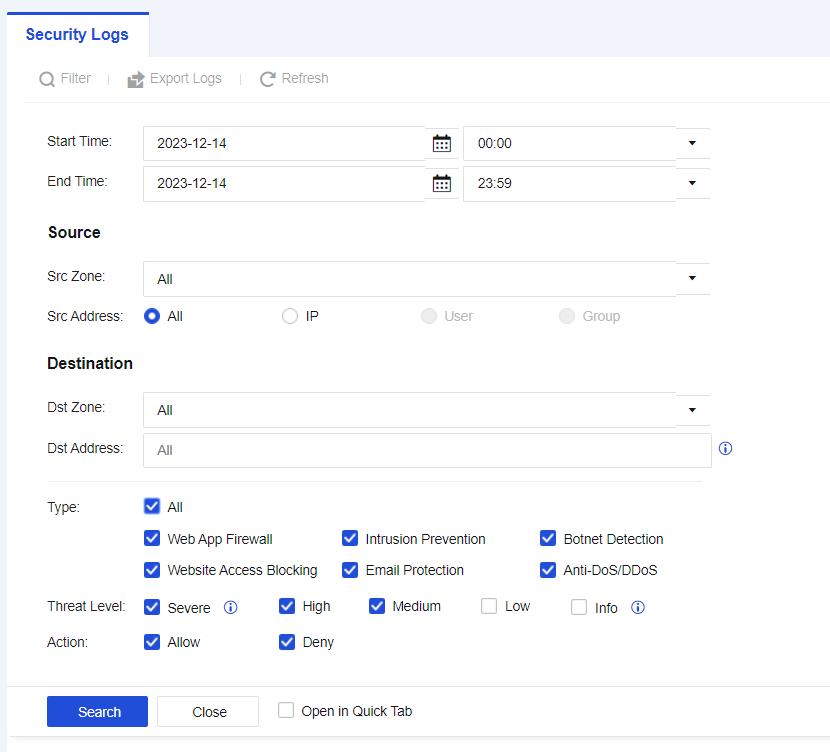
Step 1.Click Filter and select the search criteria according to needs, as shown in the figure below.
| Search Criteria |
Note |
| Start/End Time |
Select start time and end time for querying. |
| Src Zone |
Source zones of logs. |
| Src Address |
Source IP addresses of attackers. |
| Dst Zone |
Zones where destination IP addresses of attacks reside in. |
| Dst Address |
IP addresses attacked by attackers. |
| Type |
Perform filtering according to different log types. |
| Threat Level |
Filtering according to different security levels. |
| Action |
Filtering according to log actions. |
Table 10:Description of Log Search Criteria
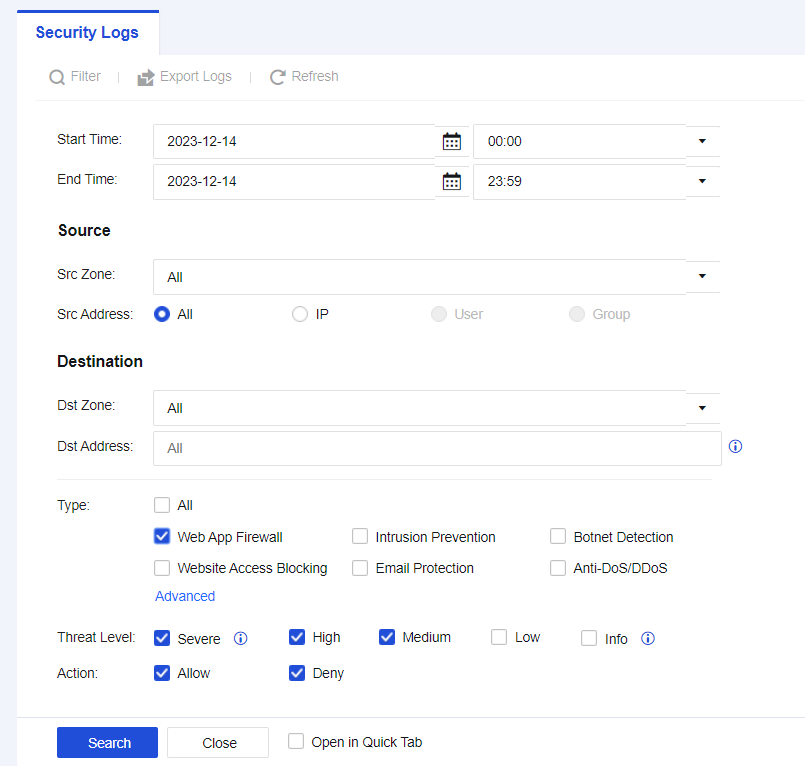
Step 2.Select Start Time and End Time as needed. Check the Web App Firewall to view Web App Firewall logs, as shown in the following figure.
Step 3.View Web App Firewall logs, as shown in the following figure.
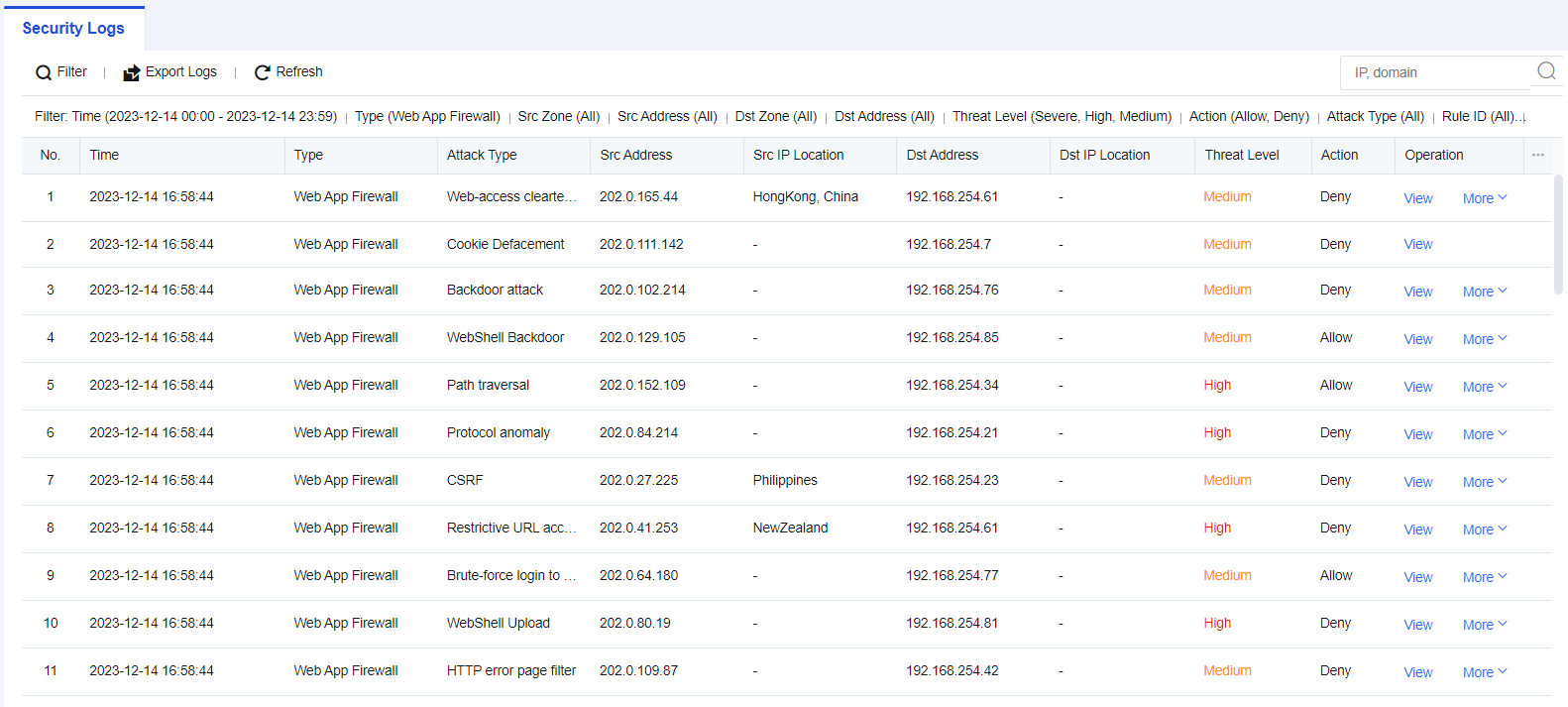

Logs reveal that the source of the attack, 192.200.19.4, attacked the target server, 192.168.254.61.
Step 4.Click View to check whether the attack behavior is a false positive, as shown in the following figure.
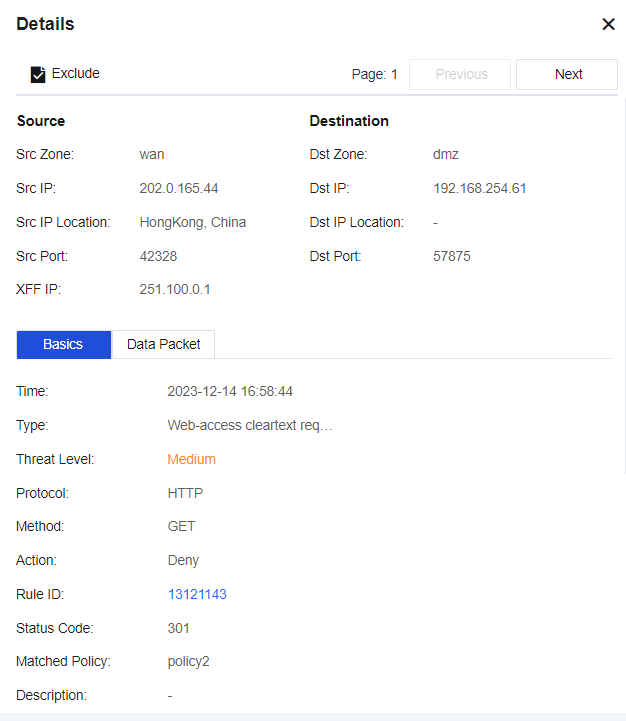
Basics: Describe the attack behavior, such as matching Rule ID and request method.
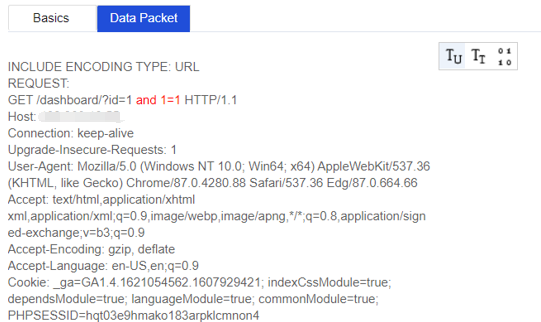
Data Packet: Record the complete request information of the data packet, and the part highlighted in red indicates the feature of the attack.
You can determine whether it is a false positive by viewing the log details. If it is, add the attack event to the exceptions. Click More under Operation on the right side of the Security Logs page, and then select Exclude. A dialog box will appear, as shown in the following figure.
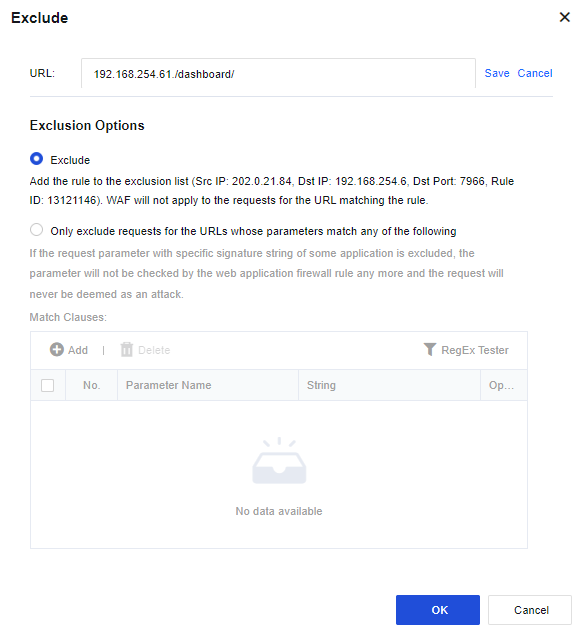
URL: The URL to be matched.
Exclusion Options:
Exclude: Add the matched Src and Dst IPs, Dst Port, and Rule ID as exceptions.
Only exclude requests for the URLs whose parameters match any of the following: These parameters will be excluded when performing website attack detection of Web App Firewall. For normal business scenarios where certain request parameters are detected as attacks because of the specific signature strings they contain, you can select this option to exclude such parameters exclusively.
1. Starting from the 8.0.47 version, exporting multiple security types at the same time is supported.
2. The maximum number of logs that can be exported at the same time is 100000 entries.


 {{ $t('index.defaultHeader.chromeBrowserTip') }}