


{{ secondMenu.name }}






Step 1.Make sure that your Network Secure device is connected to Endpoint Secure Manager. To connect Network Secure to Endpoint Secure Manager, go to SOC > Next-Gen Security > Endpoint Protection > Endpoint Protection Options.
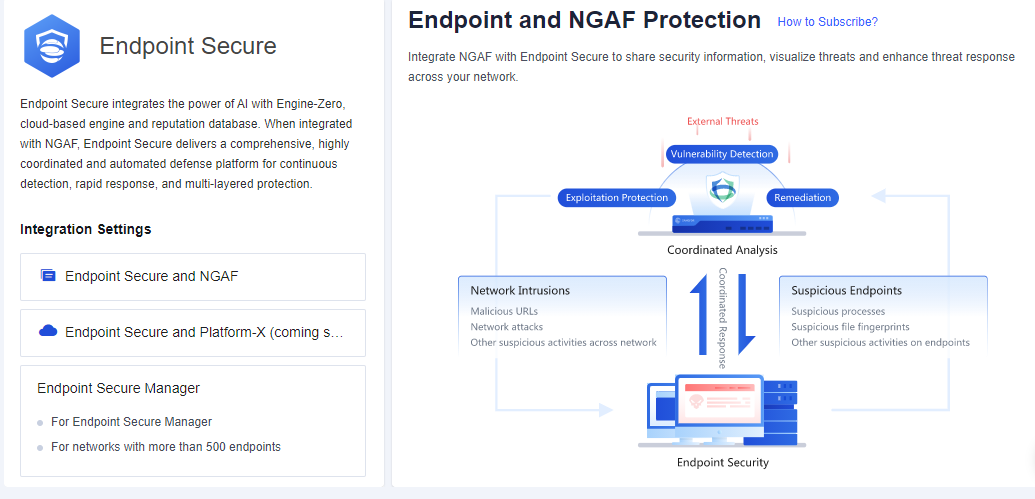
Step 2.After Endpoint Secure is connected, configure an Endpoint App Control policy. Go to Policies > Access Control > Application Control to configure the policy. For example, we want to block psisphon.
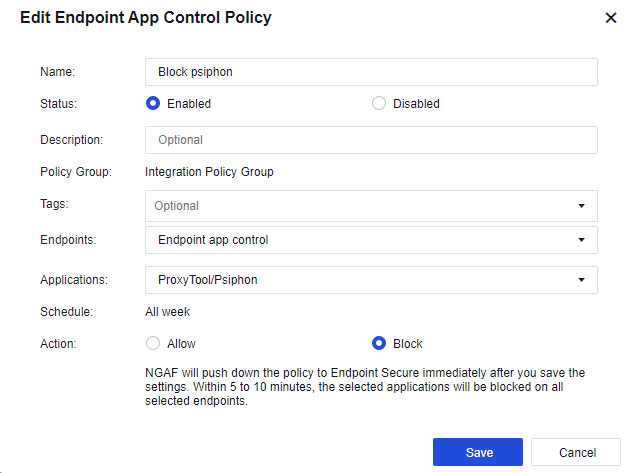
Name: Set the name of the endpoint app control policy.
Status: Set the policy as Enabled or Disabled.
Description: Set the description of the endpoint app control policy.
Policy Group: By default, all endpoint app control policies will belong to the Integration Policy Group.
Tags: Select the policy tag. This parameter is optional and can be set for displaying a specified zone or filtering.
Endpoints: Select the endpoint’s IP to be controlled.
Applications: Select the applications that are needed to control.
Schedule: By default, the policy will run all week.
Action: Set the policy to Allow or Block.
Step 3.After 5 to 10 minutes, view the endpoint app control status for the endpoint on Endpoint App Control.
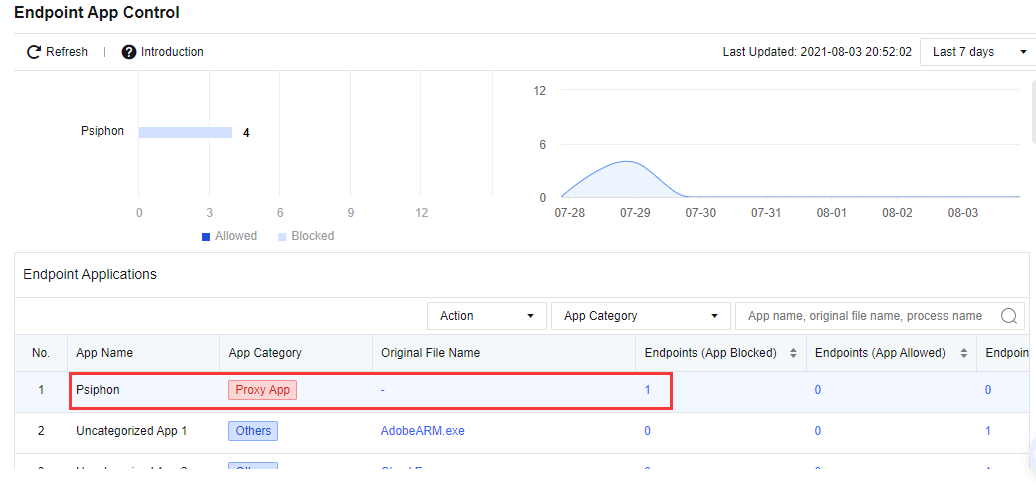
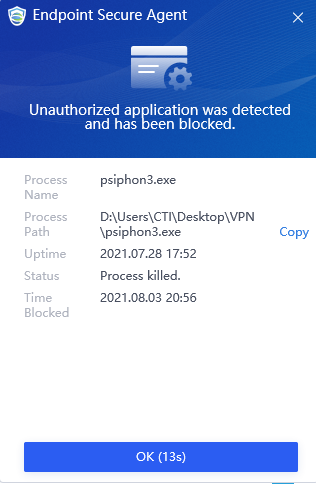
Result Demonstration
Run the Psiphon application in the endpoint. ES agent will block the Psiphon application from running and prompt the alert.


 {{ $t('index.defaultHeader.chromeBrowserTip') }}