


{{ secondMenu.name }}






To download the device configuration to save it to the local PC or recover the device configuration files that have been backed up.
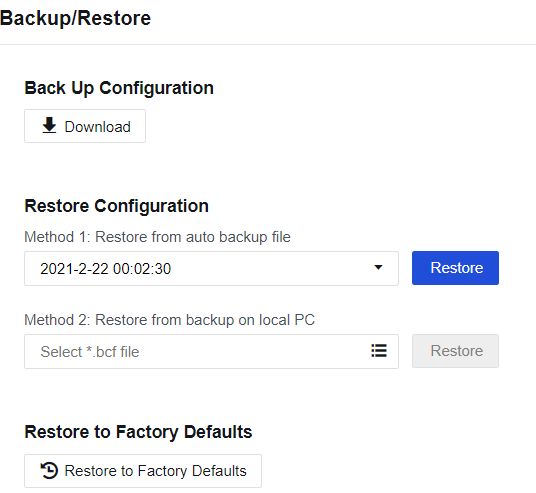
Back Up Configuration: Used to download and back up the existing configuration on the device. Click Download to back up the current configuration.
Restore Configuration: Restore configuration files that have been backed up. There are two methods to restore a configuration file:
Method 1: Restore from auto backup file. If you select this method, the device automatically backs up the configuration once in the early hours of the morning daily. By default, it saves the configuration file for a week. To restore a configuration file backed up, select the file, and click Restore.
Method 2: Restore from backup on local PC. If you select this method, click the list icon to browse and open the backup file. Click Restore to restore the configuration backup copy.
Restore to Factory Defaults: Click Restore to Factory Defaults to restore the device to factory settings.

The device will be restarted if you select Restore Configuration or Restore to Factory Defaults. Make sure the device can be disconnected from the Internet before restoring. We recommend restoring the configuration when no services are running or in the low-peak period of services, avoiding impacts on normal services.


 {{ $t('index.defaultHeader.chromeBrowserTip') }}