


{{ secondMenu.name }}






Navigate to Network > SSL VPN > Logging In. The Logging In page is as shown in the figure below.
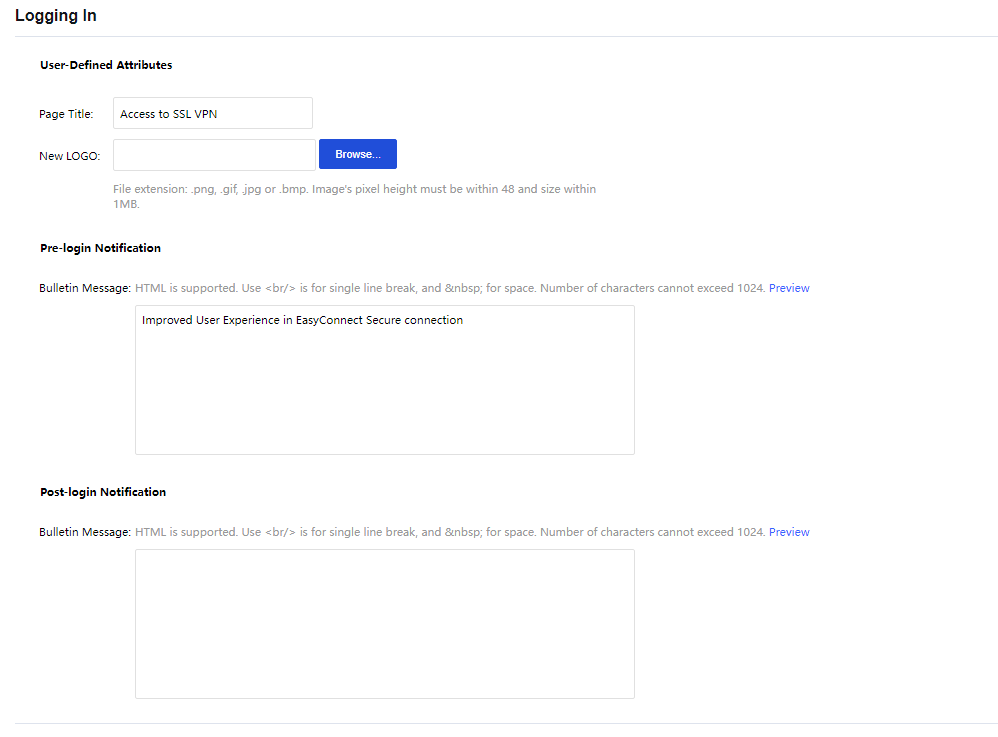
Page Title: Specify the caption of the login page.
New LOGO: Upload a new logo to be displayed when accessing the SSL VPN page.
Pre-login Notification:
Bulletin Message: Enter the message into the text box. This bulletin message will be seen on the portal before the users log in to the SSL VPN. Maximum 1024 characters are allowed, and HTML is supported. To preview the bulletin message, click Preview.
Post-login Notification:
Bulletin Message: Enter the message into the text box. This bulletin message will be seen on the portal after the users log in to the SSL VPN. Maximum 1024 characters are allowed, and HTML is supported. To preview the bulletin message, click Preview.


 {{ $t('index.defaultHeader.chromeBrowserTip') }}