


{{ secondMenu.name }}






It is used when a data packet passes through the same Network Secure device many times. The Network Secure device sets the data packet to ensure that the security function works and does not repeatedly check the packet.
Check Enable to enable the second-passthrough function, and then click Add to add a record.
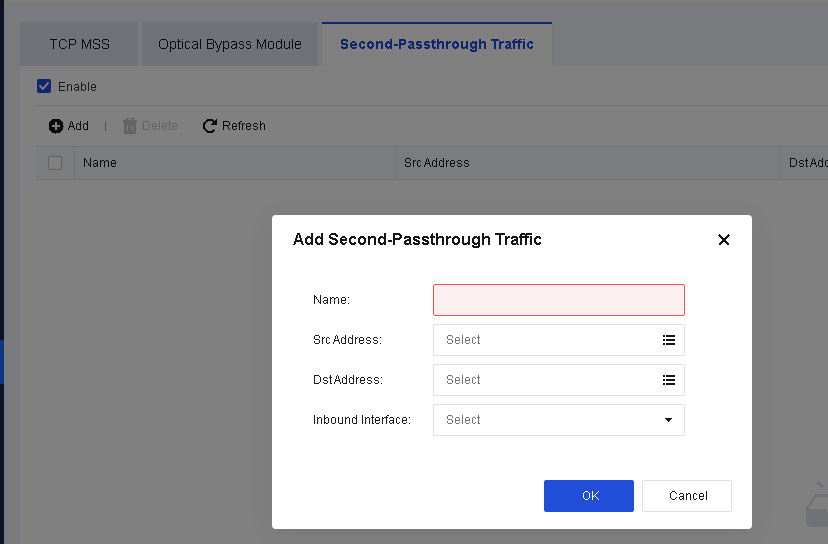
Src Address: Specify the source IP address of the packet. Suppose a data stream passes through "bridge 1" (composed of eth1 and eth2 of Network Secure) and "bridge 2" (composed of eth3 and eth4), and the current security protection policy is configured in the LAN/WAN zone of "bridge 2". In that case, you need to set the source IP address of the packet passing through "bridge 1" here.
Dst Address: Specify the destination IP address of the packet. Suppose a data stream passes through "bridge 1" (composed of eth1 and eth2 of Network Secure) and "bridge 2" (composed of eth3 and eth4), and the current security protection policy is configured in the LAN/WAN zone of "bridge 2". In that case, you need to set the destination IP address of the packet passing through "bridge 1" here.
Inbound Interface: Specify the inbound interface for the packet. Suppose a data stream passes through "bridge 1" (composed of eth1 and eth2 of Network Secure) and "bridge 2" (composed of eth3 and eth4), and the current security protection policy is configured in the LAN/WAN zone of "bridge 2". In that case, you need to set the inbound interface for the packet passing through "bridge 1" here.

1. Second-passthrough requires a permit for the traffic passing through both inbound and outbound paths.
2. Similar to bypass/whitelist, second-passthrough can enable the traffic to pass through without being intercepted.


 {{ $t('index.defaultHeader.chromeBrowserTip') }}