


{{ secondMenu.name }}






The botnet is used to discover and isolate PCs infected with viruses, Trojans, and other malicious software in the intranet. When viruses or Trojans try to communicate with external networks, Network Secure can recognize the traffic, and then block and log it according to user policies. Its configuration is as follows.

Click Objects > Security Policy Template > Botnet Detection to enter the Botnet Detection page to add or delete the botnet detection template. Click Add. The Add Botnet Detection Template page appears, as shown below.
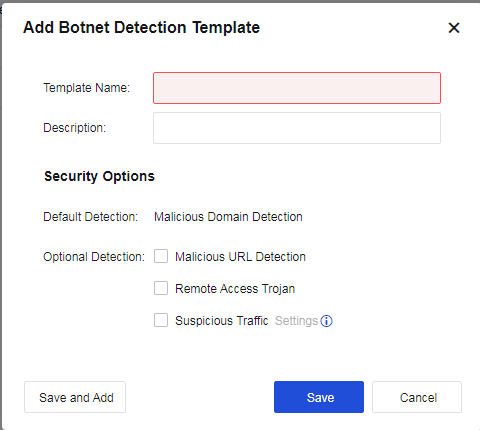
Template Name: Define the name of the template.
Description: Define the description of the template.
Security Options: Set the attack types to be detected.
Default Detection:
Malicious Domain Detection: Detect the malicious domain. This option is enabled by default and cannot be disabled.
Optional Detection:
Malicious URL Detection: Detect the malicious URL. This option is enabled by default and cannot be disabled.
Remote Access Trojan: Specify whether to perform remote Trojan detection against data sent by or requested from the protection zone.
Suspicious Traffic: There are two conditions. One is to detect port-protocol mismatches, and the other is to detect outbound traffic. Detected abnormal traffic is only logged but not blocked. Click Settings to select the abnormal traffic to be detected, as shown below.
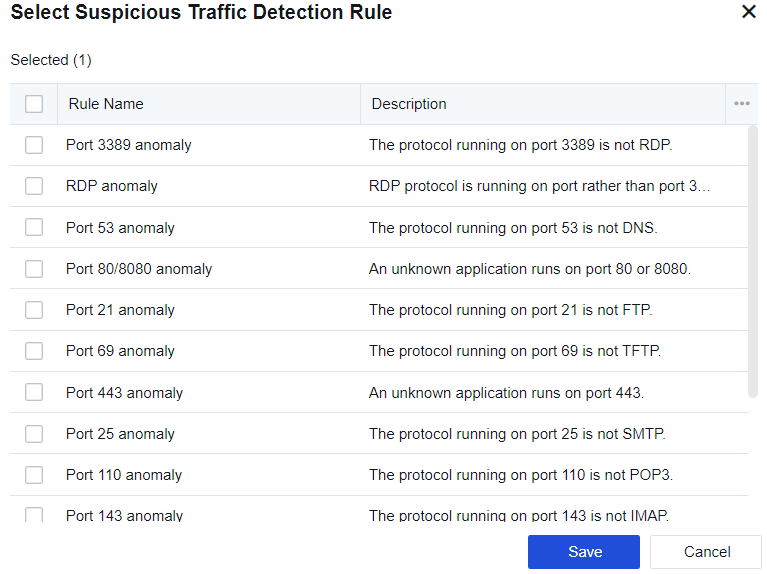
Outbound Traffic Trigger: It is a heuristic DoS attack detection method covering SYN flood, ICMP flood, DNS flood, and UDP flood attacks with the same source IP address. When outbound packets of these protocols exceed the threshold, the system considers them abnormal traffic and automatically starts packet capture. In the Select Suspicious Traffic Detection Rule dialog box, check Suspicious Outbound Traffic, and click Settings next to it. The detection threshold can be set as follows.
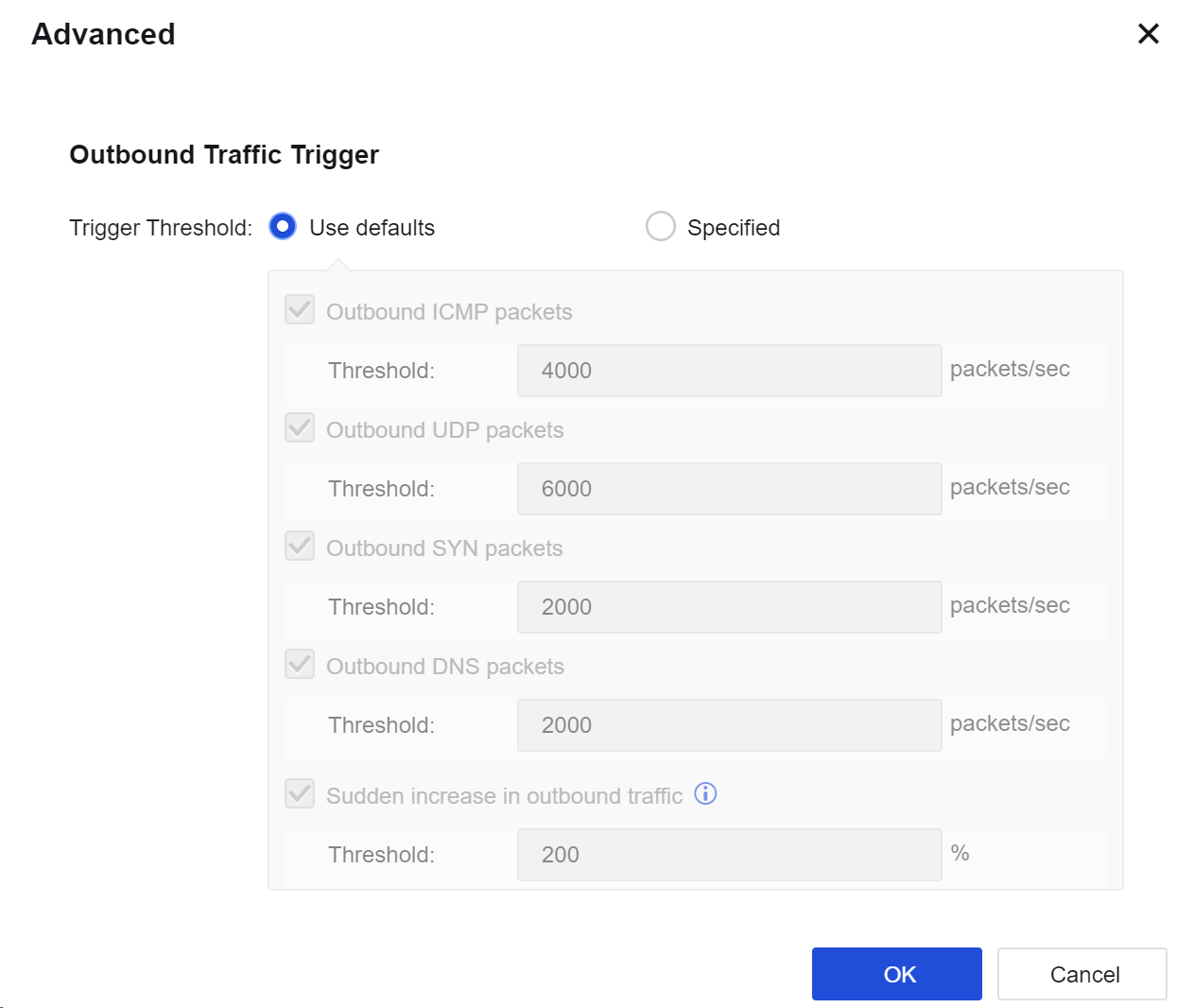

1. Abnormal traffic is only logged but not blocked.
2. In Objects > Threat Signature Database > Security Database, you can set the action for each botnet rule. Disabled rules will not be rejected.


 {{ $t('index.defaultHeader.chromeBrowserTip') }}