


{{ secondMenu.name }}






Decrypting data to the internet applies to the decryption of emails and HTTPS data when LAN users access the internet through the device. See the figure below.
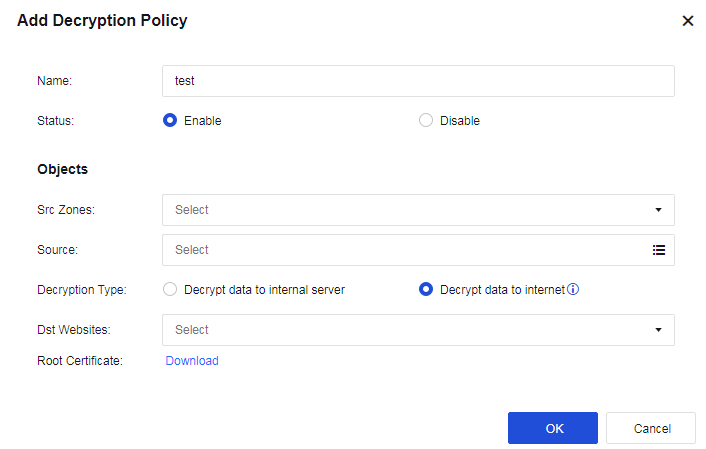
Name: Enter a policy name easy to identify.
Src Zones: Select the source zone for accessing the internet.
Source: Enter the network objects that will access the server.
Decryption Type: Select Decrypt data to internet.
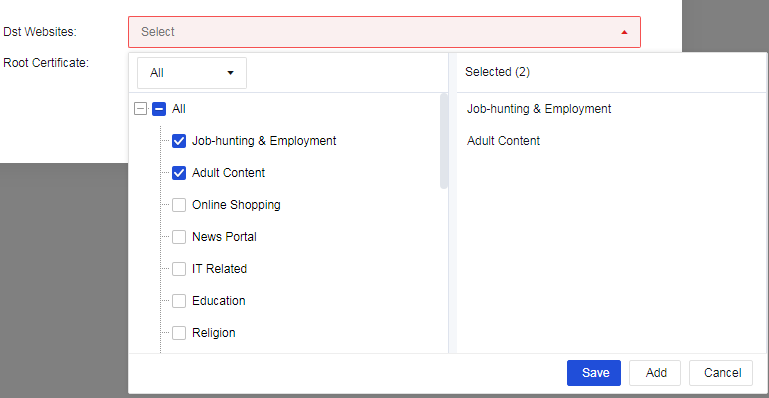
Dst Websites: Select All or Selected. If you select Selected, select the site category to be decrypted from the URL category database.
Root Certificate: When the decryption function is enabled, a certificate alert message is prompted to a user who accesses the HTTPS website. To avoid this message, select this option and set the URL from which the root certificate is downloaded.


 {{ $t('index.defaultHeader.chromeBrowserTip') }}