


{{ secondMenu.name }}






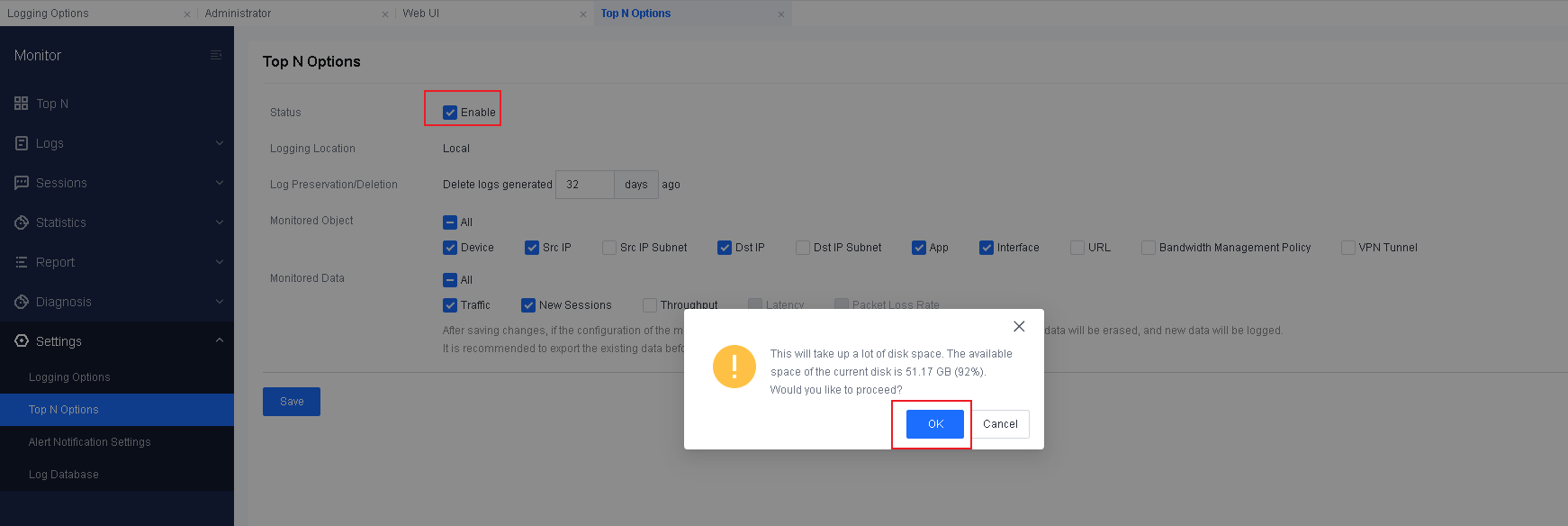
Step 1.Enable Top N Options. Go to Monitor > Settings > Top N Options, check Enable, and click Save.
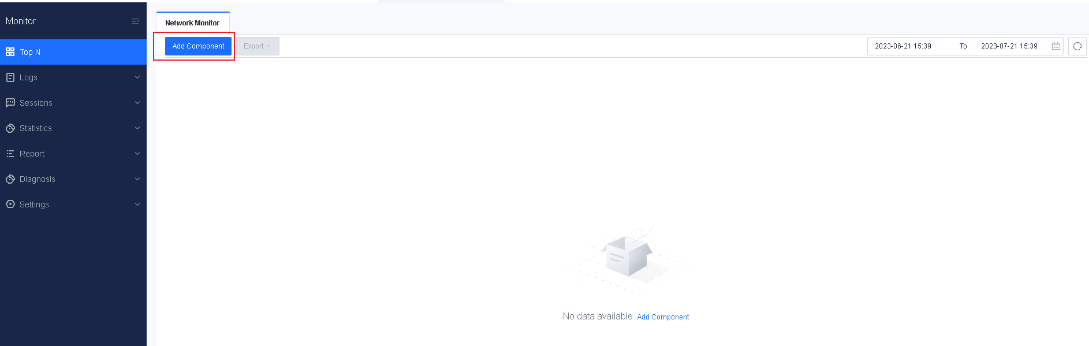
Step 2.Add a monitor component. Go to Monitor > Top N > Network Monitor and click Add Component.
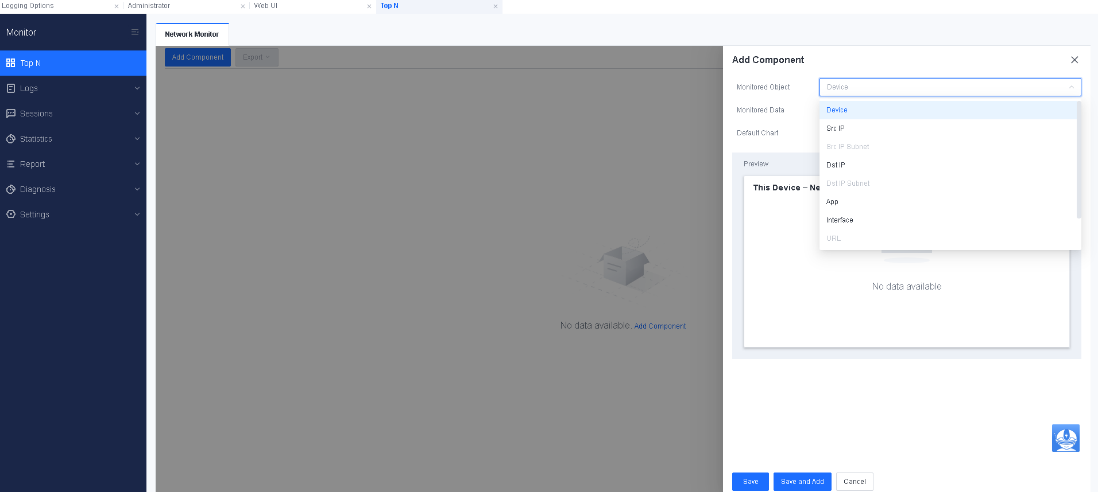
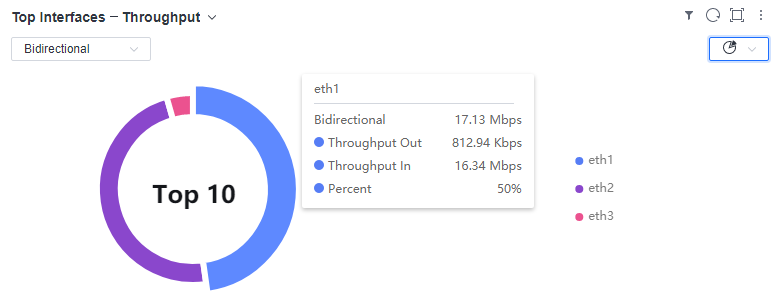
Step 3.Select an option for Monitored Object and Monitored Data. You can select Device, Src IP, Dst IP, App, or Interface for Monitored Object and Traffic or New Sessions for Monitored Data.
Step 4.Select a chart type. The options include Bar, Area, Line, and Pie.
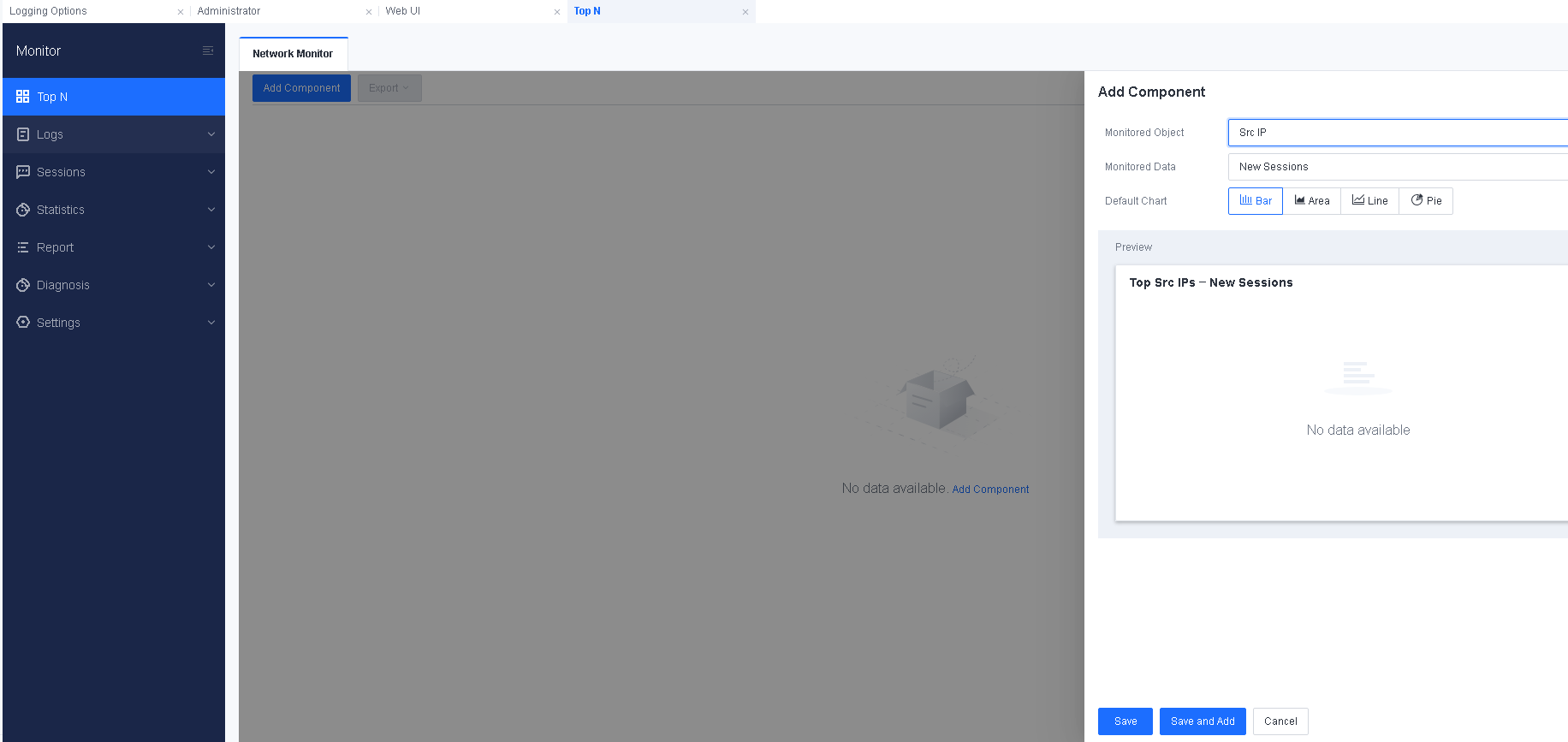
Step 5.Click Save and Add. To add more components, repeat the preceding steps.


 {{ $t('index.defaultHeader.chromeBrowserTip') }}