


{{ secondMenu.name }}






Account protection analyzes the business system account to see whether it has account security risks, such as weak passwords, brute-force attacks, and suspicious login. It helps the client visually analyze the security risks of the account and provides corresponding fixing and protection advice, reducing the security risks of the client's business assets by blocking attacks from the source of attacks.
It can also help customers sort out the login URL/ports of all business assets, visually analyze whether any unnecessary login URL/ports have been developed for the business assets on the LAN, and give management suggestions accordingly to assist customers in reducing asset exposure effectively.
Prerequisites of this feature:
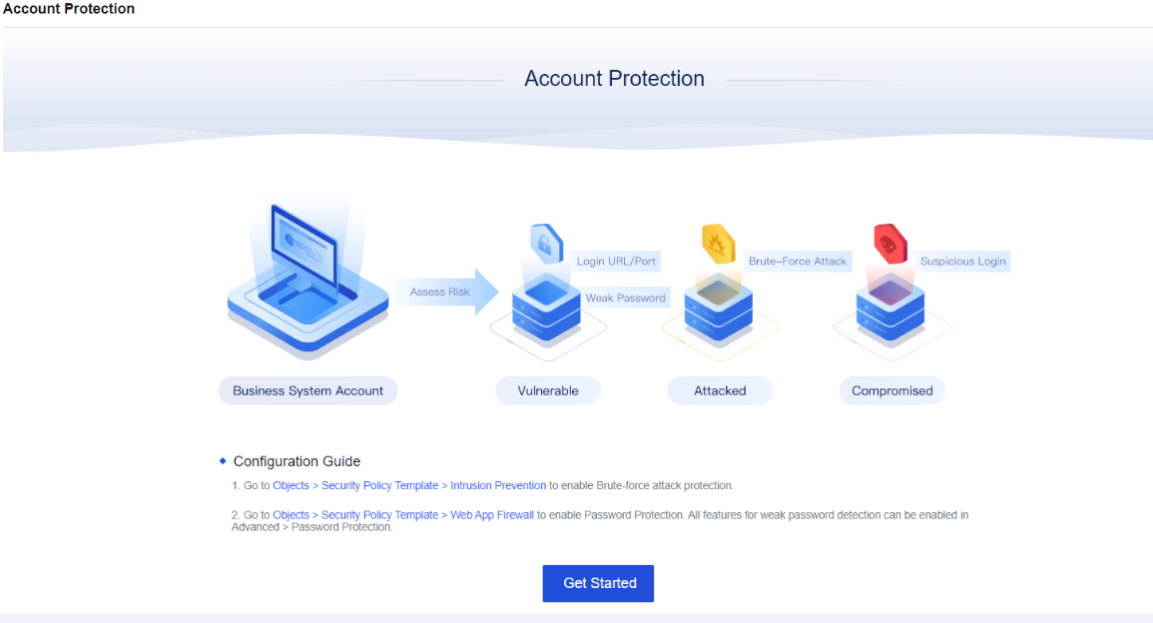
Click Get Started, and the page will change, as shown below.
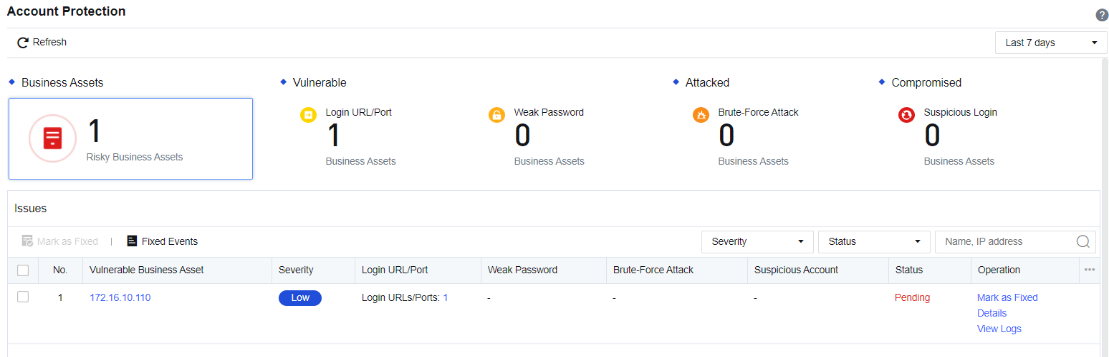
Login URL/Port: Any login operation, whether successful or not, will be detected as Login URL/Port by the Network Secure. The Network Secure will record the specific login address of an account, helping customers sort out the Login URL/Port. The interface mainly displays the protocol and address of the login.
Weak Password: It mainly helps customers sort out the business assets involving weak passwords and assists administrators in identifying which account has a weak password. The interface displays the account type, account name, and login URL/port and supports the export and fuzzy search of weak passwords.
Brute-Force Attack: If the login account has abnormalities like multiple login attempts and login failure, Network Secure will detect it as a brute-force attack. The Network Secure will record the source of the attack and block the IP addresses permanently to stop the source of the brute-force attack in time.
Suspicious Login: The successful login through multiple brute-force attacks will be detected as Suspicious Login. The Network Secure displays the suspicious login, attack source, brute-force time, etc.


 {{ $t('index.defaultHeader.chromeBrowserTip') }}