


{{ secondMenu.name }}






Advanced Settings includes multicast service management, intranet service management, VPN time plan settings, RIP settings, and hardware certificate generation.
Sangfor equipment supports the transmission of multicast services between tunnels to meet applications such as VOIP and video conferencing. You can define the multicast service, the IP range is 224.0.0.1-239.255.255.255, and the port range is 1-65535. See figure below:

Click Add to display the multicast service edit page, where you can set the multicast address and port used by the multicast service. See figure below:
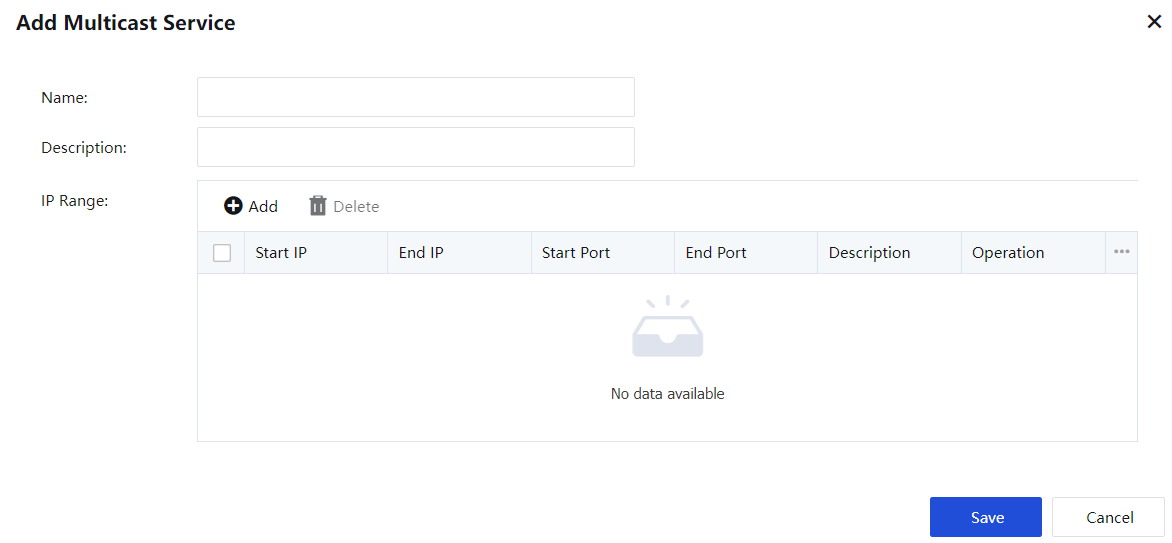
Define the name and description, click Add, and set the multicast address and port used by the multicast service.
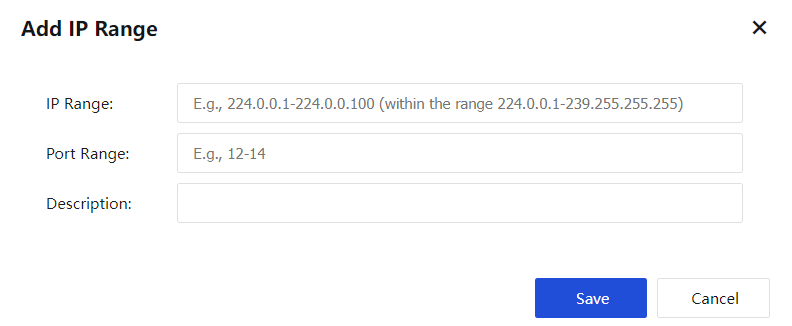
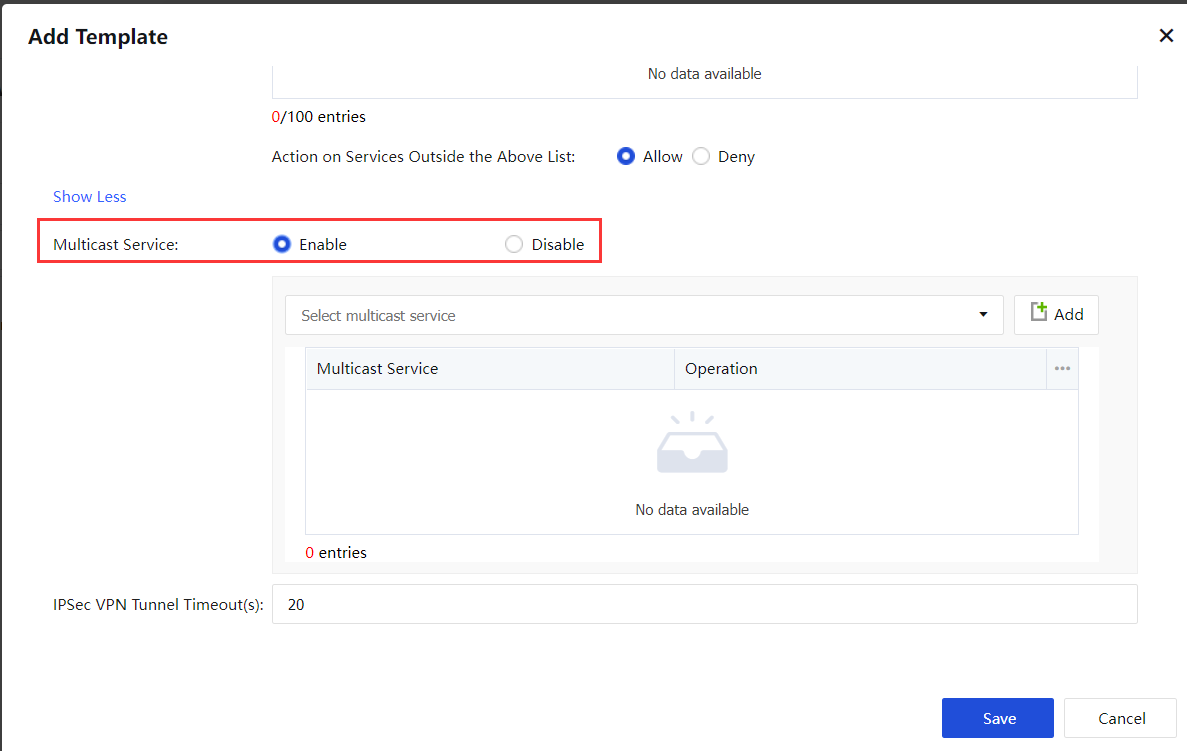
After defining the multicast service, add a new user in Local Users, enable the multicast service function in the newly added configuration template in Select Template, and associate the corresponding multicast service. See figure below:
The SANGFOR equipment can specify access permission for connected VPN users. It can restrict an IP address or mobile user on the internal network of a branch to specific services on a certain computer of the internal network.
It can also set inbound and outbound policy parameters for interconnecting with third-party equipment. For example, the equipment allows user tests to access Web services of the Web server at the headquarters and denies the access requests of user tests to other Web server services. Or, it allows an IP address in the internal network of branch1 to access the SQL server at the headquarters and denies the access requests of other IP addresses in the internal network. Security management on the VPN tunnel can be implemented through service access authorization.
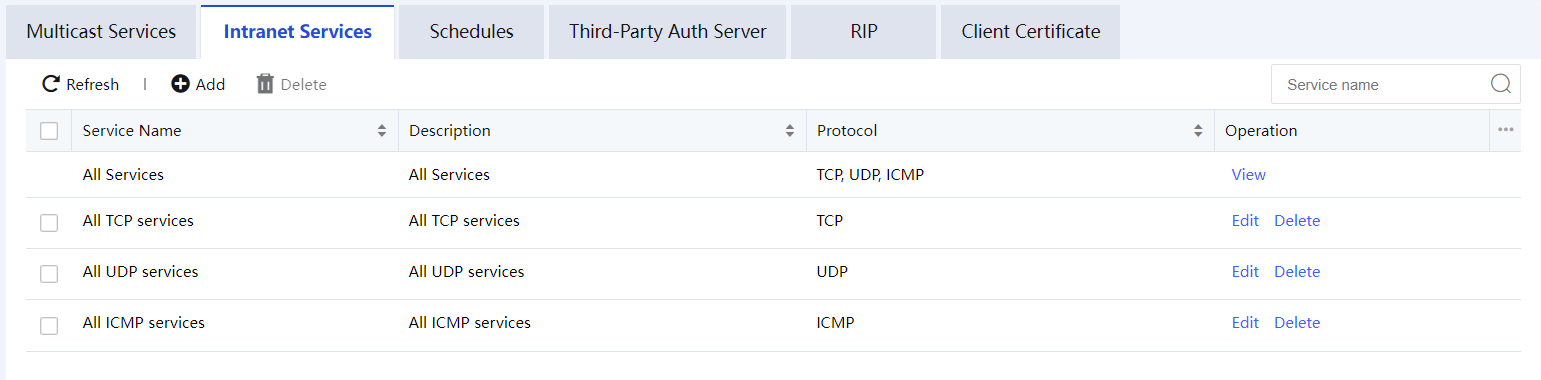
Click Add to add intranet services according to the protocol type, as shown in the figure below:
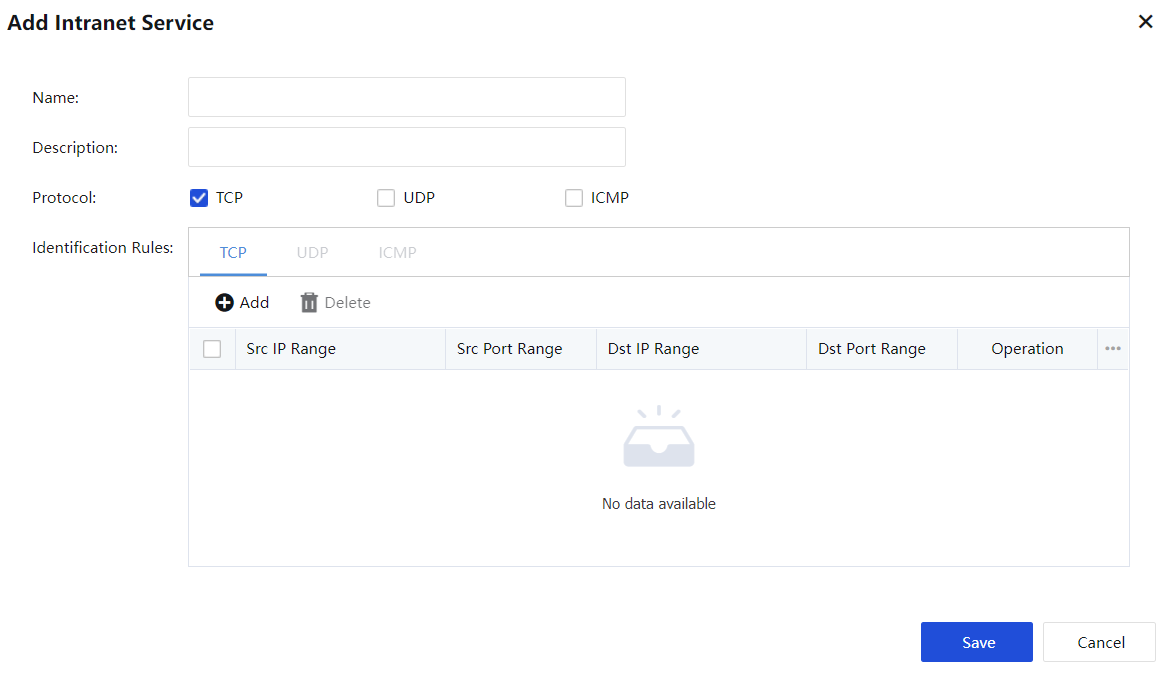
Description of the configuration item:
The name and description can be customized for easy management.
Protocol: Select the protocol used by the defined intranet service.
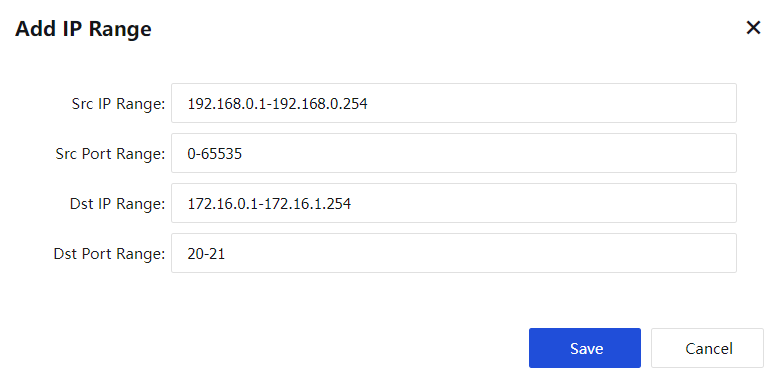
Select TCP or UDP. You can also set the source IP range, source port range, target IP range, target port range.
Click Add, as shown below:
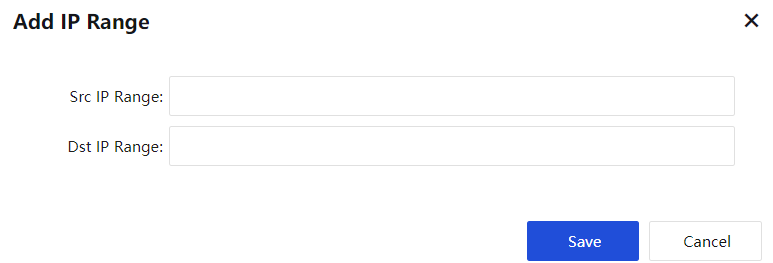
Select ICMP to set the source IP range and the destination IP range, as shown below:
When all configurations are complete, click Save to save the configuration.
On the Schedule page, you can define commonly used time segment combinations used in Local Users and LAN Service. The current time on the equipment prevails. See the figure below:

Click Add. The Schedule dialog box shown below is displayed.
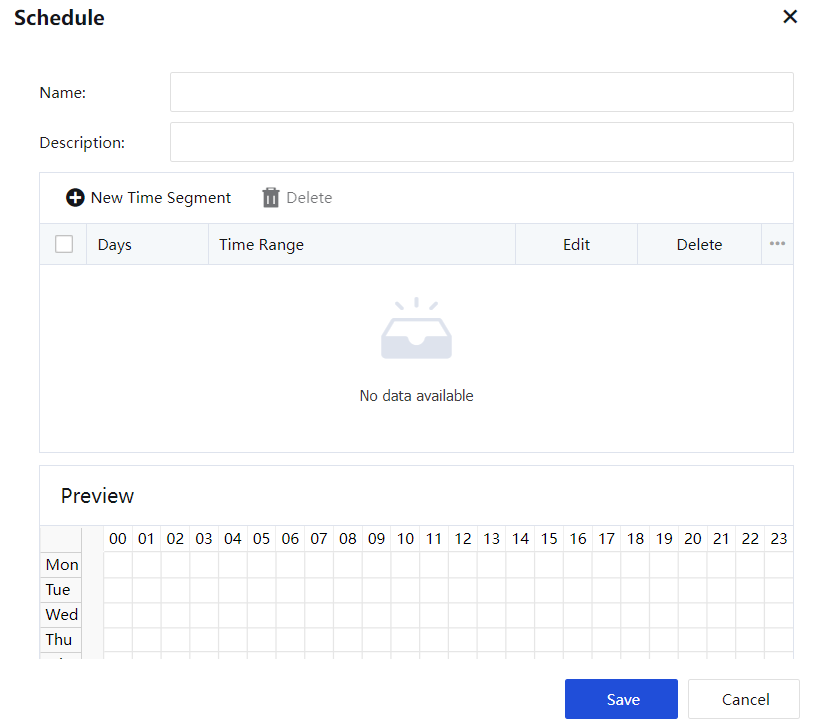
In the preceding figure, a time segment named Working Hours is defined. By default, the rules are effective in all time segments. Select a time segment combination and click. Then the rules are ineffective in the selected time segment and effective in other time segments. Click OK. The rules are effective in the time segments marked in green and ineffective in the time segments marked in gray.
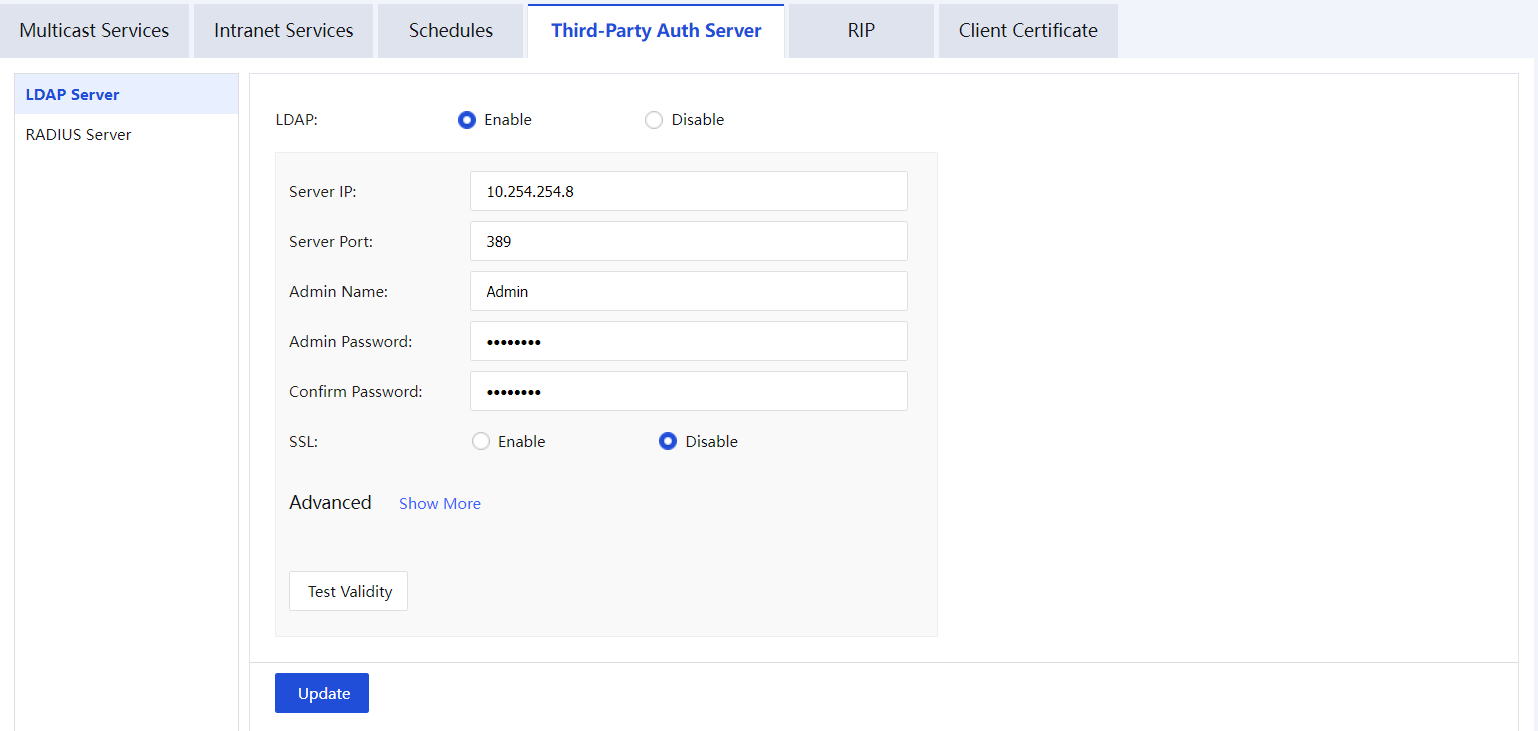
The VPN service of Sangfor equipment supports the use of third-party LDAP authentication. If you need to enable third-party authentication, please configure the third-party LDAP server information (including LDAP server IP, LDAP server port, and LDAP administrator password) in the LDAP server settings. See figure below:
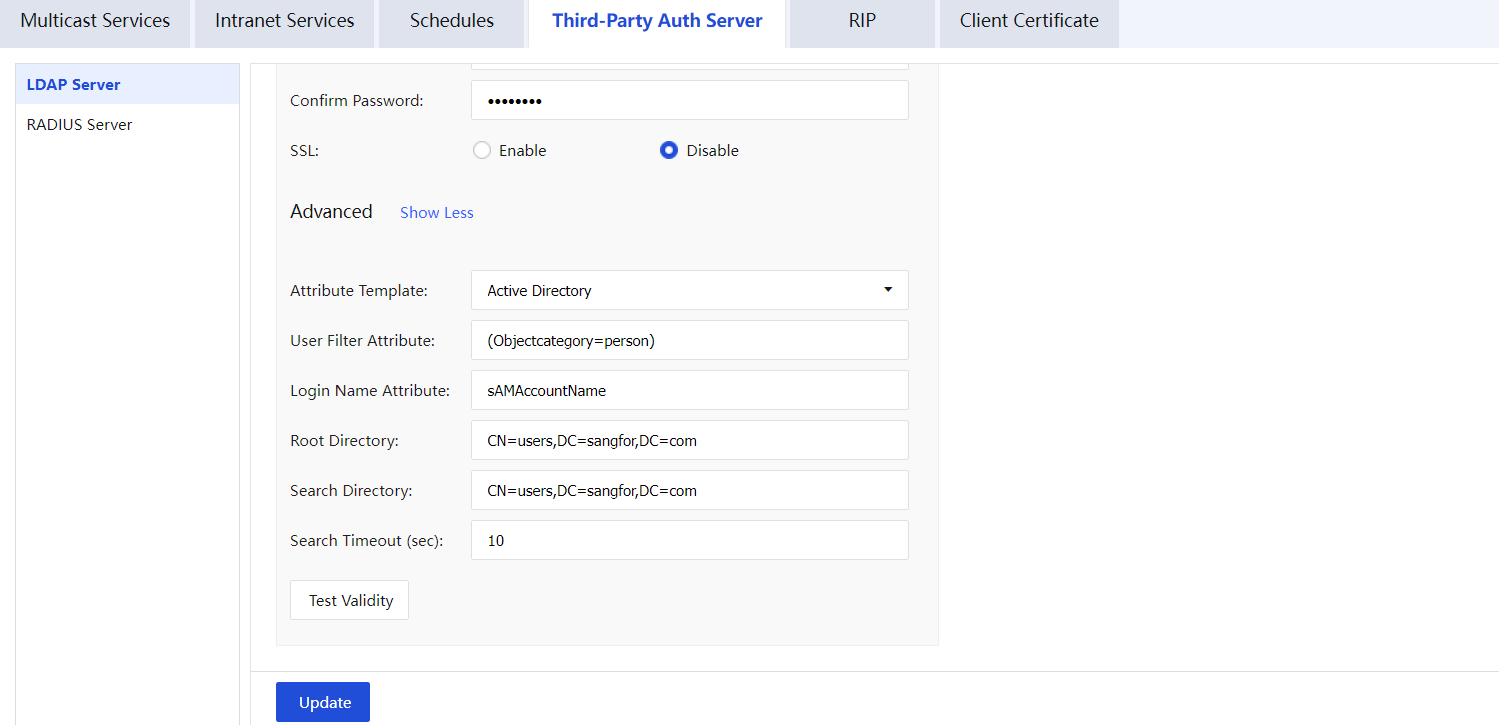
After setting the LDAP server information, click Advanced to display the LDAP advanced settings. See figure below:
Radius Server Settings
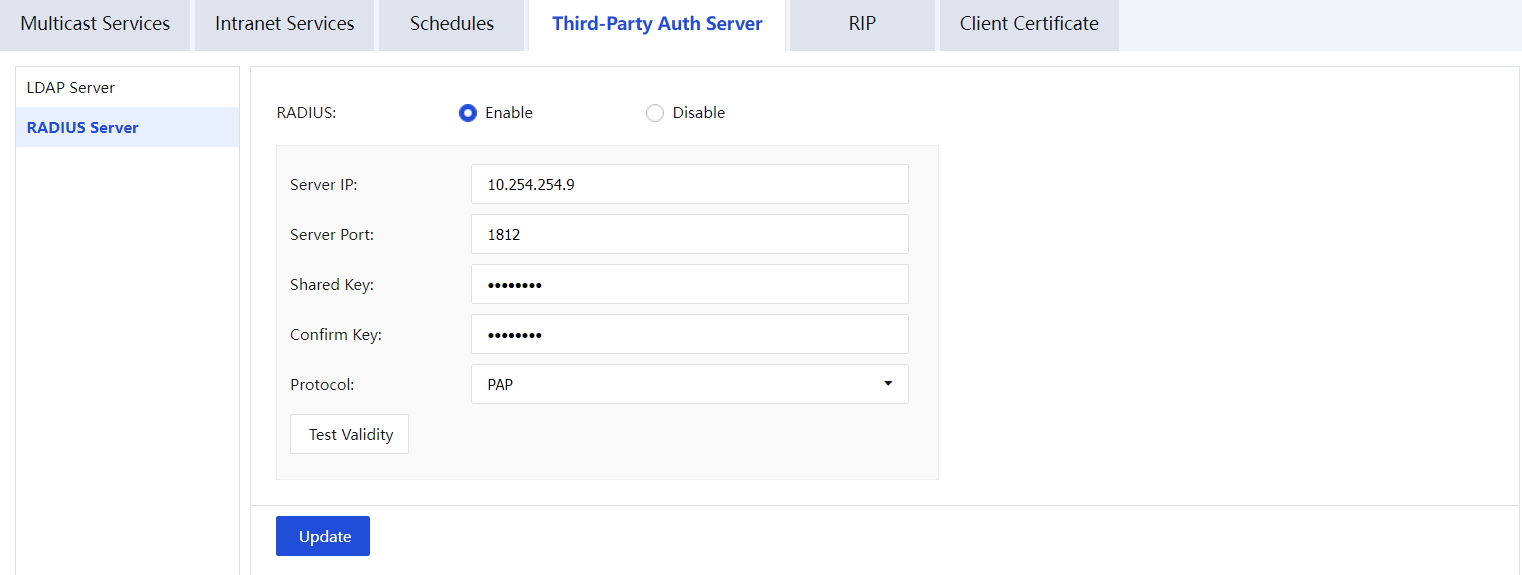
The VPN service of the Sangfor device supports the use of third-party Radius authentication. If you need to enable third-party Radius authentication, configure the third-party Radius server information in the Radius server settings (including Radius server IP, Radius server port, Radius authentication shared key, Radius protocol ). See figure below:
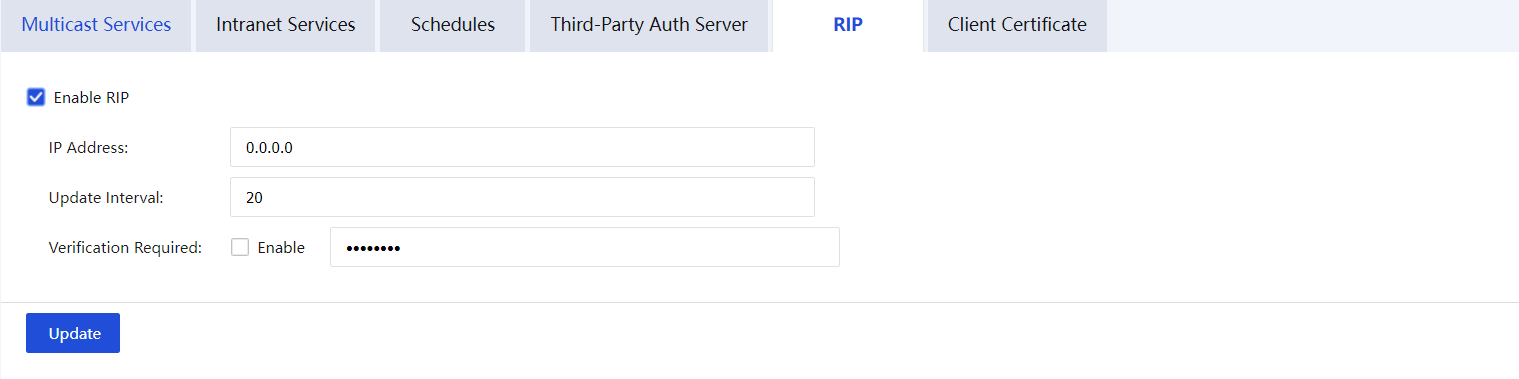
The RIP setting is used to set the Sangfor device to advertise routing information to other routing equipment through the RIP protocol to realize the dynamic update of the RIP routing information of the internal network routing equipment. See figure below:
Configuration item description:
Enable RIP: The entire RIP dynamic routing update function switch. After enable, Sangfor equipment will notify the set intranet routing equipment of the information of the peer network that has established a VPN connection with the local end(Update the routing tables of other devices, and the routes added to the VPN peer point to Sangfor. After the VPN connection is disconnected, the routing device will be notified to delete the route).
IP Address: Used to set which IP (routing device IP) to actively publish routing update information.
Update Interval: Sangfor will trigger the process of routing update information when the routing information changes. At this time, the RIP update cycle parameter set below becomes invalid.
Verification Required: It is used to set the password that needs to be verified when exchanging RIP protocol information, which can be set according to the specific situation.
The certificate authentication system based on hardware characteristics is one of the invention patents of Sangfor. Sangfor hardware equipment also uses this technology for identity authentication between different VPN nodes. This certificate extracts part of the hardware features of Sangfor equipment to generate an encrypted authentication certificate. Due to the uniqueness of the hardware characteristics, the certificate is also unique and unforgeable. Through the verification of the hardware characteristics, it is ensured that only the designated hardware devices can be authorized to access the network, avoiding security risks.
Click Client Certificate to generate the hardware certificate and save it to the local computer. The page is as shown in the figure below:

Send the generated certificate to the headquarters administrator, who selects hardware authentication when creating a VPN user account and binds the user to the corresponding hardware certificate.


 {{ $t('index.defaultHeader.chromeBrowserTip') }}