


{{ secondMenu.name }}






The SANGFOR equipment provides powerful VPN tunnel routing functions. After tunnel routes are configured, the interconnection between VPNs (software/hardware) can be easily implemented. See the figure below:
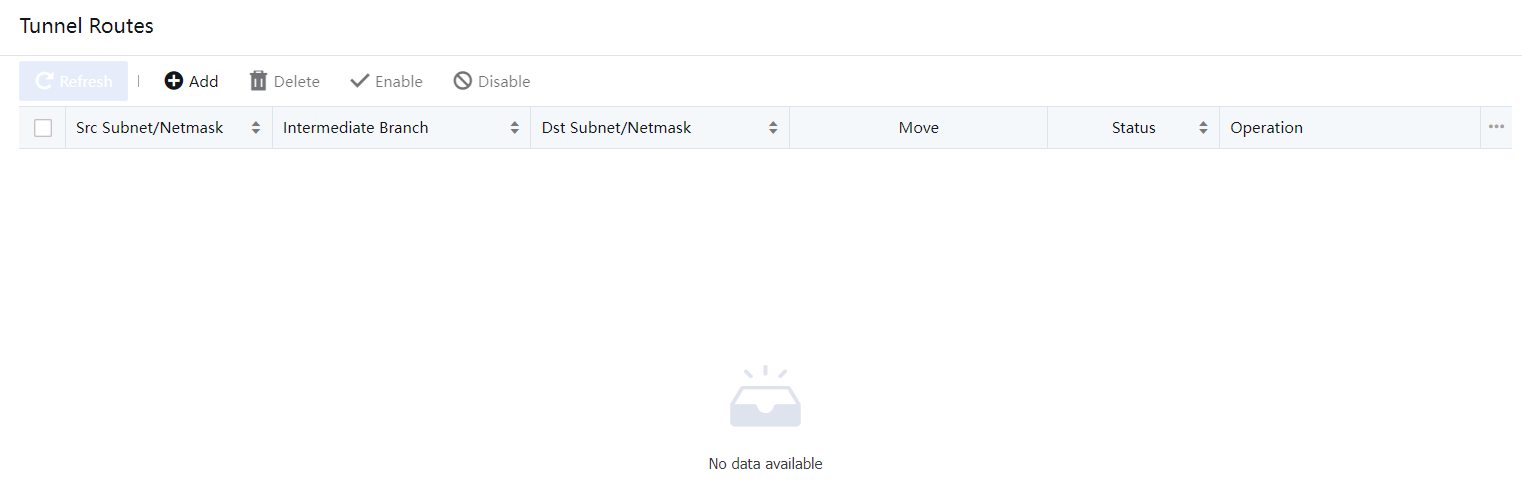
For example, the headquarters (Shenzhen 192.168.1.x/24) establishes connections with two branches Shanghai 172.16.1.x/24 and Guangzhou 10.1.1.x/24. Shanghai and Guangzhou branches interconnect with the headquarter through connection management configuration. There is no VPN connection between the Shanghai branch and the Guangzhou branch. You can set a tunnel route to implement mutual access between Shanghai and Guangzhou. The procedure is as follows:
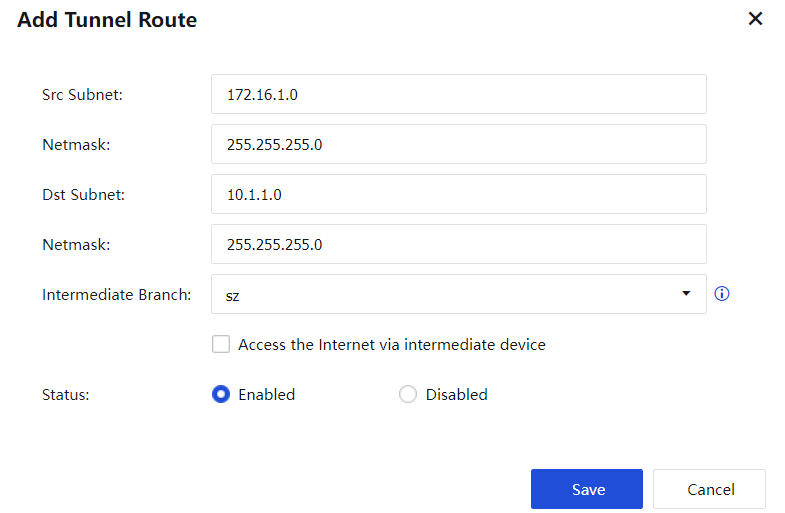
Source IP: Source IP address. It should be set to 172.16.1.0 in this example.
Subnet Mask: Subnet mask of the source IP address. It should be set to 255.255.255.0 in this example.
Destination IP: Destination IP address. It should be set to 10.1.1.0 in this example.
Subnet Mask: Subnet mask of the destination IP address. It should be set to 255.255.255.0 in this example.
Dst Route User: VPN user that the route directs to. In this example, set it to the user to establish the VPN connection between the Shanghai and Shenzhen branches.

Source IP and Destination IP specify the source IP address and destination IP address of data. If the data transmitted on the VPN tunnel match the settings, the route settings take effect, and data is forwarded to the corresponding VPN equipment. Dst Route User specifies the VPN equipment to which the data is to be routed. In this example, the Shanghai branch establishes a VPN connection with the headquarters by using the user name Shenzhen-Shanghai in VPN Connection. Therefore, the data forwarded to the headquarters is labeled Shenzhen-Shanghai.
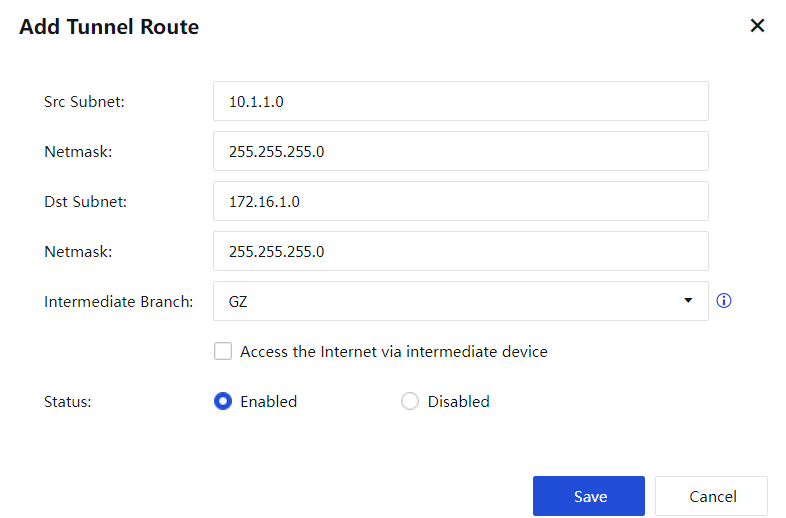
Source IP: source IP address. It should be set to 10.1.1.0 in this example.
Subnet Mask: subnet mask of the source IP address. It should be set to 255.255.255.0 in this example.
Destination IP: destination IP address. It should be set to 172.16.1.0 in this example.
Subnet Mask: subnet mask of the destination IP address. It should be set to 255.255.255.0 in this example.
Dst Route User: VPN user that the route directs to. In this example, set it to the user that establishes the VPN connection between the Guangzhou branch and Shenzhen branch.
The network access data in a branch can be forwarded to the headquarters through a tunnel route and network access is performed through the public network interfaces at the headquarters. For example, set Shanghai branch to access the Internet through the headquarters. See the figure below:
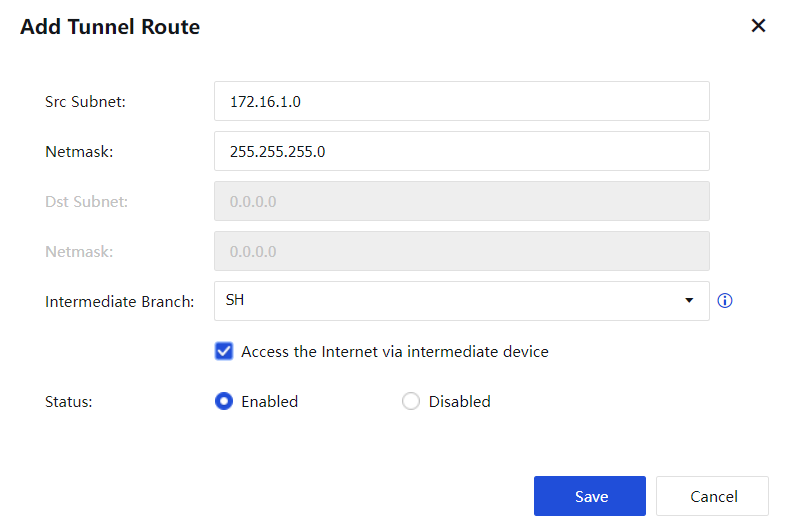
Source IP: source IP address. Set it to the IP address that needs to access the Internet through the headquarters.
Subnet Mask: subnet mask of the source IP address. It should be set to 255.255.255.0 in this example.
Dst Route User: VPN user that the route directs to.
Select Access Internet via destination route user to apply the settings.
In the case of network access through lines at the headquarters, choose Policies > NAT > Source Address Translation on the equipment at the headquarters and add source address translation rules for VPN network segments. For details, see the configuration description of the firewall.
If the NGAF equipment serves as the headquarters and branches need to access the Internet through the headquarters, perform operations under the guidance of SANGFOR technical support engineers.


 {{ $t('index.defaultHeader.chromeBrowserTip') }}