


{{ secondMenu.name }}






The equipment provides the network node interconnection and setup functions to implement interconnection between multiple network nodes. You can perform setup on the VPN Connection page.

VPN connection needs to be enabled only when the equipment serves as a branch and needs to connect to other equipment at the headquarters. A VPN connection does not need to be enabled if the local end is the equipment at the headquarters.
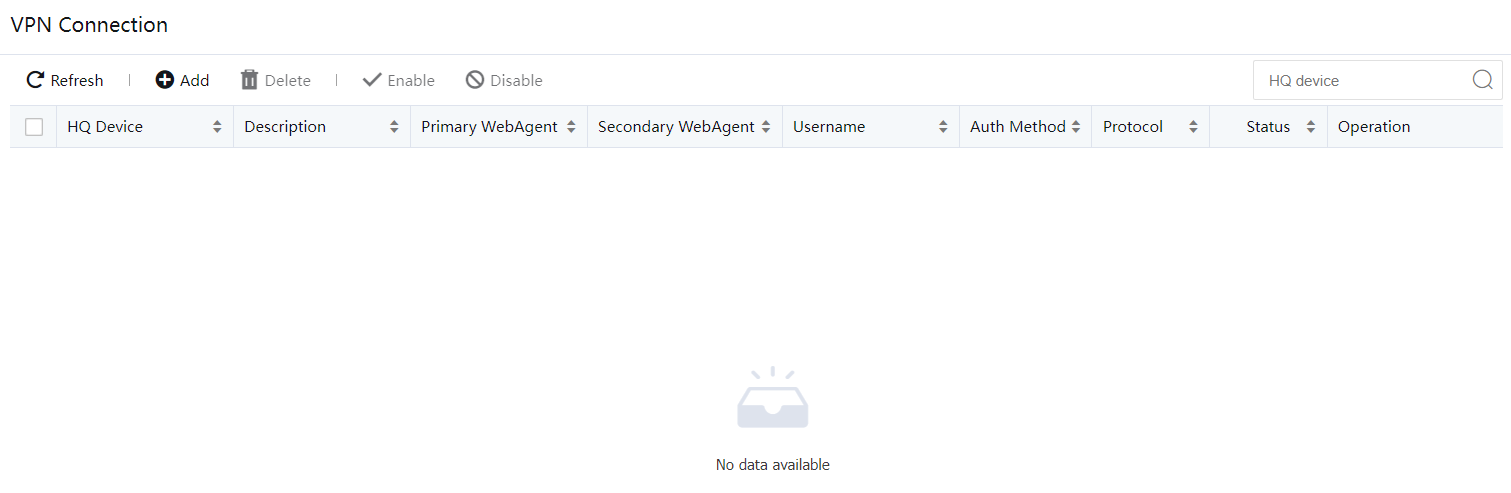
Click Add to add a connection to the headquarters. See the figure below:
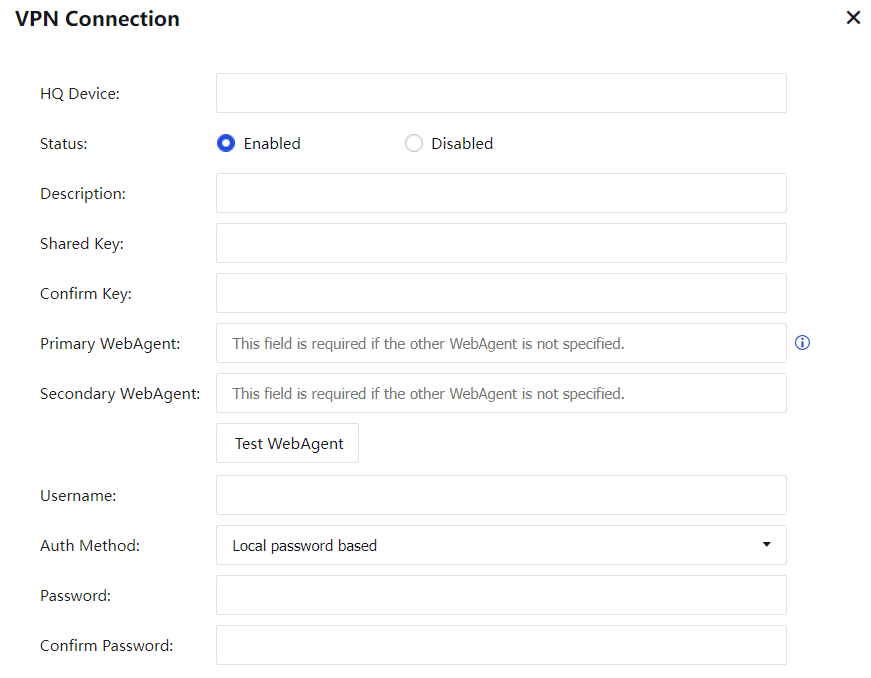
HQ Device: Name of the connection to the headquarters.
Description: Description of the connection.
Primary WebAgent/Secondary WebAgent: Web agent to be connected to the headquarters. You can click Test to test whether the Web agent works properly.
Test requests are initiated from the local end instead of the NGAF equipment. If the Web agent is represented by using a domain name and the test succeeds, the Webpage exists; otherwise, the Webpage does not exist. If the Web agent is presented by using a fixed IP address and the test succeeds, the IP address format is correct. The connection to the VPN may fail even if the test succeeds.
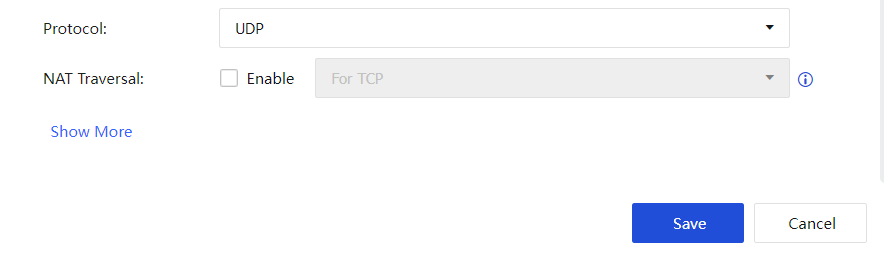
Protocol: Protocol used for transmitting VPN packets. It can be set to TCP or UDP. The default value is UDP.
Set Shared Key, Username, and Password based on the account information provided by the headquarters.
Click Show More to configure LAN Service. Set the permission of the peer end of the VPN connection. That is, specify the services that the peer end can access.
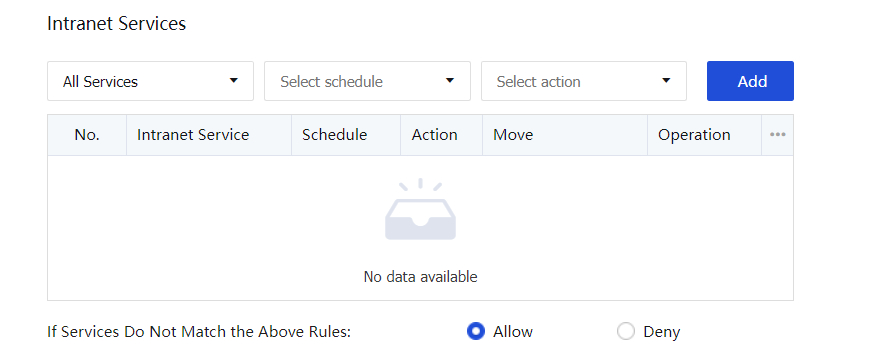
Click OK to save the settings.


 {{ $t('index.defaultHeader.chromeBrowserTip') }}