


{{ secondMenu.name }}






SANGFOR equipment provides a powerful VPN multi-line routing strategy, which can select different main and backup line groups according to the multiple external network line conditions of the local and opposite VPN equipment. It can also cooperate with BBC equipment to realize SD-WAN sorting and intelligent routing, as shown in the figure below:

Click Add to display the SDWAN Selection Policy dialog box, as shown below: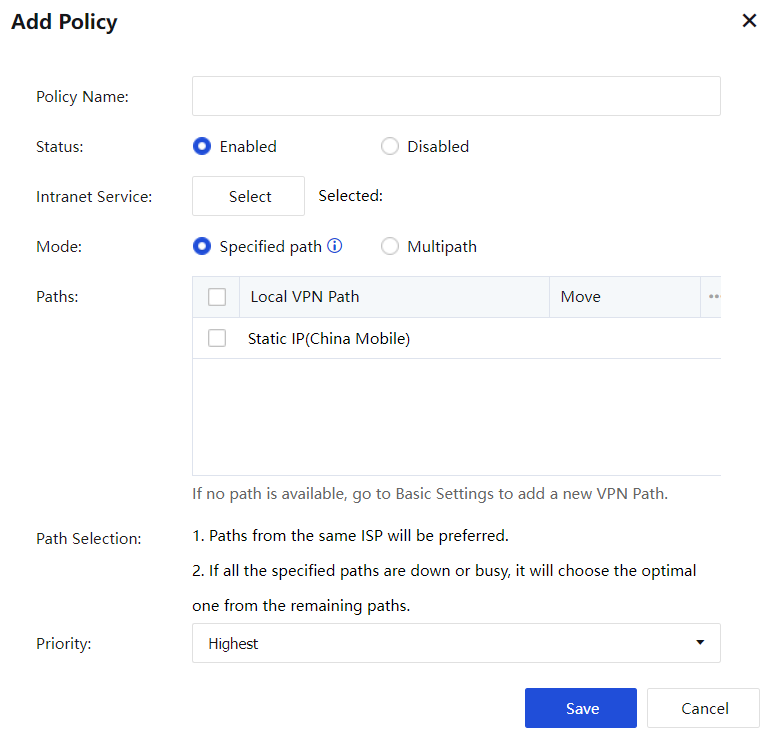
Name: Set the name of the policy.
Status: Whether to enable or disable this policy.
Intranet Service: You can choose an existing intranet service or choose to add a new intranet service.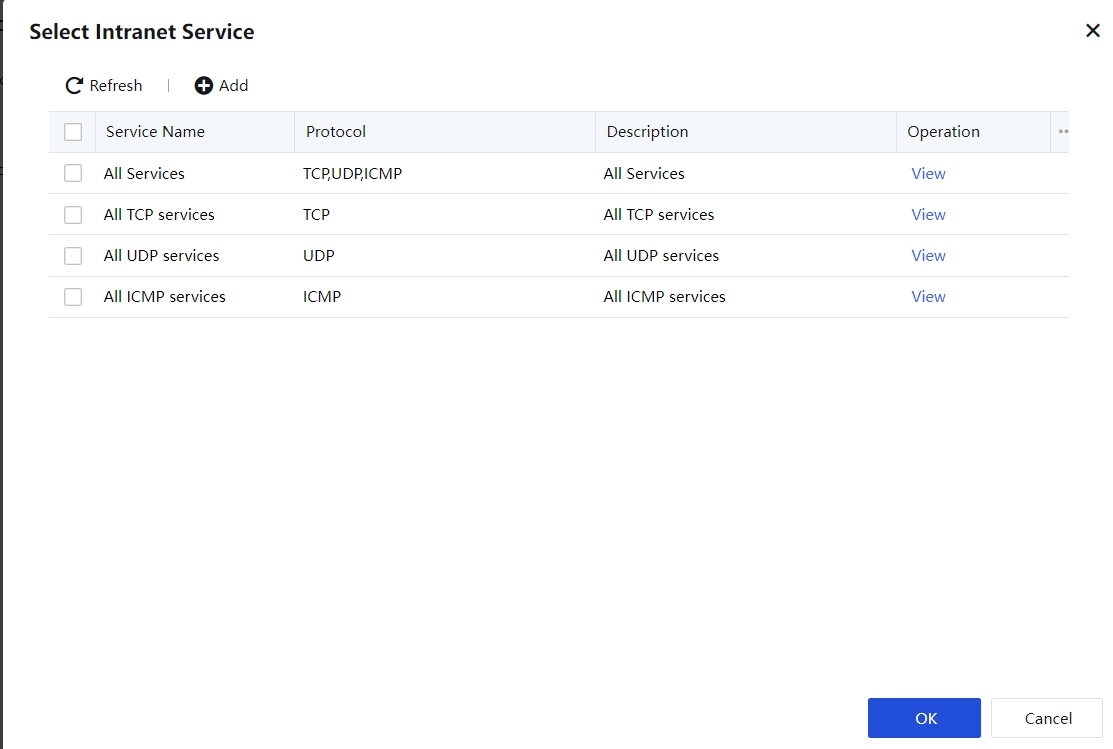
Mode: Can choose designated line mode or multi-line load mode, choose according to user’s needs.
Path: Select the corresponding line. The intranet service will go to the corresponding line. Specific path is used to select a certain line according to the specified intranet service, which is often used for video conferencing services, or certain services that require lines. Multipath according to the internal network service, select multiple lines to load according to the line quality or application type.
Priority: Set the priority of the strategy in the intelligent routing strategy.

After setting the SD-WAN Path Selection, you need to select and use it in the user or user group Advanced option of Local Users.


 {{ $t('index.defaultHeader.chromeBrowserTip') }}