


{{ secondMenu.name }}






The Basic page displays Web agent information, shared key, MTU value of VPN data, MSS value, VPN listening port, broadcast packet, performance, VPN paths, and VPN Subnets settings.
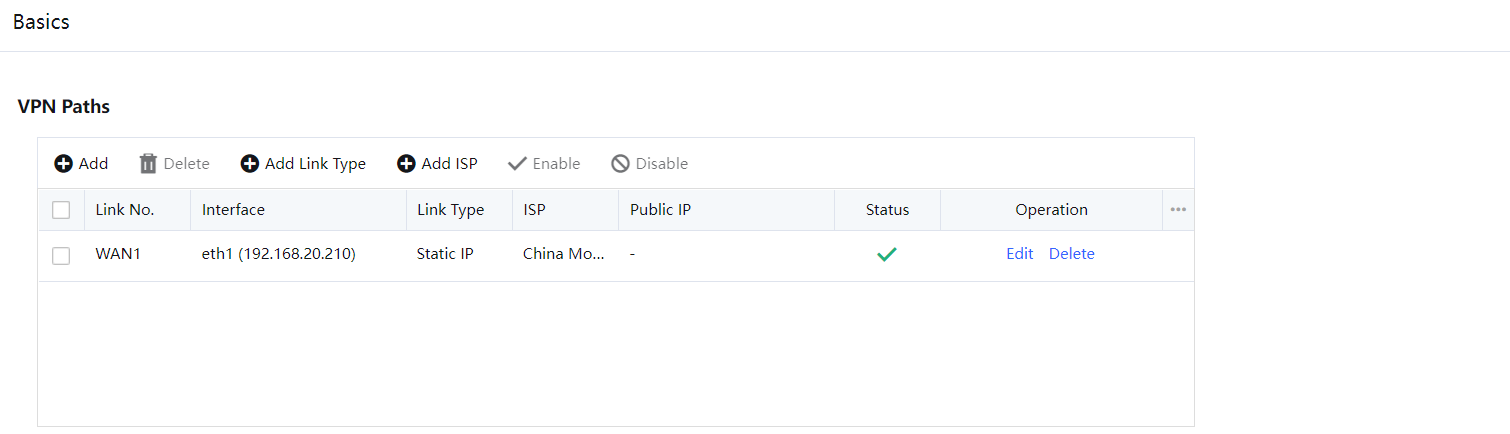
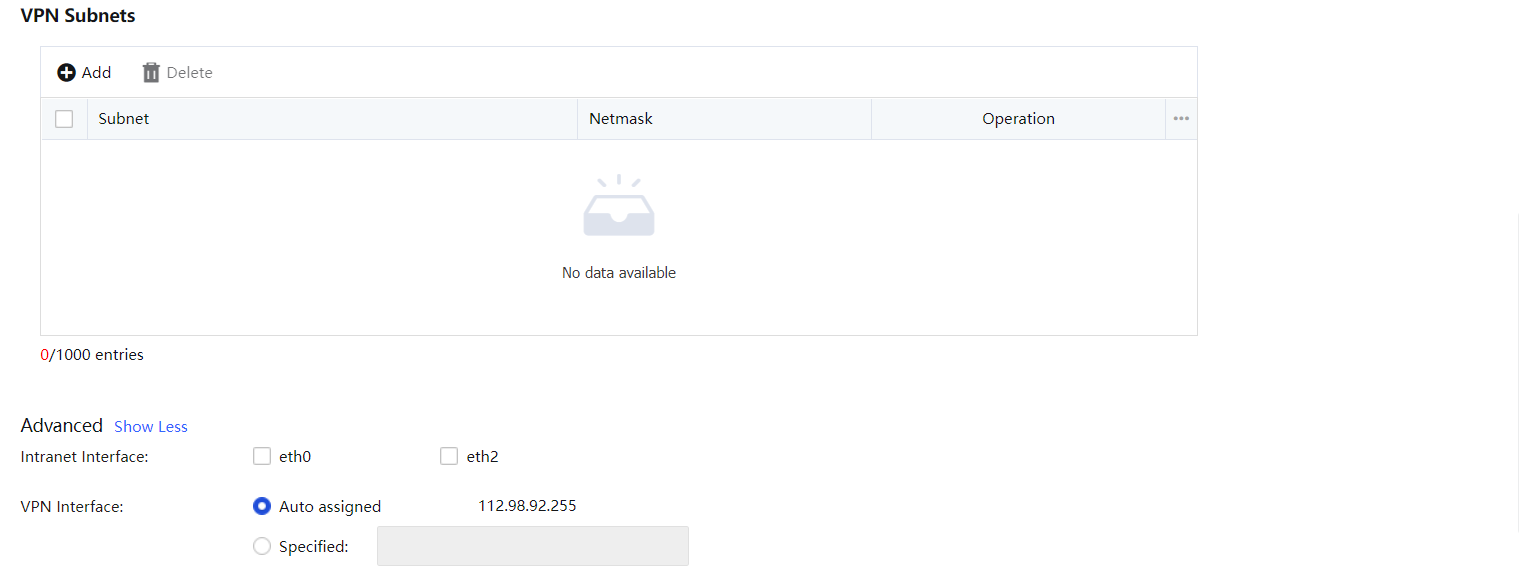
VPN Paths are used to configure the VPN links.
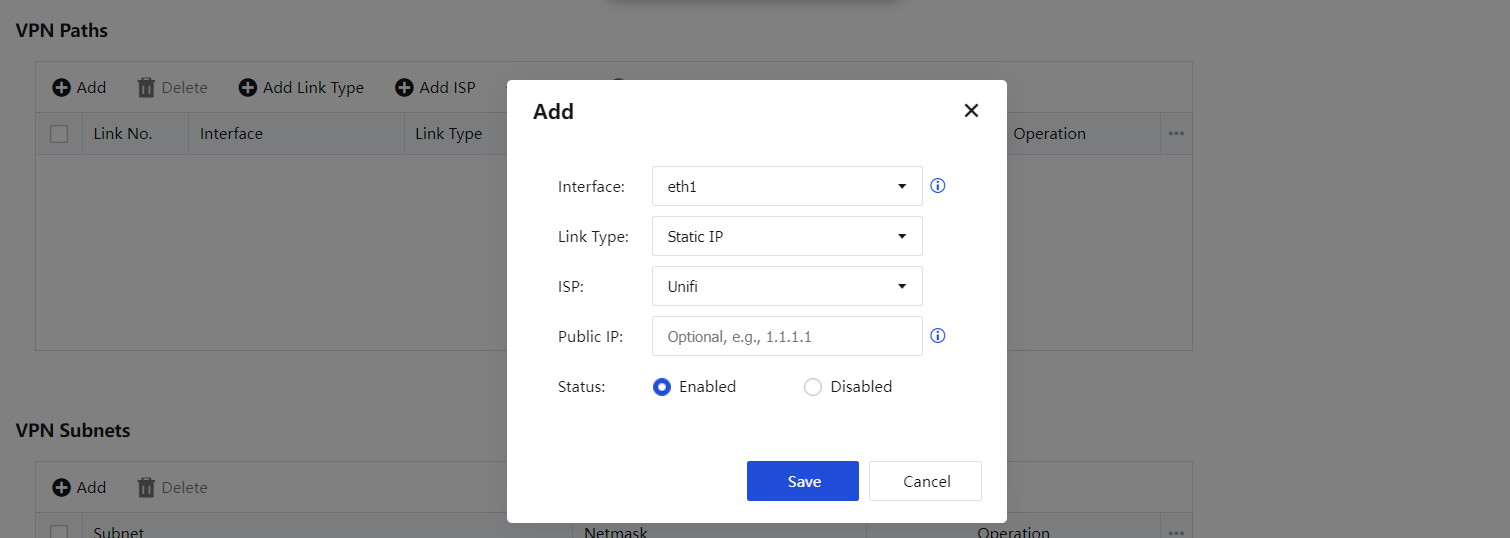
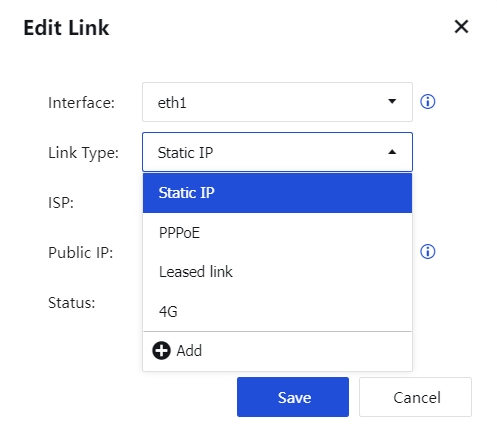
Interface: Select the corresponding WAN port as the line interface.
Line Type: You can select the type preset by the device or click Add to customize the line type name. The page is shown in the figure below:
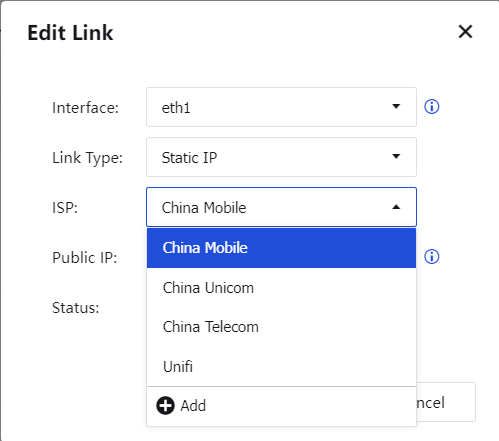
ISP: You can select the type of ISP preset by the device, or you can click Add to customize the operator name. The page is as follows:
Public IP: You need to configure the public IP of the front device if your device is deployed in single-arm mode and the WAN interface has not been configured with a public address.
VPN Subnets are used when the device is located in the intranet with a layer 3 switch or router, and multiple network segments are divided. You need to add the information of multiple network segments except for the network segment where the LAN port of the device is located.
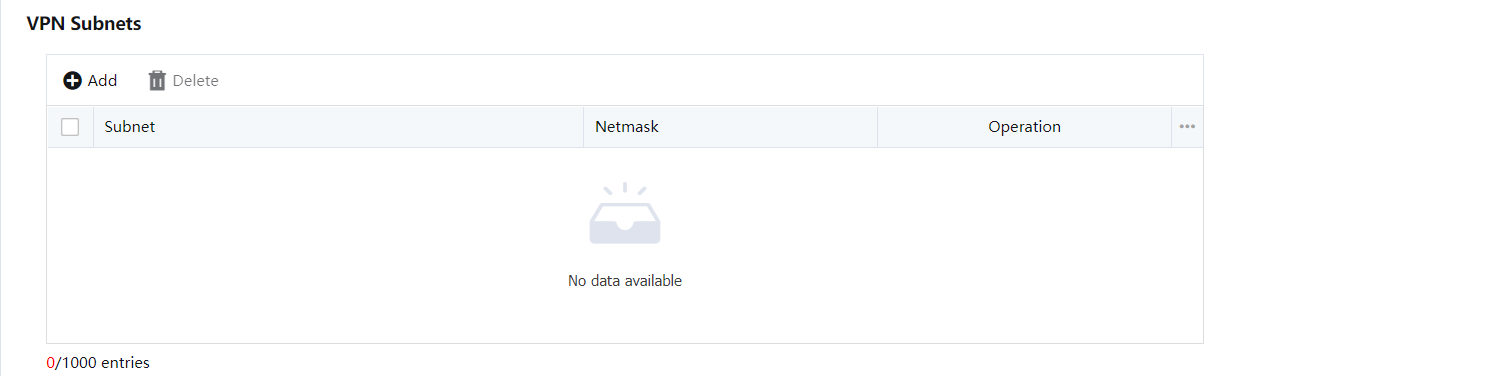

The network segment where the LAN port and DMZ port of the device are located does not need to be added to the IPSec VPN subnet list. Only when the local intranet has multiple network segments, you need to add other network segments to the IPSec VPN subnet list.
Advanced including IPSec VPN internal network interface, VPN interface, VPN monitoring port, and other configurations.
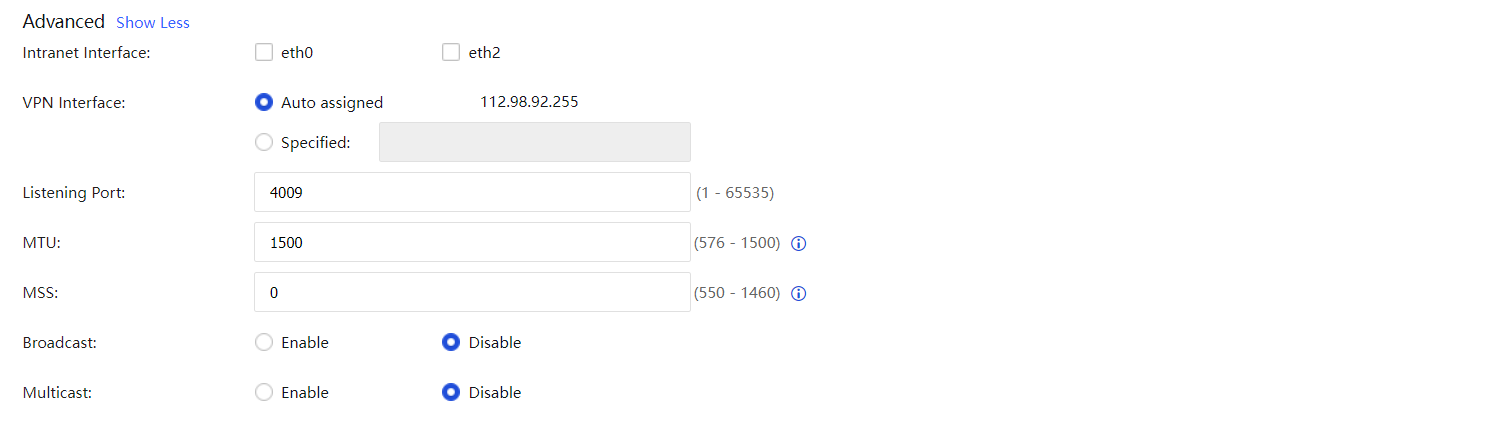
Intranet Internal: Including LAN port and DMZ port, used to set VPN network segment. The IP address within the range of LAN port or DMZ port network segment is considered as VPN data, and other network segment IP addresses are non-VPN data.
VPN Interface: Used to set the VPN interface IP address of the local device, which can be automatically assigned or manually defined.
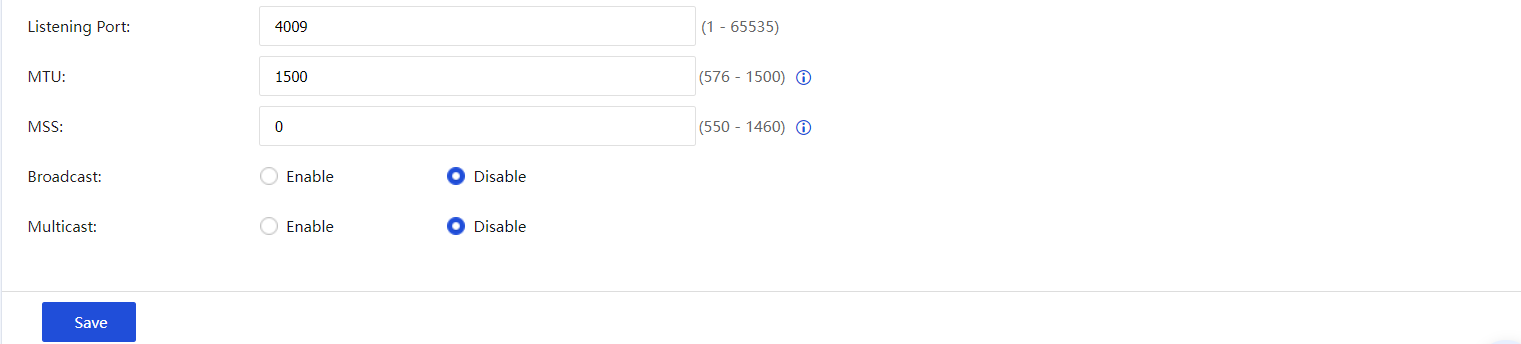
Listening Port: Used to set the monitoring port of the VPN service. The default is 4009, which can be set as required.
MTU: Specifies the maximum MTU value of VPN data. The default value is 1500.
MSS Change: Specifies the maximum VPN data fragment in User Datagram Protocol (UDP) transmission mode.
Broadcast: Whether to transmit broadcast packets on VPN channels. Only broadcast packets within the specified port range can be transmitted to avoid broadcast storms.
Multicast: Whether to transmit multicast packets on VPN channels.
Generally, please keep the default values of MTU and MSS. If you need to set them, please modify them under the guidance of Sangfor technical support engineers.


 {{ $t('index.defaultHeader.chromeBrowserTip') }}