


{{ secondMenu.name }}






SSL VPN supports resources access only through an Internal DNS server. When there are such application resources, usually, the user will have several DNS servers for internal devices to resolve the domain when accessing the applications. The configuration will allow SSL VPN users to resolve domain using the defined DNS server. The configuration page is shown in the following:
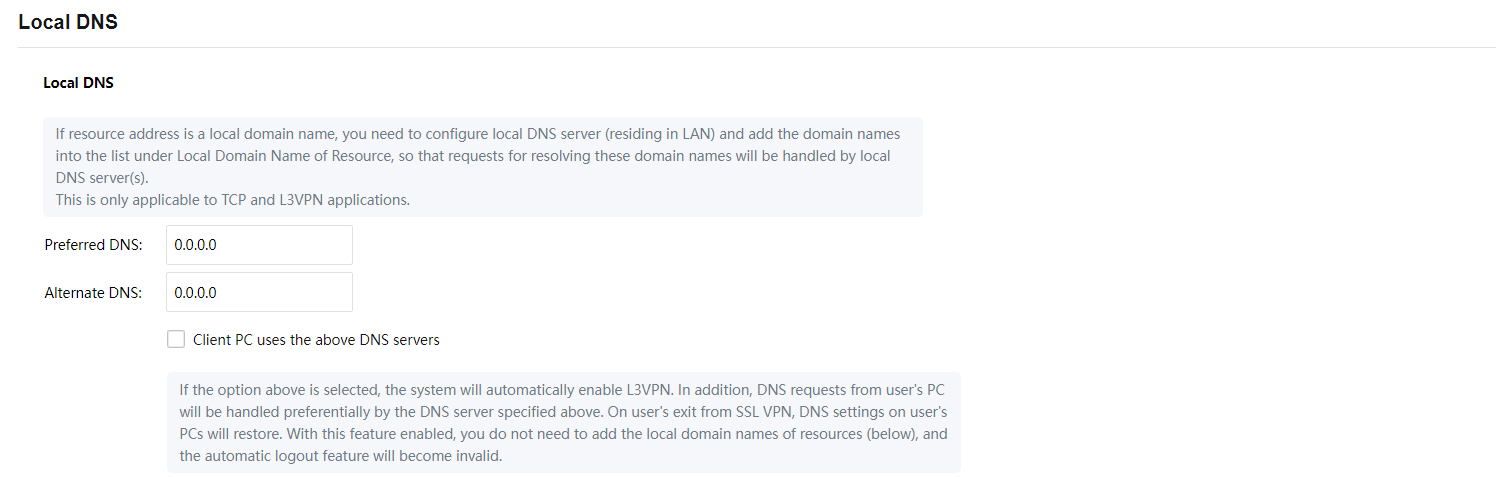

Inside the Local DNS, there are Primary DNS and Alternative DNS. If there is only one internal DNS, then only need to configure Primary DNS. After the configuration, check the options Client PC uses the above DNS servers to activate the function.
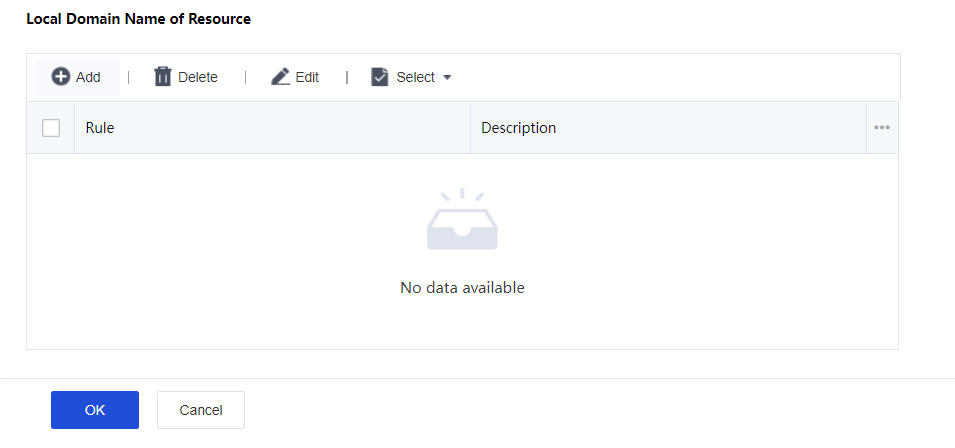
After doing the configuration, can proceed to Local Domain Name of Resource to configure as shown in the figure below:
Click on Add button to open Add Domain Name of Resource windows as shown below:
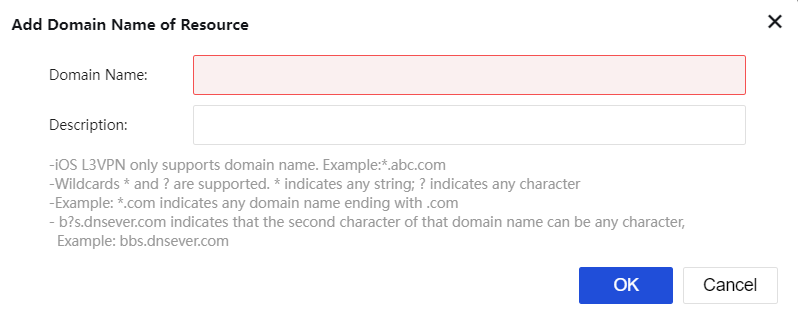
Domain Name: Define the domain name of resources to be accessed.
Description: Description of the domain name entry.

If the resource application uses an internal domain name and there is an internal DNS server to resolve these domains, recommended adding the Local Domain Name of Resource to give higher priority for internal DNS server resolved, else leave the section blank.
The maximum supported resource is 100 entries, only supporting English alphabets.


 {{ $t('index.defaultHeader.chromeBrowserTip') }}